

The 17 Best Examples of No-Code Workflow Automation Software
The average company uses 106 SaaS apps across all workflows, and even small teams see their work scattered across multiple platforms. No-code automation tools allow teams to close the gaps between these tools, connecting work across projects, moving data, and automating workflows with visual builders rather than writing code.
Using dedicated tools for every task can make teams more productive, but needing to jump back and forth between them can quickly erode that advantage. Here’s how you can get your tools working for you again.
Overview
The best no-code workflow automation tools allow teams to automate processes with visual builders and API calls rather than custom code and script. Within this category, one-way trigger-based automation and two-way syncing aren’t interchangeable. Trigger-based automation pushes data in one direction while bidirectional sync keeps all connected apps updated as changes occur on either side.
| Tool | Best For | Integration Type | AI Features | Number of Integrations | Starting Price |
| Unito | Cross-tool data consistency and collaboration | Two-way sync | AI agent integration (e.g., Rovo) | 60+ | Free trial; paid plans vary |
| Kissflow | Operations and business process management | One-way triggers | AI-assisted app and workflow building | Dozens of pre-built connectors + API | No free plan; paid plans start at $2,500/month |
| Zapier | Connecting apps quickly across a broad ecosystem | One-way triggers | AI agents, chatbots, copilot | 9,000+ | Free plan (100 tasks a month); paid plans start at $29.99/month |
| Cflow | Approval and operations workflows with AI-generated process design | One-way triggers | AI workflow generation | Limited native integrations; expanded integration library through Zapier | No free plan; paid plans start at $22/user/month |
| Outfunnel | Sales and marketing alignment | One-way triggers | None | About 17 (CRM and marketing focused) | No free plan; paid plans start at $29/month |
| Pipefy | Deal pipeline and sales process management | One-way triggers | AI agents, copilot, and AI agents | Limited native integrations; expanded integration library through Zapier | Free; custom paid plans |
| Make | Complex, multi-path visual workflows | One-way triggers | AI toolkit and workflow AI | 3,000+ | Free; paid plans start at $9/month |
| Workato | Enterprise integration and iPaaS | One-way triggers | AI-powered recipe building | 1,000+ | No free plan; custom paid plans |
| Whalesync | Database-to-website syncing | Two-way sync | None | 10 data sources, 4 destinations | Free trial; paid plans start at $5/month |
| Process Street | Checklist-driven process automation | One-way triggers | AI-generated workflows, AI compliance agent | Limited native integrations; expanded integration library through Zapier | Free trial; custom paid plans |
| n8n | Technical teams who want open-source flexibility | One-way triggers | Native AI and LLM nodes | 400+ nodes | Free (self-hosted); cloud plans start at €20/month |
| Power Automate | Microsoft 365 environments | One-way triggers | Copilot-assisted flow building | 1,000+ | No free plan; paid plans start at $15/user/month |
| Gumloop | AI-native batch automation and AI agents | One-way triggers | AI-native | 100+ apps and 50+ MCP servers | Free (5K credits); paid plans from $37/month |
| Relay.app | Workflows needing human-in-the-loop approvals | One-way triggers | Built-in AI steps within broader automation workflows | 100+ | Free (200 steps/mo); paid plans from $19/month |
| Activepieces | Budget-friendly, open-source automations | One-way triggers | Built-in AI steps within broader automation workflows | 400+ | Free (self-hosted), cloud plans start at $25/month |
| Wrk | Fully managed, done-for-you automation | Managed service (AI + RPA + API + human-in-the-loop) | AI actions with human-in-the-loop review | 2,500+ pre-built bots/connectors | Build from $1,000 + credit-based pricing from $250/month |
| Notion automations | Notion power users who need built-in integrations | One-way triggers | Built-in Notion AI | 270+ | Free; paid plans start at $10/user/month |
Unito: No-code workflow automation with two-way sync
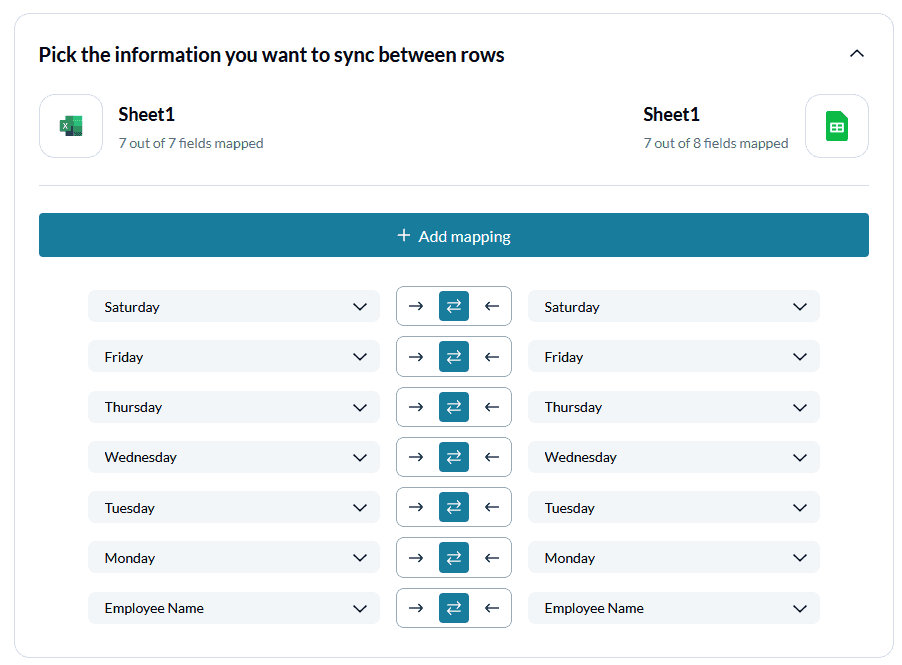
Most other integration tools, like Zapier, use trigger-based automation that only works one way. By contrast, all of Unito’s integrations work both ways. Automatic, bidirectional syncing means that when selected information in one tool changes, any app it’s integrated with syncs automatically.
The most recent data from project management apps like Trello or Asana shows up in whatever other tools your team prefers, in real time, according to rules you choose. Changes in one app automate across your entire stack, saving time and keeping everyone on the same page. That means you can work across tools without time-intensive manual processes like managing exports and copying and pasting data.
It’s a huge step up in efficiency and value. That’s why this workflow management software is used by organizations like Tesla, Netflix, Harvard, and Uber.
Best for
Building a true two-way sync between project management apps, reporting tools, spreadsheets, and more, perfect for empowering cross-tool collaboration. It can also feed data from these tools to your AI agents, improving the way they work.
Key features
- True 2-way sync, which creates two-way relationships between work items and keeps everything up to date without code or setting up multiple automations.
- Automated field mappings, which ensure that data always goes to the right place, no matter how different the tools you pair are.
- Robust rules, allowing you to control which work items get synced between tools as well as automating actions like status changes and assigning tasks.
Use cases
- IT service management
- Project management
- Account management
- Marketing reporting
Drawbacks
Unito offers integrations with Hubspot, Jira, Mailchimp, Pipedrive, and many more. While we’re adding new integrations all the time, we currently integrate with 60+ apps. These integrations cover database reporting tools, CRMs, project management tools, and more. Some of our competitors support a broader range of tools, but they rarely offer the same depth as Unito integrations.

Kissflow: Best no-code automation tool for operations
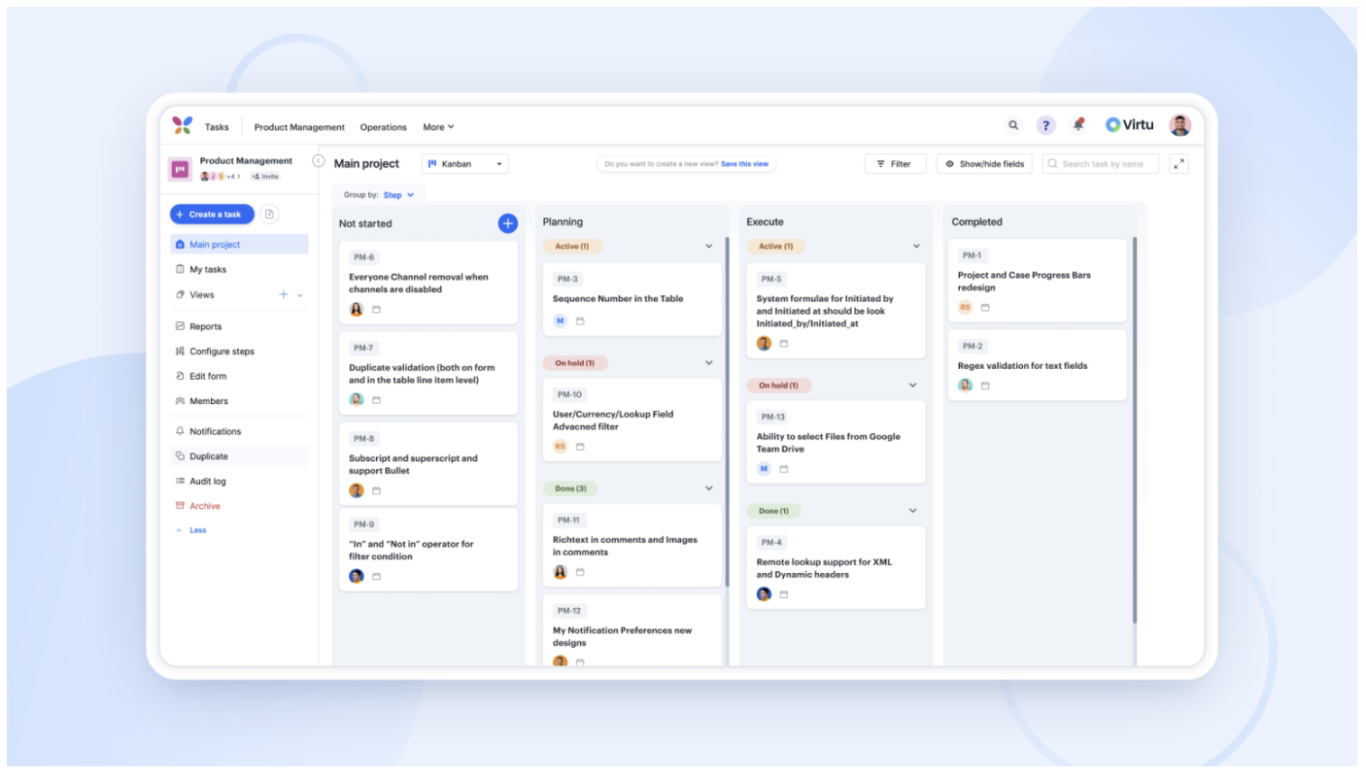
Kissflow’s top no-code workflow automation tool makes handling business processes a breeze, offering a no-code solution perfect for any team, big or small. Enhance business operations by automating tasks and diving deep into analytics without breaking a sweat. With Kissflow, you get to play around with a custom user interface, easy integrations, and a smart form builder. It’s all about simplifying things, from heatmaps for quick decisions to secure custom access. Whether automating workflows, developing apps with little to no code, or managing cases efficiently, Kissflow is your go-to for stepping up your operational game and smoothly sailing through digital transformation.
Pricing
Kissflow offers a Basic subscription plan starting at $2,500 per month, along with custom-priced enterprise options to meet specific needs.
Drawbacks
Kissflow focuses on simplifying workflow automation and process optimization, opting not to include Robotic Process Automation (RPA), Business Process Model Notation (BPMN), or process mining in its suite of features.
Zapier: Jack-of-all-trades workflow automation software
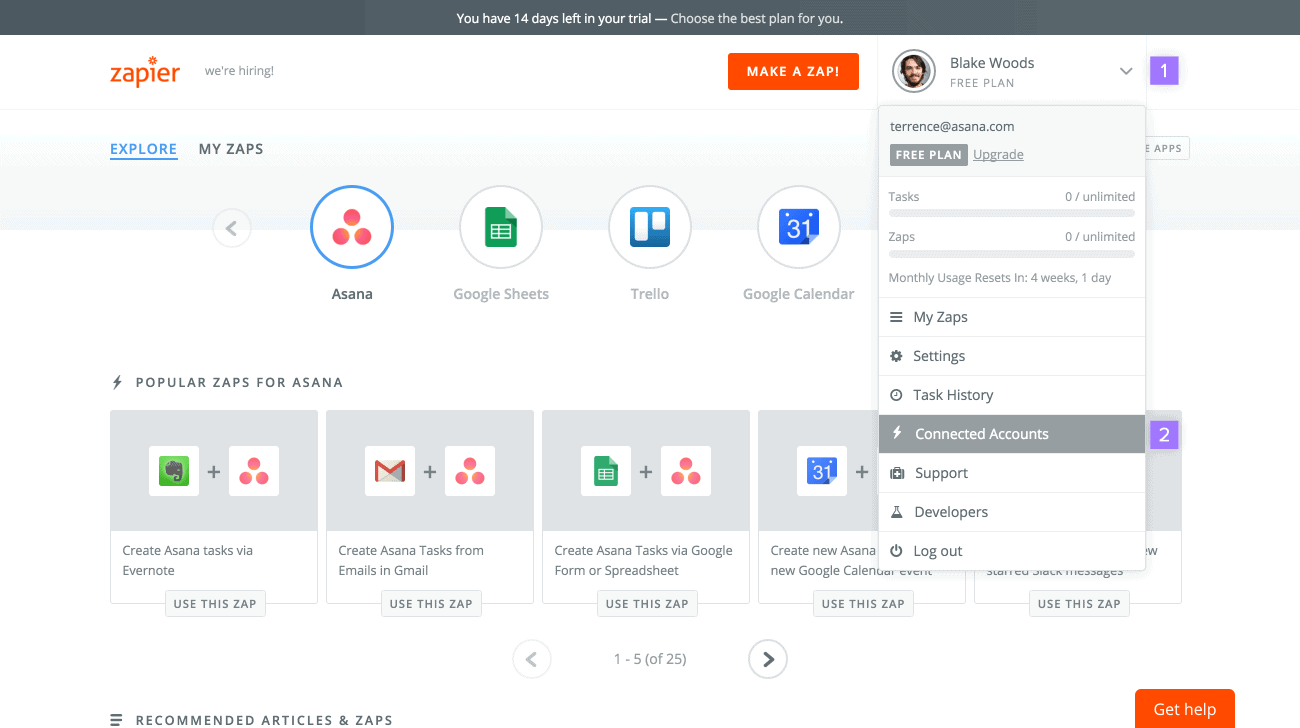
Zapier aims to make your life easier by connecting all the apps you need to do your job. Zapier is all about integrations, allowing you to automate workflows across more than 4,000 different web apps.
You can set up ‘if X, then do Y’-style dependencies across apps like Slack, Mailchimp, Airtable, and literally thousands more. It’s an example of the best-known no-code workflow automation software on the market. Use Zapier to cut down on the repetitive, boring tasks that eat into your team’s workday.
Zapier also offers built-in AI agents, AI chatbots, and MCP server governance.
Pricing
Zapier does offer a free plan, but its functionality is pretty limited. Paid plans are charged monthly, starting at a certain number of tasks, and scaling up as they increase.
- The Professional plan starts at $29.99 a month for 750 monthly tasks, scaling up to $5,099 for 2 million monthly tasks.
- The Team plan starts at $103.50 a month for 2,000 monthly tasks, scaling up to $5,999 for 2 million monthly tasks.
Zapier also offers custom Enterprise plans, though you’ll have to reach out to their sales team to get a quote.
Drawbacks
Zapier’s workflow automation only works in one direction. That can keep data flowing from tool A to tool B to tool C pretty smoothly. But when data needs to move back from C to A or B to A, your automations can quickly fall apart.
How does Zapier measure up?
Zapier is easily one of the most popular workflow automation solutions out there, but how does it measure up against some of its competitors? We break down the differences between Zapier and some of its top competitors here:
Cflow: No-Code cloud BPM Workflow Automation Platform
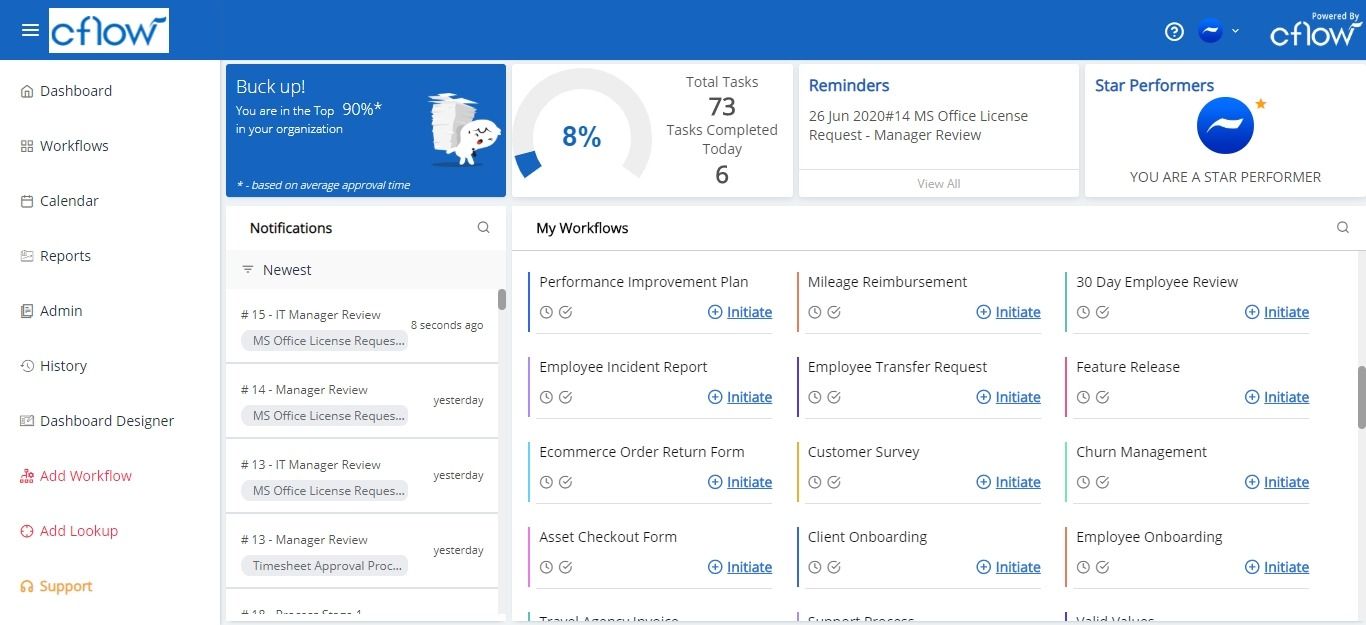
Cflow is a versatile workflow automation platform that can build workflows from the ground up with a convenient-to-use visual workflow builder. Deep customization capabilities in Cflow allow for the automation of all types of business workflows. With Cflow, you can create process workflows from scratch without having to write even a single line of code.
Top 5 compelling reasons why you should consider Cflow:
- Flexible approvals: Approve without a user license with the public forms feature.
- Sophisticated rules engine: Your business, your rules. Enjoy deep customization with a user-friendly interface.
- Digital document management: End paper-based work by digitizing important task documents.
- Email notifications: Never miss a task deadline with automated email alerts and notifications.
- Secure data: Best-in-class data encryption and security for your business data.
- Seyarc AI: Natural-language workflow creation.
Pricing
Flexible and transparent pricing plans — the Joy Plan at $22/user/mo; the Bliss Plan at $32/user/mo; the Zen Plan offers custom pricing for enterprise clients.
Drawbacks
Some users have reported that navigating via the interface is confusing. Another concern expressed by a few users is about difficulty in understanding the logical functions.
Outfunnel: Workflow automation for revenue teams
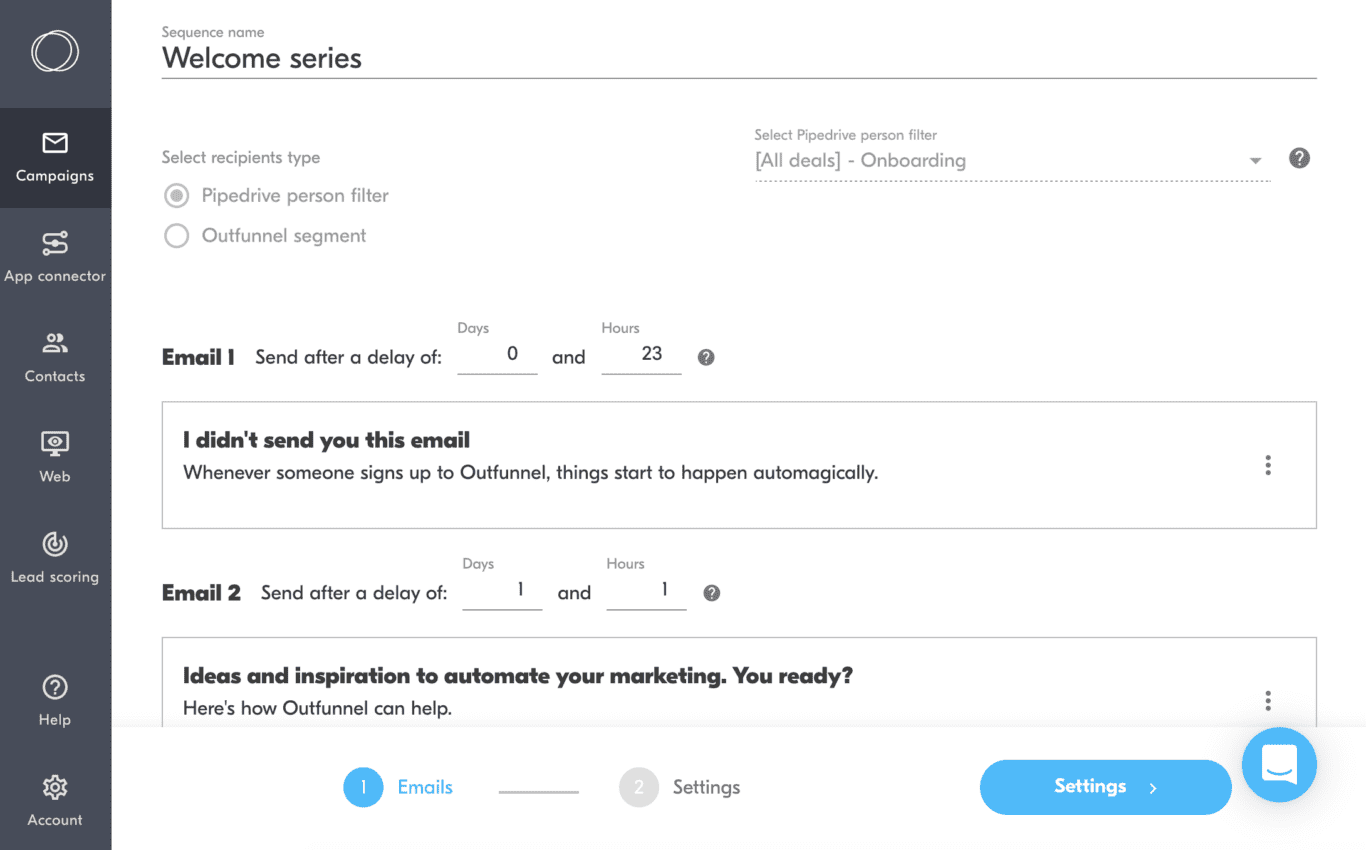
Like Zapier and Automate.io, Outfunnel is workflow automation tool you can use without coding skills. But its integrations have a very specific audience — sales and marketing teams!
Outfunnel was designed by, and built for, the needs of sales and marketing, offering integrations with Copper, Pipedrive, Airtable, HubSpot CRM, and other marketing tools. It has built-in lead-scoring capability, and syncs data on leads and customers across all your sales and marketing tools.
The idea is to help your marketing team save time, and focus on the leads that really matter!
Pricing
Unfortunately, Outfunnel doesn’t offer a free plan. But their prices are pretty affordable, and they do offer a free two-week trial.
Outfunnel offers three pricing tiers: a Basic plan that starts at $29 a month, a Professional plan starting at $99 a month, and a Scale plan that starts at $299 a month.
Drawbacks
Outfunnel is more limited than other integration tools on the market. But that’s not necessarily a bad thing! Outfunnel has a specific purpose, and it’s great at achieving just that.
And of course, there’s no free version, although the plans are cheaper than many other tools on this list.
Pipefy: Best workflow automation software for your deal pipeline
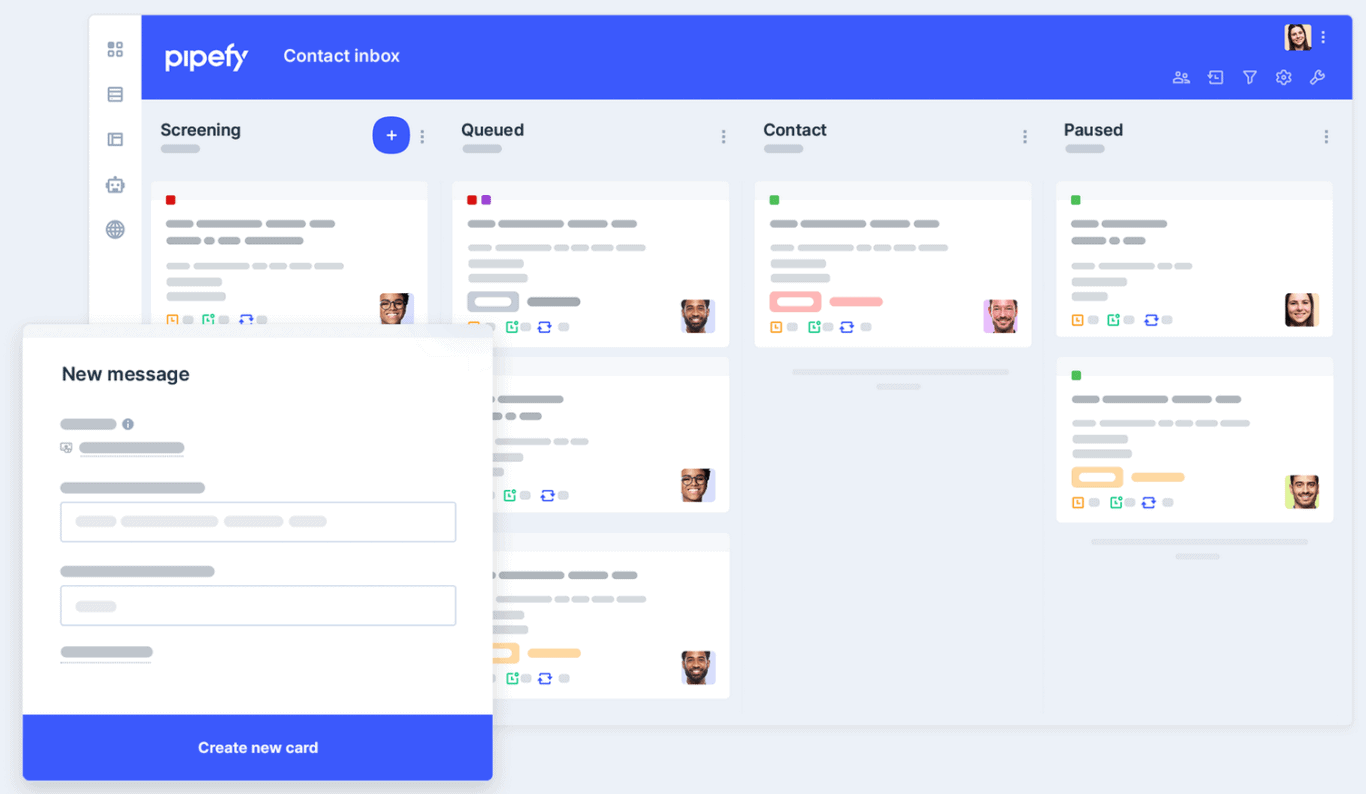
Pipefy automates business processes like purchasing, onboarding, and recruiting. It’s not really an integration tool, like the options we’ve already talked about. In fact, you’d more likely be using Zapier to connect Pipefy to something else.
Instead, it’s intended to make your business processes faster and more efficient. For example, you can create sharable forms to gather data, and automate email communications. It’s used by some pretty big companies like Toyota, KraftHeinz, and IBM, so they’re clearly offering some serious value. So you can still reach your goal — no-code workflow automation — with software that’s a little different.
Pricing
Woohoo — Pipefy is entirely free for small teams! They also have three paid plans: Business, Enterprise, and Unlimited. They don’t make pricing available, however, so you’ll have to contact their sales team for a quote.
Drawbacks
Because it’s not really their core functionality, Pipefy’s integration capabilities are pretty limited. Across review sites like TrustPilot and Capterra, users have also shared some complaints about their interface and learning curve.
Make: No-code workflow automation for visual learners
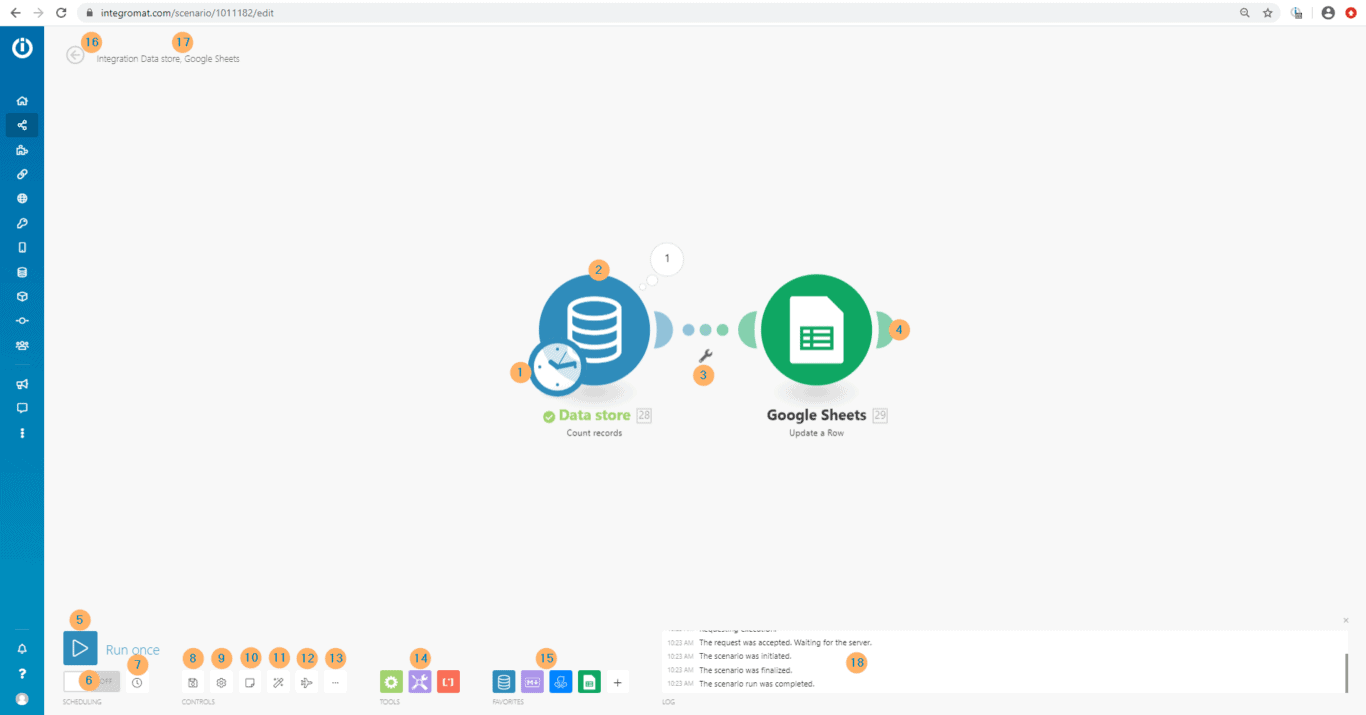
Make, formerly Integromat, allows you to do way more than automate tasks and workflows. Within their drag-and-drop interface, you can build entire apps and systems, too! Its built-in AI toolkit, including early AI agent capabilities, streamline no-code development even for less technical users.
Make boasts a fun, well-designed, highly visual interface — the company describes it as ‘playful.’ You can create integrations to connect different apps, or build workflows that can run right away or be scheduled.
Make could be a great choice if you need to automate workflows, but want no-code capability beyond that too. Make used to be called Integromat, and it’s used by companies including Meta, Spotify, and Heineken.
Pricing
Make offers a Free plan and three paid plans:
- Core: Starting at $9 a month for 10,000 ops a month, scaling up to $182.16 a month for 300,000 ops a month.
- Pro: Starting at $16 a month for 10,000 ops a month, scaling up to $4,811.40 a month for 8,000,000 ops a month.
- Teams: Starting at $29 a month for 10,000 ops a month, scaling up to $8,231.05 for 8,000,000 ops a month.
They also offer an Enterprise plan with custom pricing and enhanced security, but you’ll need to talk to their sales team for a quote.
Drawbacks
Make is a fairly advanced tool. While the interface is well-designed, there’s definitely a learning curve, and some reviews mention that Make’s customer support could be better.
Additionally, the cheaper tiers are pretty limiting, placing restrictions on file size, customer support, search functionality, and more.
How does Make measure up?
Make is an advanced no-code workflow automation tool, making it a solid option for people with technical skills. But how does it compare to some of the other tools on this list?
Workato: No-code workflow automation with AI
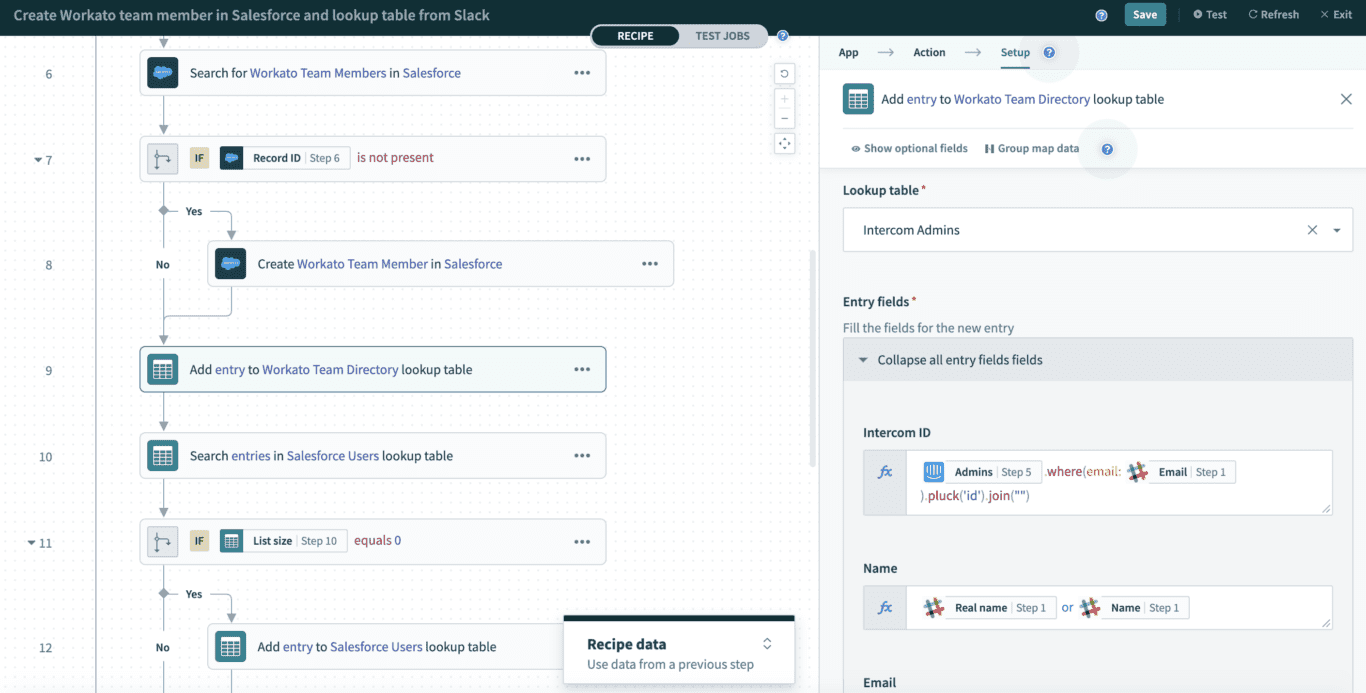
Workato is one of the leading examples of no-code workflow automation software. Because they use machine learning and other proprietary tech, Workato claims they make creating automations 10 times faster than other solutions.
Workato offers integrations with over 1,000 different apps. Heightened security is another Workato selling point — they promise that no matter what, automating workflows and integrations will never compromise their users’ security.
Workato is used by some big names like Atlassian, AT&T, and Adobe.
Pricing
Workato’s pricing structure is a bit unique. It’s based on what integrations and apps you actually need, so you’ll need to get a quote from the company directly.
Drawbacks
Workato is a mid-market to enterprise solution. It’s a bit too complex and powerful for small businesses and solopreneurs. Additionally, some users have found that making the most of Workato did require a little bit of coding knowledge.
How does Workato measure up?
Workato is a strong no-code workflow automation tool, especially for enterprise-sized companies. But how does it compare to some of the other tools on this list?
Whalesync: Workflow automation software with sync
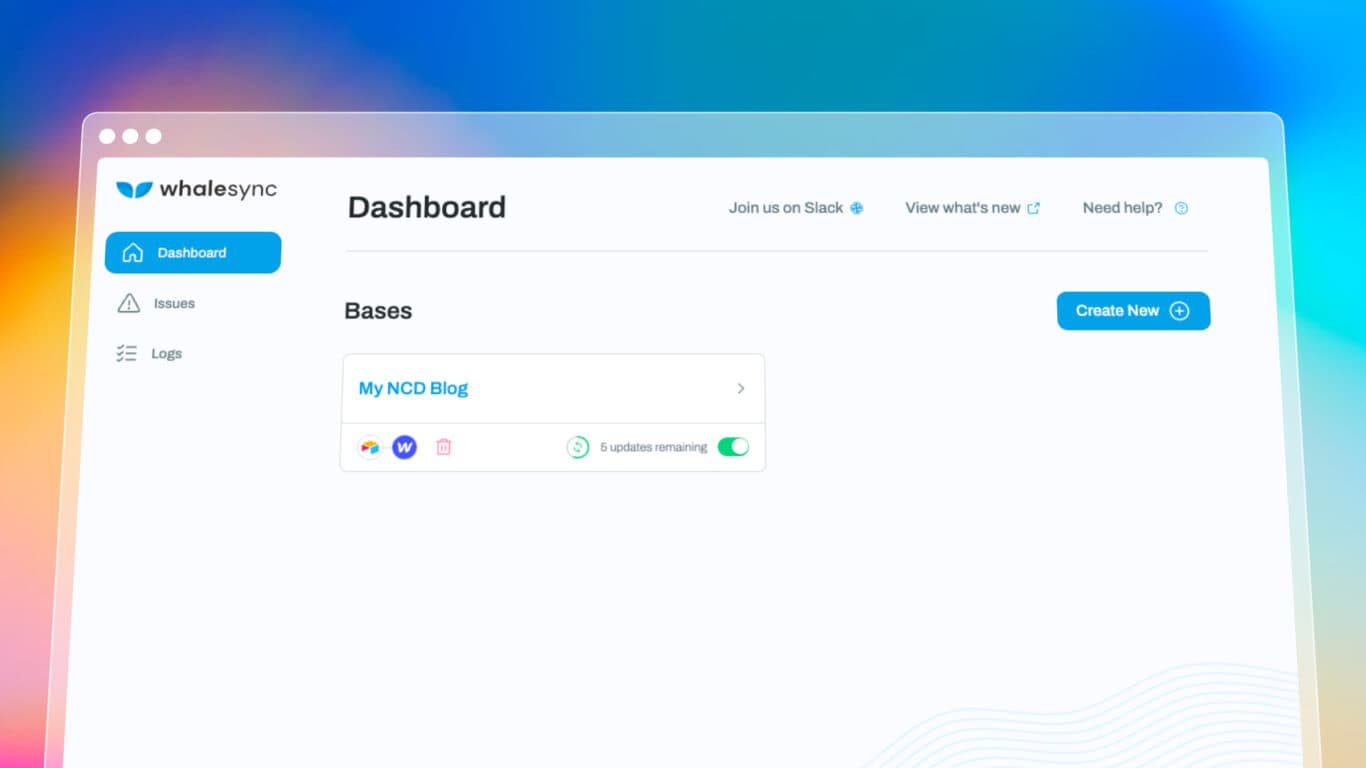
Whalesync is a workflow automation tool that offers a two-way sync option for databases, website builders, CRMs, and more. With Whalesync, you can build bases that automatically update tools in both directions, allowing you to automate processes across teams. Examples of use cases for Whalesync include syncing Webflow and Airtable to generate thousands of SEO landing pages, linking your Shopify store with Airtable bases to automate repetitive tasks in e-commerce, and even build web apps by connecting Bubble to Airtable.
Pricing
Whalesync offers two pricing plans:
- The Starter plan is $99 a month and gives you access to integrations for Airtable, Webflow, Notion, and Memberstack. You can build up to five syncs and sync up to 10,000 records.
- The Custom plan starts at $599 a month and gives you access to all integrations, including Salesforce, HubSpot, WordPress, and Shopify. You can also build unlimited syncs and sync an unlimited number of records.
Drawbacks
Whalesync’s two-way sync is a great option among workflow automation tools, but it doesn’t support as many connectors as other tools. Where some platforms have dozens or hundreds of connectors, Whalesync only supports 14. While some of those connectors — like Stripe and WordPress — are very versatile, the tool won’t be much use to you if it doesn’t support the platforms you want to automate.
Process Street: AI-powered workflow automation
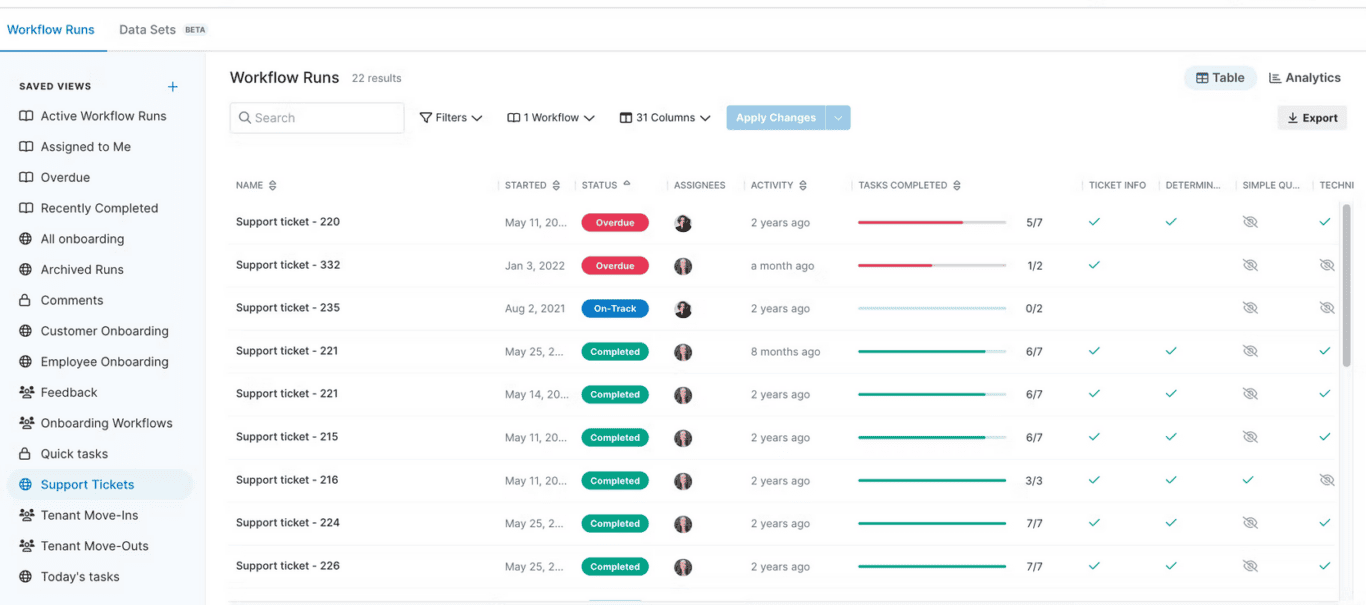
Process Street is a workflow automation solution designed to make all your processes run more smoothly. It does this through its five flagship features:
- Workflows combine task management and automation, letting you essentially set up your own automated project management solution.
- Process AI is a workflow design assistant that automatically adapts your processes as you work.
- Forms lets you create feedback forms, surveys, quizzes, and more, so that you don’t have to integrate an external tool.
- Data Sets allows you to house a database right in Process Street, making all your data available for your automated workflows.
- Pages is a built-in word processor that helps enhance collaboration on everything from briefs to marketing content.
Pricing
Process Street offers three plans:
- The Startup plan gives you access to unlimited workflows and pages. You’ll be limited in the number of members you can add and how you can customize your workspace. You’ll also be limited to email and chat support and 5,000 data set records.
- The Pro plan gives you more control over the customization of your workspace and better customer support. It also doubles the number of data set records for your workspace.
- The Enterprise plan adds custom data set records, file storage, and more.
All plans have custom pricing, meaning you’ll need to contact Process Street’s sales team for a quote.
Drawbacks
One of the main drawbacks Process Street customers have cited is the price. With its cheapest plan starting at $100 a month, Process Street isn’t necessarily well-suited to organizations with smaller budgets. This is made worse by the fact that the free trial doesn’t include all premium features, making it difficult to properly test the tool and see if it fits your needs.
n8n: Open-source, selfhosted, and low-cost
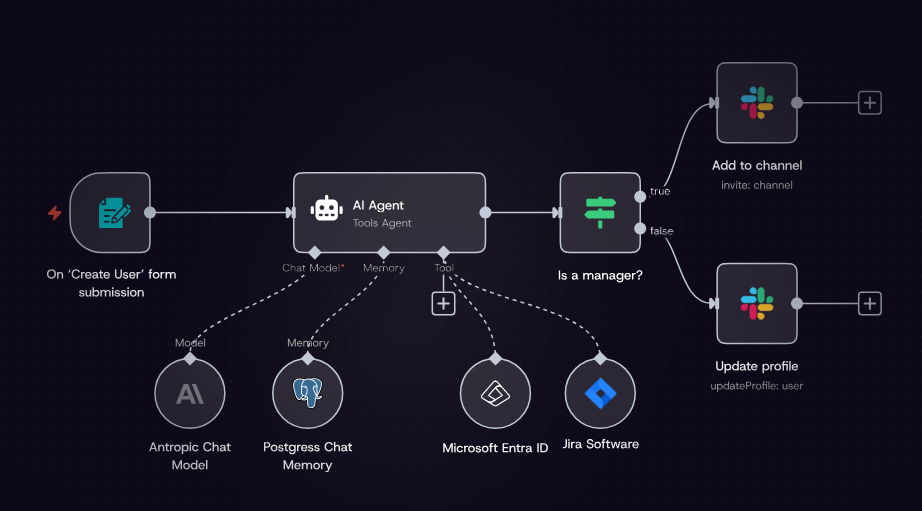
n8n is an open-source, no-code workflow automation tool that gives teams with more technical resources full control over their integrations. You can self-host n8n for free or pay for cloud hosting, depending on your needs. Since n8n supports over 400 integrations, it can easily cover most of your integration needs.
Pricing
n8n offers the following plans:
- The Free self-hosted plan gives you unlimited executions, unlimited workflows, and over 400 integrations.
- The Starter plan is 20€ a month for 2,500 workflow executions.
- The Pro plan is 50€ a month for 10,000 executions or 120€ for 50,000 executions.
- The Business plan is 667€ a month for 40,000 executions or up to 4371€ a month for 500,000 executions.
Drawbacks
You’ll need technical knowledge and resources to get the most out of n8n. Self-hosting can add a maintenance burden, and one-way automations don’t support all workflows.
Power Automate: Enterprise automation for Microsoft ecosystems
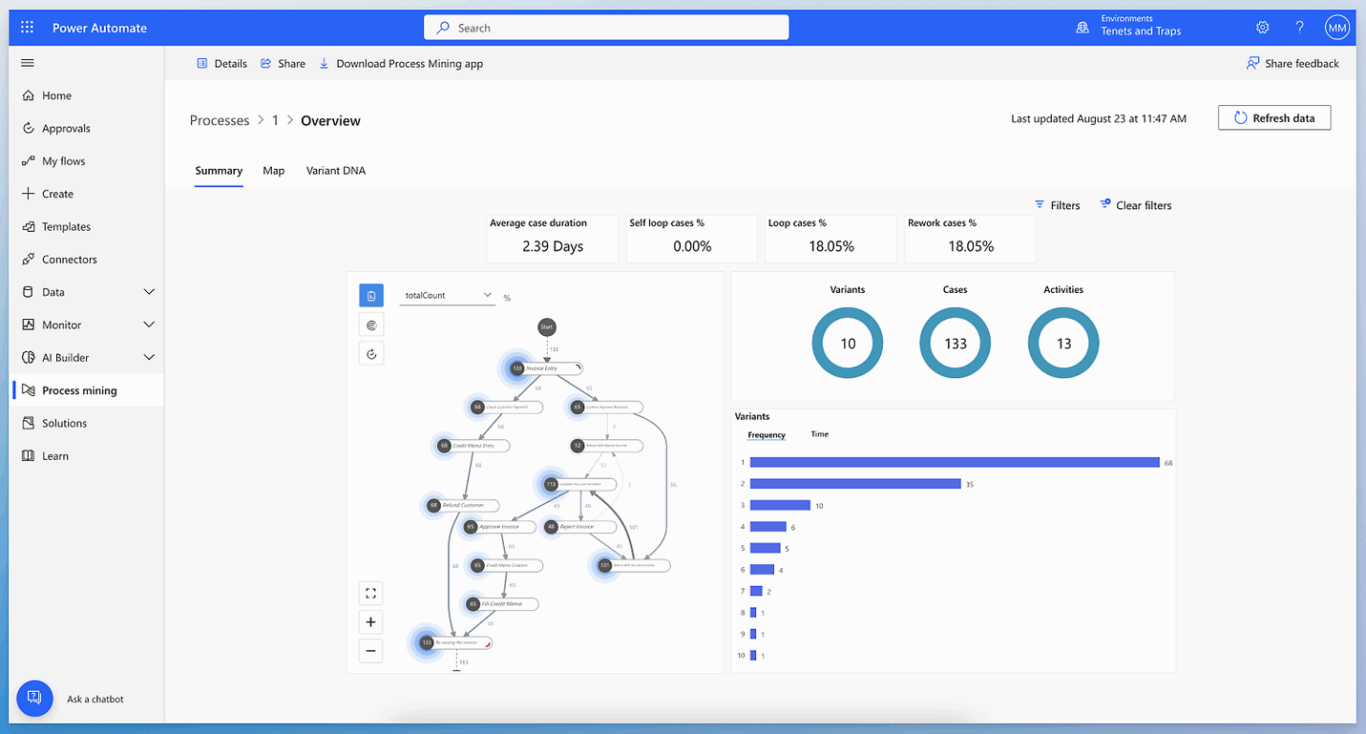
Power Automate is Microsoft’s solution for no-code automation. It works natively with the Microsoft ecosystem, which makes it an appealing option for enterprise organizations using it. Its trigger-based automations make it flexible enough to handle a variety of integrations.
Pricing
Power Automate’s pricing plans are as follows:
- The Power Automate Premium plan is $15 per user, per month, offering cloud flows, desktop flows (in attended mode), as well as process and task mining with up to 50MB in data and Microsoft Dataverse entitlements of 250MB database and 2GB file.
- The Power Automate Process plan is $150 per bot, per month. It adds unattended desktop flows, and Dataverse entitlements of 50MB database and 200MB file.
- The Power Automate Hosted Process plan is $215 per bot, per month, and allows processes to run unattended on a virtual machine managed by Microsoft and hosted on Azure infrastructure.
Drawbacks
Power Automate is best for organizations that do most of their work in the Microsoft ecosystem. Additionally, it can be relatively complex for non-technical users.
Gumloop: AI-native automation platform
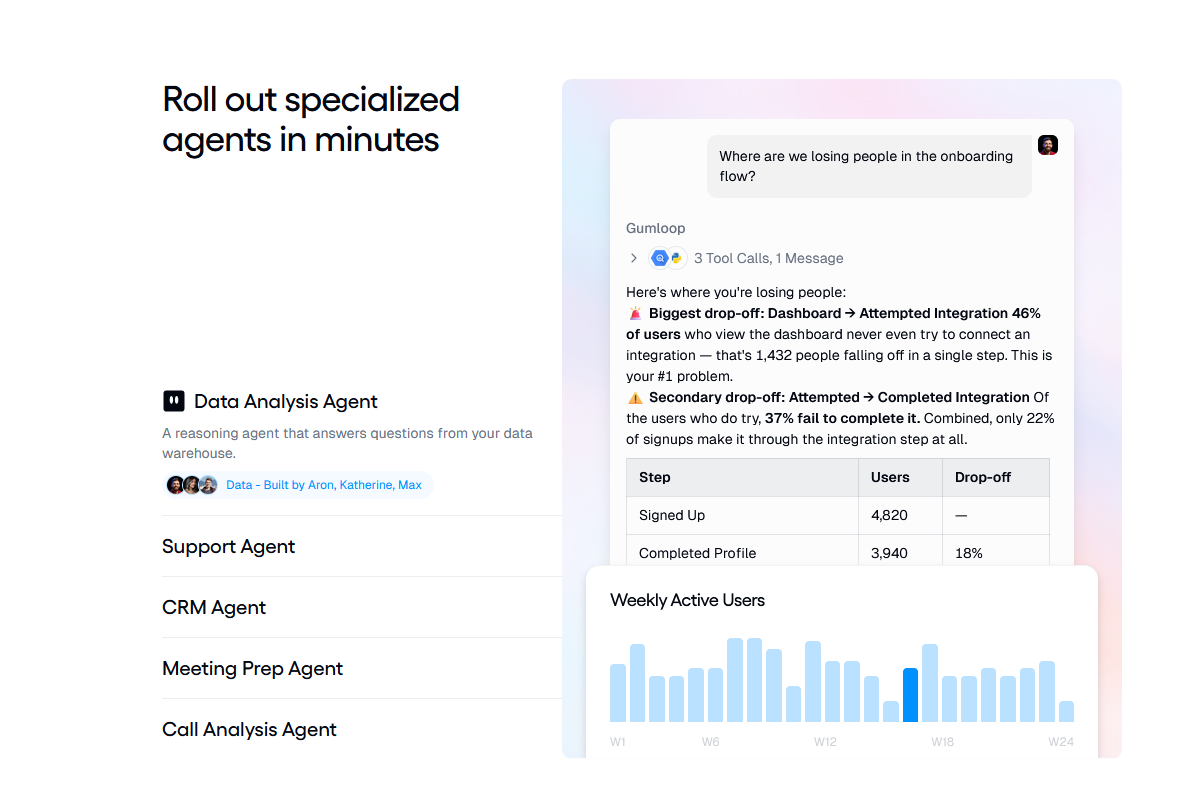
Gumloop is a truly AI-native automation platform, allowing users with no technical knowledge to deploy AI agents that work across all sorts of tools, handling workflows autonomously. No code required, just write out what you need in natural language and Gumloop takes care of the rest.
Pricing
Gumloop offers three plans:
- The Free plan offers 5,000 free credits a month, one active trigger, two concurrent runs, and five concurrent agent interactions.
- The Pro plan starts at $37 a month for 20,000 credits. It also includes unlimited seats, five concurrent runs, 25 concurrent agent interactions, team usage, analytics, and more. It scales up to $1,840 a month for 1 million credits.
- The Enterprise plan offers custom pricing with custom credit limits, role-based access control, audit logs, data exports, admin dashboards, and more.
Drawbacks
Gumloop is AI-native, not sync-native. That makes it great for building agents that push data from tool to tool, but not so much for syncing data back and forth — which is essential for some workflows.
Relay.app: AI-powered, human-in-the-loop automation
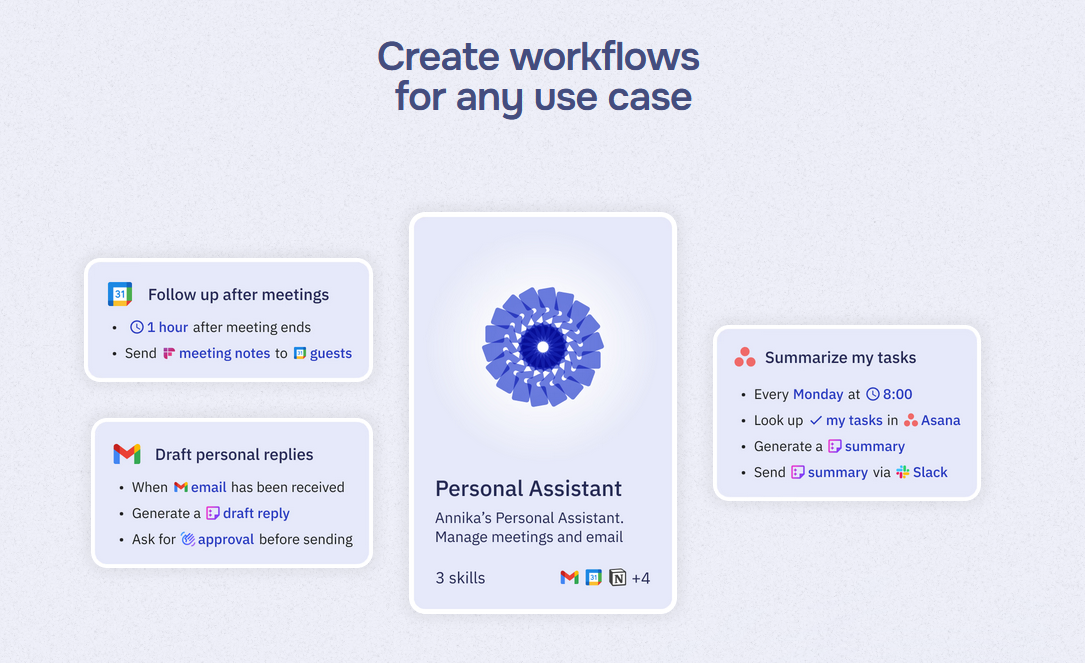
What if you could just describe the automation you need and have an AI platform build it for you? That’s what relay.app offers, allowing users to build workflows with no more than a little prompting knowledge. With connectors for tools like Asana, Slack, Gmail, and Stripe, just about any workflow can be automated with this platform.
Pricing
Relay.app has the following plans:
- The Free plan supports one user, up to 500 free AI credits a month, and multi-step workflows.
- The Professional plan starts at $19 a month for one user, 2,000 free AI credits per month, and 750 workflow steps a month. This plan scales up according to the workflow steps you need, up to 1 million steps for $889 a month.
- The Team plan starts at $59 a month for 10 users, 2,000 AI credits, shared workflows, and shared connections. Starting at 1,500 steps a month, the plan scales up to 1 million steps for $919 a month.
There’s also an Enterprise plan with custom pricing available.
Drawbacks
Relay.app only offers one-way automations, which are great for sequential approval chains. The absence of bidirectional sync makes cross-tool collaboration more challenging.
Activepieces: Open-source automation tool
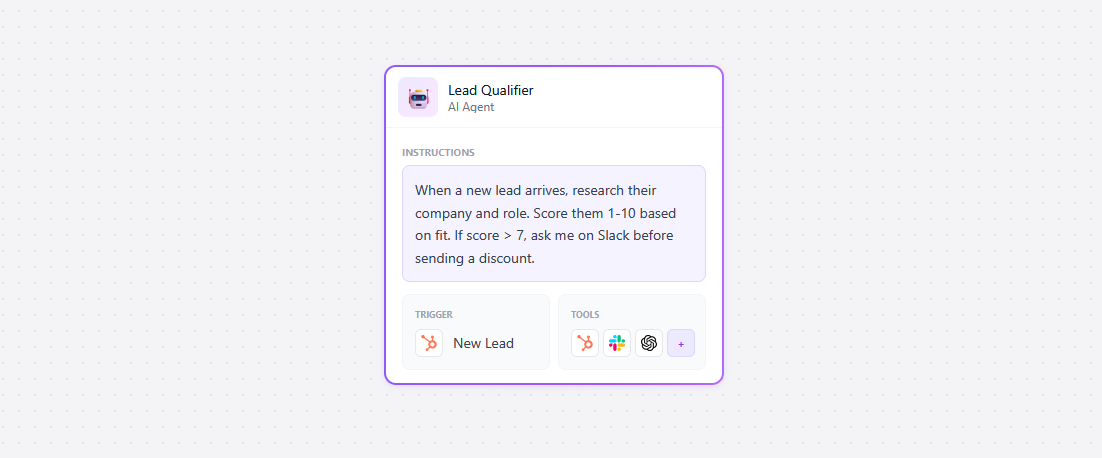
At its core, Activepieces is a platform for building and deploying AI agents, allowing users to automate their workflows. Integrations enhanced by Zapier help bridge the gaps between tools, meaning your AI agents can handle workflows from start to finish, no matter where they end up.
Pricing
Activepieces offers three plans:
- The Standard plan starts with 10 free active flows, after which you’ll pay $5 per active flow per month.
- The Custom plan is an unlimited annual contract with access controls, single-sign-on, and more, with custom pricing.
- Finally, the Community Edition is a free, self-hosted version of the platform with only core features enabled.
Drawbacks
Activepieces is an open-source, affordable option, but its AI agents are limited to one-way data flows. This makes workflows that require two-way collaboration more challenging to build.
Wrk: Fully managed, done-for-you automation
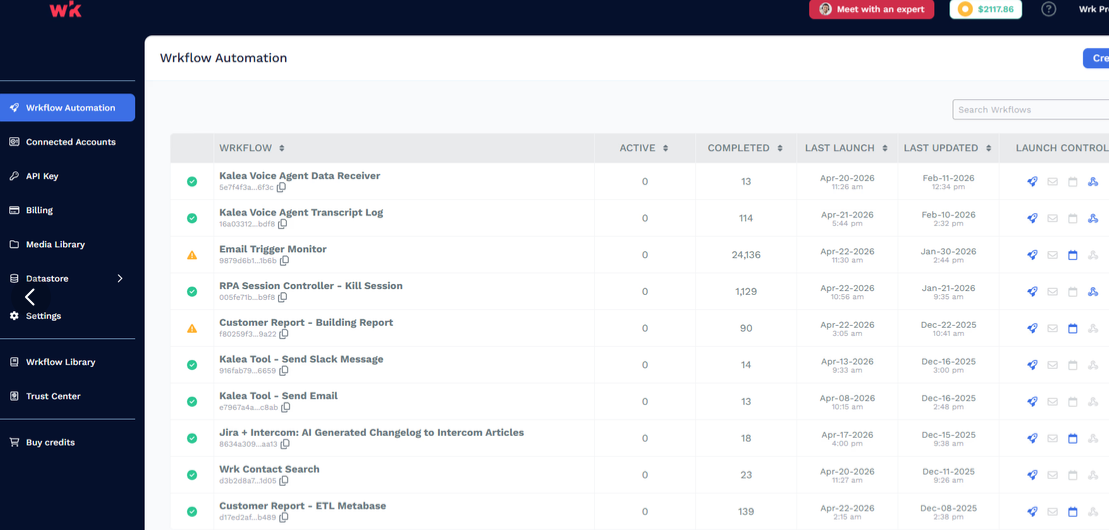
Wrk is a managed automation platform that combines AI, RPA, OCR, API connectors, and human-in-the-loop steps in one workflow engine. Rather than building and maintaining automations in-house, teams hand the work to Wrk, which designs, builds, runs, and maintains each workflow as a fully managed service.
That makes it a fit for teams that know their processes but don’t want to become automation engineers. Wrk handles the exception-heavy work that pure no-code tools struggle with, using human review to keep accuracy high where automation alone falls short.
Pricing
One-time build from $1,000, then usage-based credits from $250/month; no per-user licenses.
Notion automations
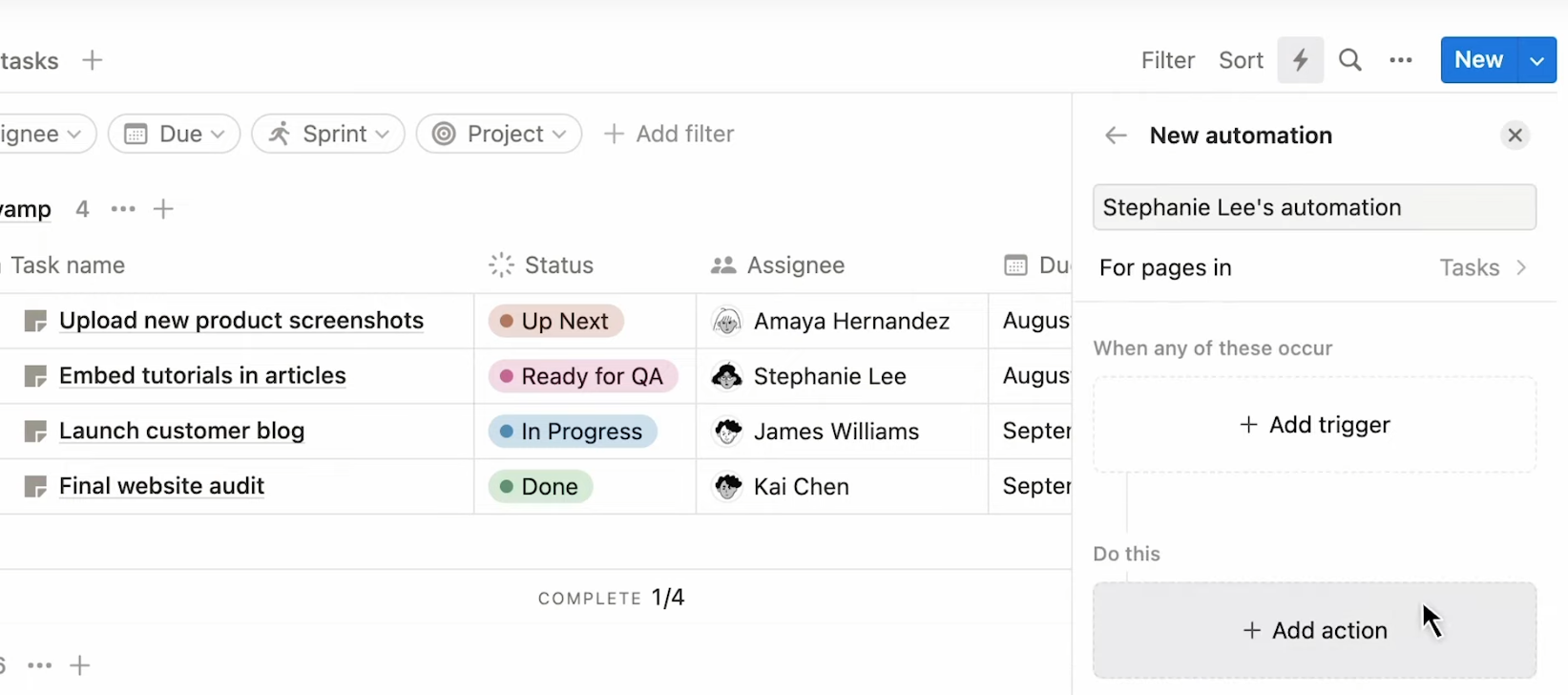
Notion is one of the most popular all-in-one workplaces on the market, allowing you to do everything from tracking projects to managing databases and drafting documents. But did you know it also has a slew of built-in automations? Notion’s built-in database automations allow users to build simple trigger-based automations that handle repetitive actions. Automatically change assignees, send notifications to Slack, and even edit page properties across databases. They can also pull data from other tools, like project management platforms and software development projects.
Pricing
Notion offers four plans:
- The Free plan gives you access to the main Notion platform, basic forms, basic sites, Notion Calendar, and more. You won’t get any integrations, though.
- The Plus plan costs $12 per user, per month and includes custom forms and sites, and basic connections for Slack, Gmail, and Google Drive.
- The Business plan costs $24 per user, per month and includes Notion’s agentic AI and connectors for tools like GitHub, Jira, Teams, Asana, and GitLab.
Drawbacks
Notion’s automations are limited to Notion’s ecosystem, meaning any workflows you automate have to go through Notion at one point or another. One-way automations also mean you’re either pushing data to or from Notion. Not back and forth.
Bonus: Tools you already use with built-in workflow automation
Did you know that many of the tools you’re already using have built-in integrations and workflow automation features? Project management apps in particular boast these features, and often they’ll be more than suitable to your needs. Here are a few examples of tools you might already be using that have significant workflow automation features.
Wrike
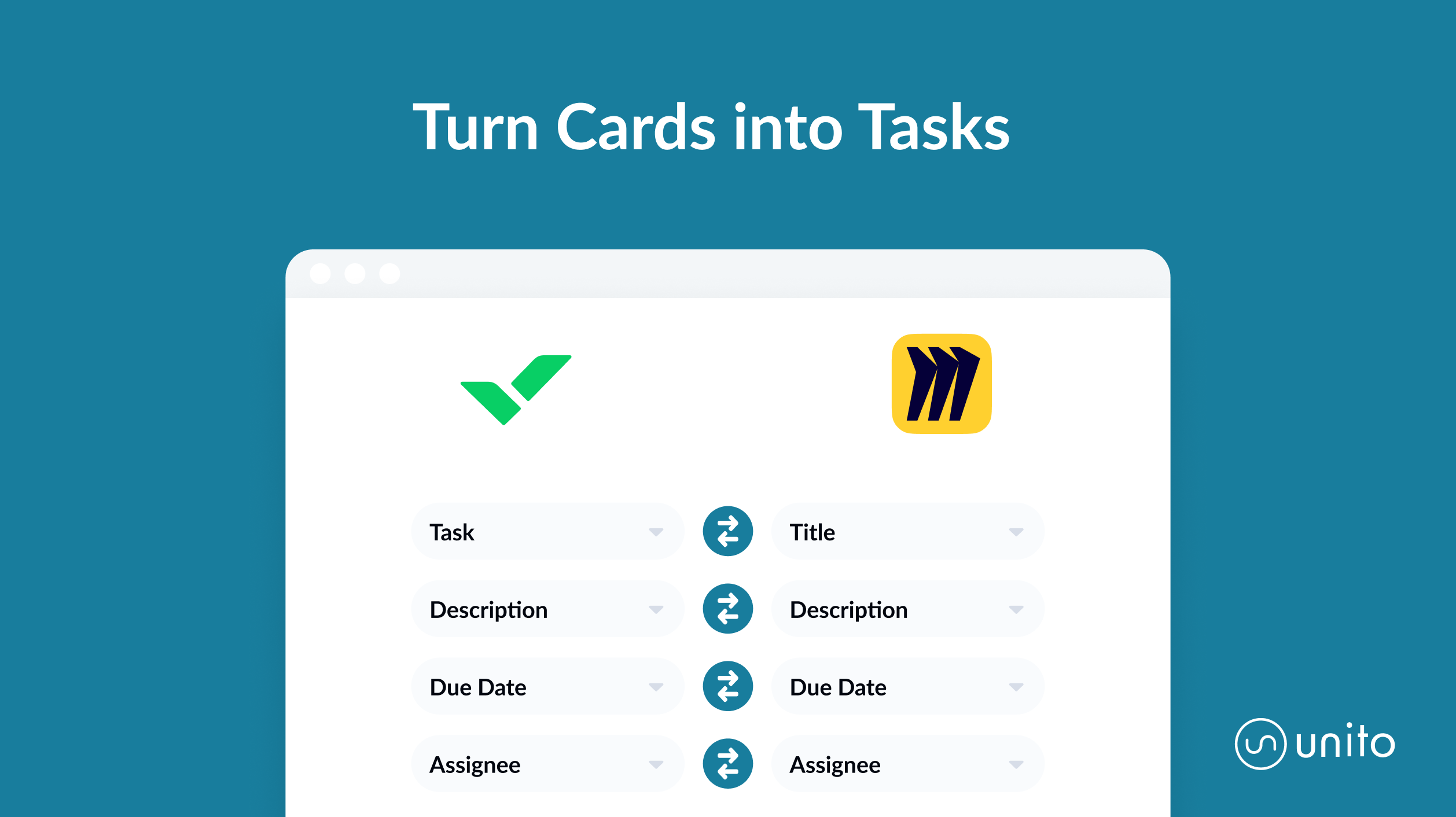
The Wrike Sync add-on, built by Unito, connects Wrike with some of the most popular tools out there, from Miro to Google Sheets and Jira. This no-code platform builds two-way syncs between Wrike and these tools, meaning changes that happen in one tool are automatically pushed to the other — and vice-versa.
Trello
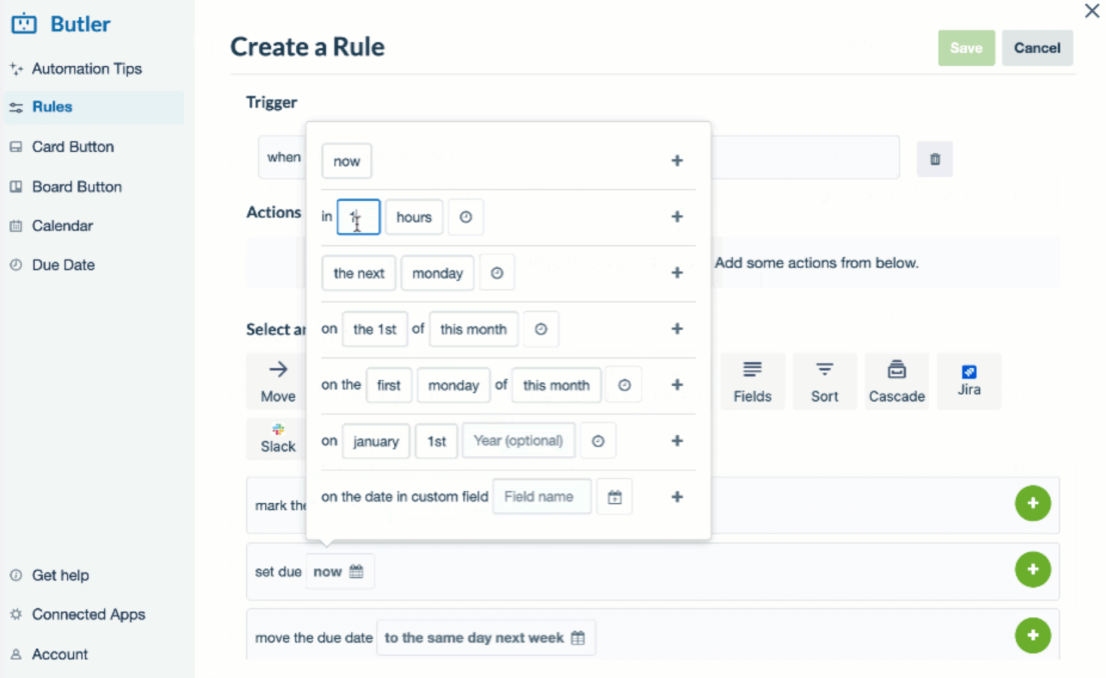
Trello is one of the most popular project management tools on the market for a reason. It has a smooth learning curve, boasts an easy-to-use interface, and is flexible enough to handle all sorts of use cases. Butler, Trello’s built-in automation tool, applies all of this to workflow automation.
Jira
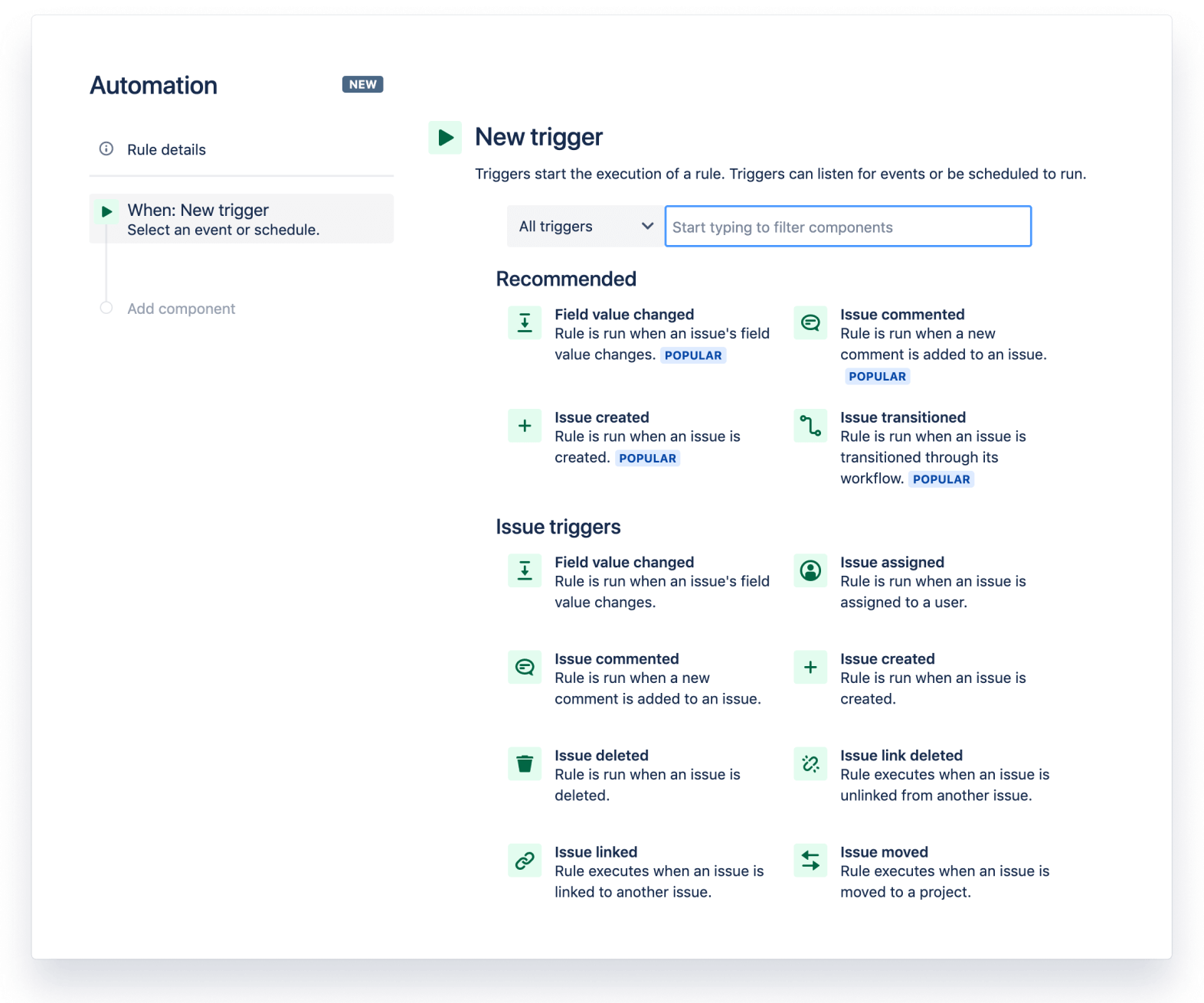
Jira’s trigger-based automation solution allows users to create simple automations that can auto-assign work across Jira instances, automate repetitive tasks, move issues around your projects, and more. It’s a great place to start if you’re a Jirea user.
Asana
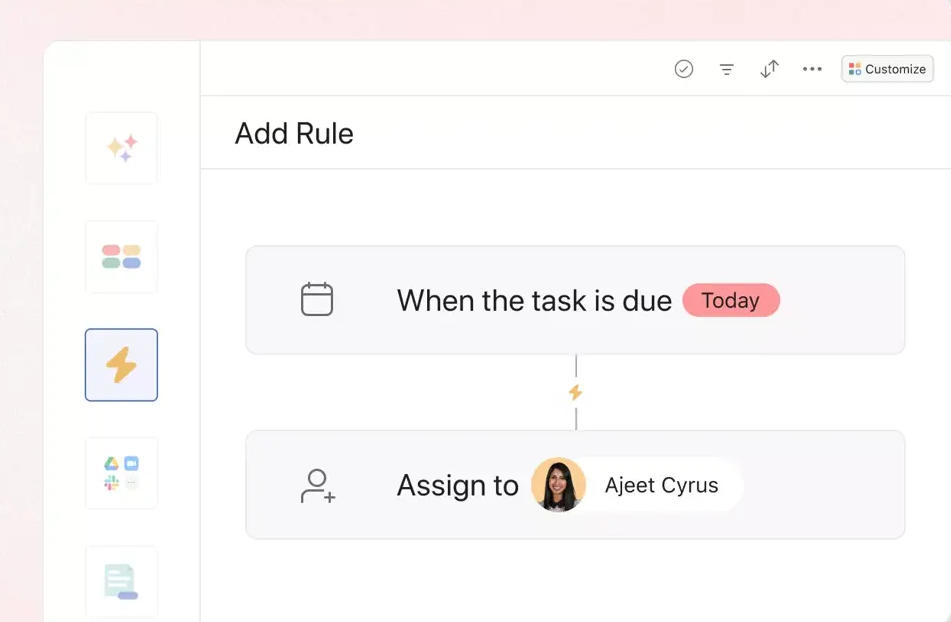
Asana’s rules allow project managers to streamline and optimize the way they handle important projects. Assign (and re-assign) work automatically, send automatic reminders as deadlines approach, move tasks when they’re updated, and more.
How to pick the right no-code automation tool
To pick the right no-code automation tool, here’s what you should look for:
- The tool supports all the systems you need to automate.
- The tool either is easy enough for anyone in the organization to use or has the necessary security measures for your IT team to limit access accordingly (depending on your organization’s needs).
- The tool is actually no-code and doesn’t expect you to write scripts or other code to get the tool’s full functionality.
- The tool supports the workflows you need to automate, whether that’s pushing contact information between tools, automating task creation, or keeping tasks up to date in multiple project management tools.
Still not sure? Here’s a more detailed answer.
Knowing what you need from workflow automation software
Not all workflow automation tools are created equal, and even the leader in a field might not be a good fit for your particular organization. According to recent statistics, global AI market revenue is expected to reach $126 billion by 2025, highlighting the significant growth and investment in automation technologies.
With so many options on the market, you need to know exactly which tool fits your needs. To do that, ask yourself the following:
- What’s your job-to-be-done?
- Who will use this software?
- What integrations do you need?
- What is your desired outcome?
- How will this software be deployed in your organization?
What to look for in no-code automation tools
Knowing your needs is just one half of this discovery process. You also need to know what to look for in a potential new tool and how to match that up with your needs. Here are some characteristics of no-code workflow automation software that you need to know before making a purchase decision:
- It’s really no-code: Some workflow automation software calls itself no-code, but still requires you to work with scripts or similar processes that would be more accurately called low-code. If the team members using your workflow automation software don’t have the skill level to handle anything that’s beyond no-code, you’ll want to investigate this thoroughly before getting a platform.
- It has the right integrations: There’s no worse feeling than thinking you’ve found the perfect workflow automation solution only to discover it doesn’t support the tools you need. Sure, it might support a few of your tools — the ones you tested when you first acquired it — but you find that its potential is pretty limited when it comes to integrating the rest of your stack.
- It matches your technical skill level: Even if a solution is no-code, it might require a significant level of technical skill to set up, troubleshoot, and maintain over time. If you don’t have those resources, you should eliminate platforms that require significant technical investment before you sync your first bit of data.
- It fits the type of integration you need: Not only do you need to make sure the platform you choose supports the tools you use, but it should also provide a depth of integration that suits your needs. Some platforms just offer shallow one-way automations while others offer deep two-way syncs. Make sure to map your needs to the depth of integrations offered by a potential solution.
Let’s get synced
Apps and tools make our work faster, more accurate, and more efficient. But as more and more specialized, powerful apps keep hitting the market, so too does it become more challenging to manage them.
That’s what makes these no-code workflow automation software platforms so magical. In the past, it would have taken serious coding knowledge to automate your boring, repetitive workflows, and get all your different work apps cooperating together.
Today, you can shift that burden quickly and easily. That means less time fiddling with all those apps and tools, and more time actually doing your job.
FAQ: No-code workflow automation tools
What are no-code automation tools?
A no-code workflow automation tool is software that automates actions and moves data between tools. This can include integrations that connect tools, AI agents that take on tasks autonomously, and automated monitoring for approvals and updates.
What are the best no-code workflow automation tools?
Some of the best no-code workflow automation tools on the market include:
- Unito: A no-code workflow automation tool with two-way sync for over 60 tools.
- Kissflow: No-code solution for automating business processes.
- Zapier: Popular no-code workflow automation platform with thousands of integrations.
- Cflow: Versatile business process management platform.
- Outfunnel: Workflow automation platform designed for revenue teams (e.g., sales, marketing, support).
- Pipefy: Popular workflow automation software for managing your deal pipeline.
- Make: Automation platform with a visual drag-and-drop platform.
- Workato: AI-powered workflow automation.
- Whalesync: Two-way sync solution with a focus on databases like Notion, Airtable, and Webflow.
- Process Street: Workflow automation platform with extensive AI features, forms, and a built-in word processor.
- n8n: A self-hosted, open-source workflow automation platform suited to technical teams.
- Power Automate: Microsoft’s automation platform, best-suited for organizations using that ecosystem.
- Gumloop: AI-native automation platform with AI agents and built-in one-way automation.
- Relay.app: AI-generated automated workflows for human-in-the-loop approval sequences.
- Activepieces: A budget-friendly platform with open-source automations.
- Notion automations: Powerful one-way automations that bridge the gap between Notion and other tools.
What should I look for in a no-code automation tool?
When choosing a no-code automation tool, you should look for the following:
- Support for all the systems you need to automate.
- Support for the workflows you need to automate (e.g., project management, ticket escalation,
- The tool is easy enough for anyone in your organization or has the security features required to limit access based on your requirements.
- A tool that is actually no-code without limiting features unless you have the technical skills to write scripts or code.
You may need to go through a period of trial-and-error to find a workflow automation tool that meets all these criteria.
What’s the difference between one-way automation and two-way sync?
One-way automations take data from one tool and move it to another, whether that means creating a new object or updating a field in that object. A two-way sync builds two-way relationships between two objects in different tools, keeping them up-to-date automatically as you work.
Can no-code automation tools work with AI agents?
Yes, maybe automation tools now work with AI agents, whether that’s through integrations or with their own, native agents. LLM integrations can also allow for building automations with natural language.
Are no-code automation tools secure enough for enterprise use?
This depends on the tool you use. Unito, for example, is SOC 2 Type 2 and GDPR-compliant. Features like role-based access control and built-in data encryption are vital for enterprise use, as well.
How much do no-code automation tools cost?
The cost varies per tool. Some platforms, like Zapier and Make, can be used for free by small teams without running into limitations. Other tools like Kissflow can cost thousands of dollars per month, while some only offer custom (and expensive) enterprise contracts.
What’s the difference between no-code and low-code automation?
No-code automation allows users to build automations with visual, drag-and-drop builders or using natural language with AI builders. Low-code automation requires technical users to use custom scripts and similar code to customize their automations.