
 4.5 on G2
  SOC 2 Type 2
 How teams connect Azure DevOps and Salesforce
Pick the setup closest to yours. Cases and opportunities sync with any native or custom Azure DevOps work item type.
-
 Bugs
Bugs
 Items sync both ways between Azure DevOps and Salesforce
 Cases
Cases
Escalate customer-reported bugs to engineering
When a case is found in Salesforce, create a matching bug in Azure DevOps and keep them in sync.
 Status, comments and priority sync both ways, so account teams see on the Salesforce case when engineering resolves the bug and can update the customer.
-
Features
Items sync both ways between Azure DevOps and Salesforce
Cases
Turn customer feature requests into backlog items
When a case is found in Salesforce, create a matching feature in Azure DevOps and keep them in sync.
Status and description stay in sync, so sales and account teams see from the Salesforce case when engineering starts building the feature a customer asked for.
-
Epics
Items sync both ways between Azure DevOps and Salesforce
Opportunities
Kick off delivery work when deals close
When an opportunity is found in Salesforce, create a matching epic in Azure DevOps and keep them in sync.
Each product on the won opportunity becomes a user story under the epic, and description and attachments sync both ways, so engineering builds what was sold.

Trusted by Fortune 500 companies and global brands










Everything Unito syncs between Azure DevOps and Salesforce
Choose which tool creates new items and which way each field syncs, so Salesforce cases can create Azure DevOps bugs while status, comments and priority update both ways. Set rules on field values to decide which cases and bugs sync.
Azure DevOps
Supported object types
- Tasks
- Issues
- Epics
- Bugs
- Features
- User stories
- Product backlog items
- Impediments
- Test cases
- Test plans
- + Custom work item types
Also syncs
 Comments
 Attachments
 Subtasks
 Hierarchies
 Rich text
Supported fields
 Two-way
- Title
- Description
- State
- Assignee
- Priority
- Work item type
- Tag
- Activated date
- Area path
- Attachments
- Comment
- Due date
- Start date
- Target date
- Effort
- Iteration path
- Remaining work
- Story points
 One-way (read only)
- Acceptance criteria
- Swimlane
- Test case steps
- Unique identifier
- Created at
- Link to issue
- Updated at

Salesforce
Supported object types
- Tasks
- Cases
- Contacts
- Accounts
- Leads
- Opportunities
- + All native & custom objects
Also syncs
- Comments
- Attachments
- Subtasks
- Hierarchies
- Rich text
Supported fields
Two-way
- Subject
- Status
- Priority
- Due date
- Attachments
- Comment
One-way (read only)
- Account
- Related to
- Is closed
- Contact/lead
- Last modified date
- Created
- URL
Two-way
- Subject
- Description
- Status
- Priority
- Case type
- Attachments
- Company
- Contact
- Country
- Asset
- Case origin
- Case reason
- Case source
- Internal comments
- Parent case
- Product
One-way (read only)
- Account
- Last modified by
- Case number
- Closed
- Closed date
- Contact email
- Fax
- Mobile
- Created by
- Created date
- Last modified date
Two-way
- Title
- First name
- Last name
- Assistant name
- Description
- Owner
- Attachments
- Lead source
- Campaign
- Phone
- Salutation
- Assistant phone
- Birthdate
- Business fax
- Business phone
- Department
- Home phone
- Mailing city
- Mailing country
- Mailing state/province
- Mailing street
- Mailing zip/postal code
- Mobile phone
- Other country
- Other phone
- Other postal code
- Other state
- Other street
- Related account
One-way (read only)
- Account
- Related to
- Creation date
- Update date
- Created
- Contact ID
Two-way
- Title
- First name
- Last name
- Description
- Status
- Lead source
- Company
- Country
- Phone
- Salutation
- Annual revenue
- City
- Email bounced date
- Email bounced reason
- Employees
- Industry
- Rating
- State/Province
- Street
- Website
- Zip/Postal code
One-way (read only)
- Full name
- Converted
- Converted date
- Created date
- Last activity
- Last modified date
- Lead ID
Two-way
- Name
- Description
- Stage
- Owner
- Close date
- Type
- Amount
- Forecast category
- Attachments
- Lead source
- Campaign
- Contact
- Currency
- Next step
- Probability
- Total opportunity quantity
One-way (read only)
- Account
- Related to
- Expected amount
- Is closed
- Last modified by
- Last modified date
- URL
Real-time data sync with full control, no coding required
Enterprise-grade sync without the enterprise-grade complexity
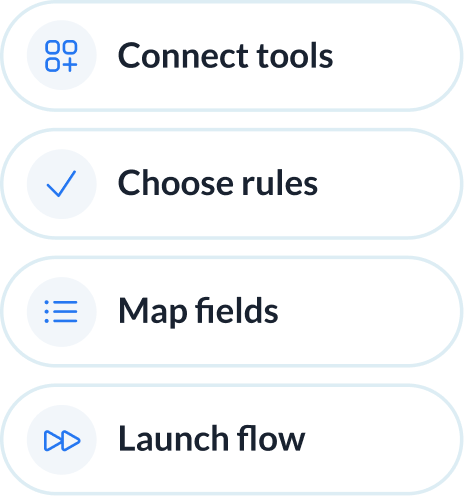
Most enterprise iPaaS platforms require certified architects to bridge Azure DevOps and Salesforce. Unito delivers the same enterprise-grade reliability with a UI any operator can drive.
Abstracted complexity
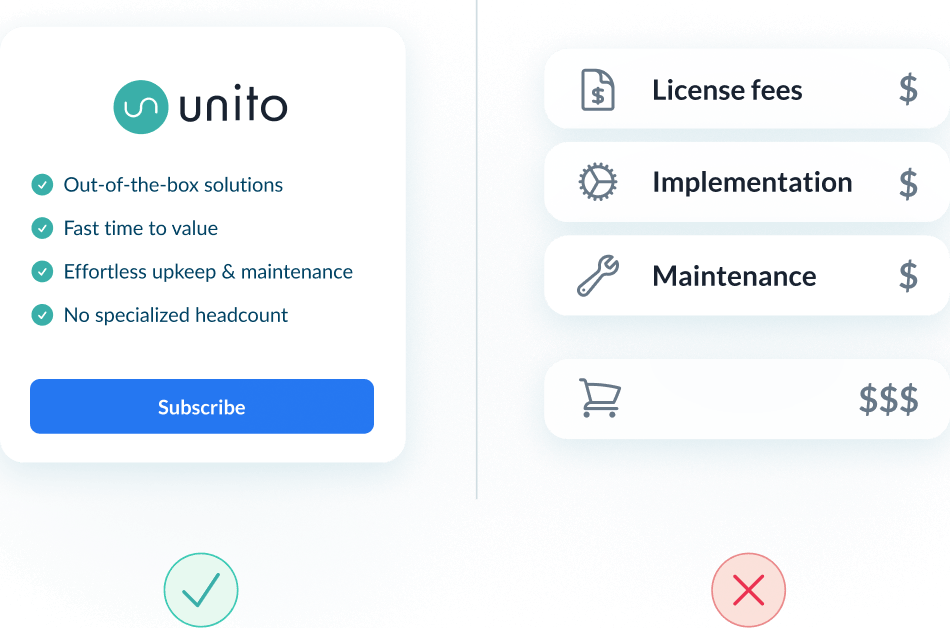
Lower total cost of ownership
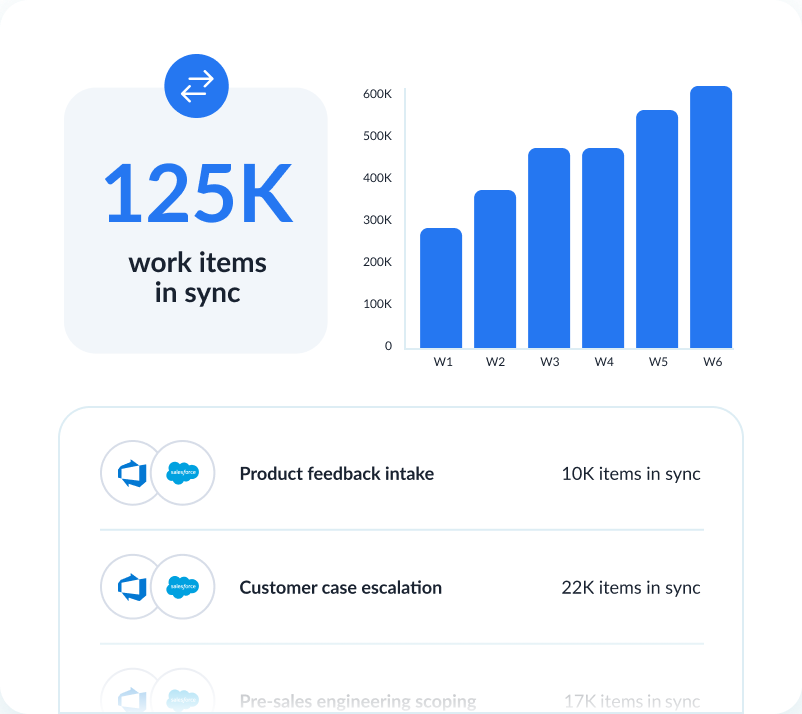
Scalability and resilience
Enterprise-grade control and reliability
Unito is designed to meet the highest standards of security and performance.

SOC 2 Type 2 certified

GDPR and CCPA compliant
- SSO
- Secure from end to end
- Access controls and flow permissions
- Centralized monitoring tools
- No data stored by Unito
See how teams succeed with Unito
-

"Unito’s flexibility and support were critical. They didn’t just provide a tool; they became a partner in solving our workflow challenges."

$595k
saved annually
21k
tasks synced monthly
7.9k
hours saved annually
-

"Absolutely love the two-way sync. It allows our pipeline to run seamlessly from Sales to Engineering, while ensuring everyone is on the same page in Salesforce and Jira."

$312k
saved annually
2600
hours saved
-

"Unito grants more visibility to executives and projects managers. Syncing Jira and Wrike provided more clarity in our reporting and enables collaboration between teams."

$291k
saved annually
3328
hours saved
-

"We saved more than 40 hours a week after syncing Asana and Jira through Unito. Our engagement with the C-suite was far, far better than expected. "

$218k
saved annually
2236
hours saved
-

"Unito isn’t just a nice-to-have—it’s a necessity once you realize how much time and effort it saves."
8.5
weeks IT time saved/year
30-40
ServiceNow licenses saved
9.79x
ROI
-

"Unito allows us to use the right project management and development tools so our teams can do their work without changing how they work."

$98k
saved annually
1040
hours saved
See how you can sync Azure DevOps and Salesforce with Unito
A working session with an integration specialist. Show us your Azure DevOps and Salesforce, and we'll show you what's possible.
What to expect
- A 15-30 min call to assess your workflow and integration needs
- A solutions overview of Unito’s sync platform
- Hands-on help to get started and support your evaluation
Frequently asked questions about Azure DevOps and Salesforce
You connect both tools in Unito, choose which Azure DevOps work items and Salesforce records to sync, then map their fields. For the full walkthrough, follow our Azure DevOps + Salesforce integration guide.
Yes. Salesforce custom fields on cases, opportunities, and accounts map to Azure DevOps custom fields on work items. Direction is set per field: account data flows in, state flows back.
Yes. A case can sync to any Azure DevOps work item type (user story, task, bug, or custom) with priority, description, and account context mapped. State and iteration flow back to the case.
Bidirectional sync. Work item title, description, state and assignee, and case subject, sync two-way. Flow direction (which tool creates items) and per-field direction are set separately, so even a one-way flow can update fields both ways. For most connectors, comments sync new, not edits.
Yes. Rules limit a flow to items matching specific tags, assignees or statuses, and every condition must be met for an item to sync. Rules can also trigger actions, like auto-assigning a synced work item. Lookup fields can map one value to several, with list order deciding which applies.
No developer or coding is needed: Unito is a point-and-click setup, and a flow can be built in minutes.
About Azure DevOps
Azure DevOps is Microsoft's end-to-end developer platform, offering tools for planning, developing, delivering, and operating software. It supports Agile, Scrum, and CMMI processes with built-in boards, pipelines, repos, and test plans.
Learn more about Unito's Azure DevOps integrations ↗About Salesforce
Salesforce is the world's leading CRM platform, helping businesses manage customer relationships, sales pipelines, service cases, and marketing campaigns in one unified cloud environment.
Learn more about Unito's Salesforce integrations ↗