

The 11 Best SaaS Integration Platforms in 2026
The average organization uses 106 SaaS apps, meaning work is disjointed by default. Every workflow needs to push data and work items from tool, to tool, to tool. This can create devastating misunderstandings and push projects past their deadlines. Software integrations close the gaps between these platforms, and SaaS integration platforms are delivered the same way many of these tools are; you pay a monthly subscription or annual contract and they’re delivered over the cloud. These tools range from simple automations to deep, complex enterprise platforms.
Here’s a list of the best.
What are SaaS integration platforms?
SaaS (software as a service) apps are delivered over the internet, meaning you don’t need to install them locally. SaaS integration platforms are tools that are both delivered over the internet and integrate SaaS apps. That means you can bridge the gap between the SaaS tools you rely on for day-to-day work with a similar platform.
“SaaS integration platforms” is an umbrella term that includes different kinds of platforms, each suited to a different user. An enterprise iPaaS (integration platform as a service) for example, is meant to function as a single platform that allows you to deploy prebuilt connectors, build your own, and maintain integrations all in one place. Workflow automation tools might chain simpler automations that use trigger-action logic to push data in one direction. You’ll find subdivisions within these categories as well, like embedded iPaaS, which gives you access to integrations right in the tools you’re integrating.
Teams usually get serious about finding a SaaS integration platform to combat a growing tool stack. With so many specialized SaaS apps, it’s easy to keep adding tools without any connective tissue to keep data flowing smoothly. That leads to extra administrative work for every workflow (e.g., copying and pasting data) and breakdowns in cross-team collaboration.
While SaaS apps can fit a number of categories, they usually fall in one of these three options:
- Two-way sync: Two-way sync platforms sync changes back and forth between the apps they integrate.
- One-way automation: These tools push updates and work items in one direction, from one app to another.
- Native integrations: Native integrations are built into other SaaS tools, allowing you to integrate them without using third-party services.
How to choose a SaaS integration platform
The SaaS integration market is about as crowded as the broader SaaS market, so choosing the right tool can be challenging. Here are six criteria you can use to evaluate any integration platform to ensure it suits your needs.
Integration type
There are two main types of integrations: one-way automation and two-way sync. One is not inherently better than the other, they just serve different purposes. A one-way automation looks for a trigger and takes an action whenever it spots that trigger. They’re simple to set up and support a wide range of actions, though they only take a single action before they’re done. They’re great for simple workflows, but struggle with more complex ones.
A two-way sync builds a persistent two-way relationship between work items in two tools, syncing data back and forth as you work. It automatically creates new work items to match the ones you create. It automatically updates fields in one tool as you update them in another. It’s constantly checking for updates in the background and it works with historical data (which one-way automations don’t).
Connector depth vs. breadth
Some SaaS integration platforms have thousands of integrations. Others have a few dozen. The difference? The depth of these integrations.
Depth and breadth are two of the three characteristics on the integration triangle. The third, ease of use, will be covered below.
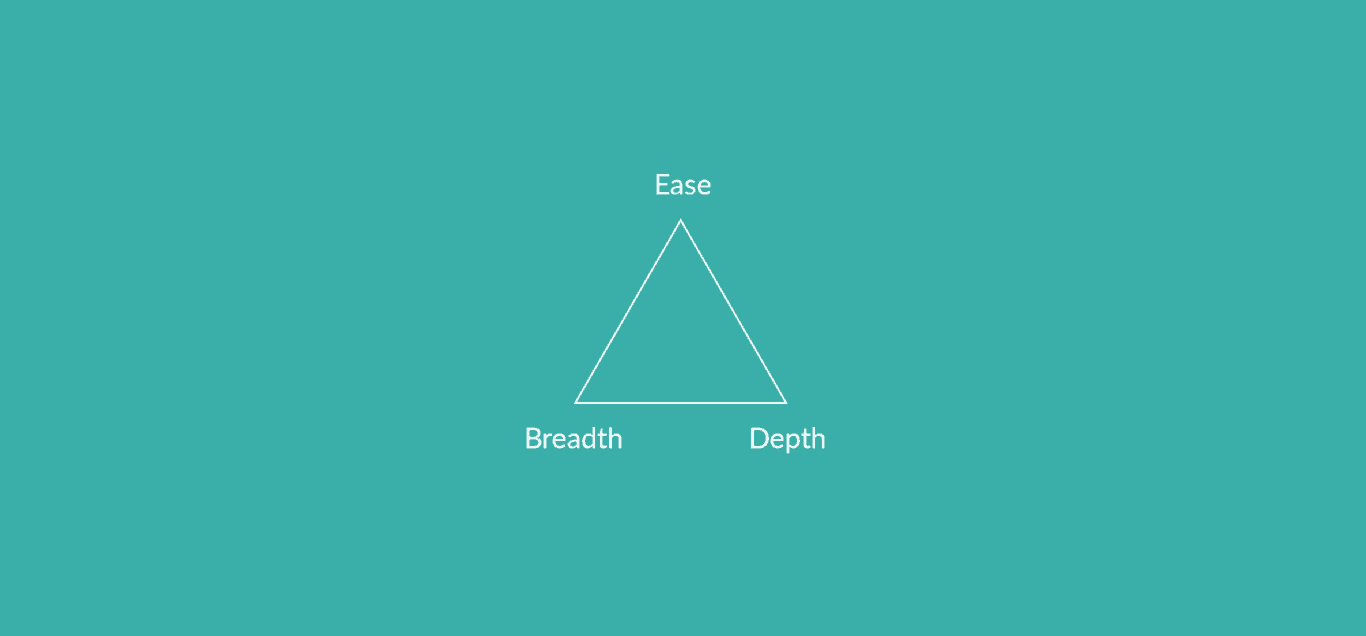
A deep integration supports all or most fields in a select tool. It typically will support at least some custom fields, and will allow a wide variety of transformation to the data in them. A shallow integration might only support a few fields, with limited options for data transformation.
Not every workflow needs deep integrations. But those that do will be ill-served by shallow integrations.
Ease of use
SaaS integration platforms are usually either no-code or low-code, though some are development tools that facilitate custom integrations rather than offering prebuilt connectors. Where a platform falls on that spectrum determines how easy they are to use for the average user. A no-code platform is usually easiest, allowing integrations to be built with drag-and-drop menus in a few clicks. Low-code platforms require that their users write code or scripts to get the most out of their integrations.
But code isn’t the only factor to consider. Some platforms need extensive customization as they’re deployed and significant maintenance afterwards. Research the technical resources you’ll have to commit for a potential integration platform.
Pricing model
Not every integration platform uses the same pricing model. Some charge based on the number of automations or actions they run in a month. Others charge a certain price for most of their integrations, while some premium integrations are locked behind an additional paywall. Others still charge based on the number of users.
When choosing an integration platform, you shouldn’t just look at how much it costs, but how it’s going to charge you. That way you can estimate what you’ll pay as your usage grows.
Security and compliance
Like any other software platform, integration tools need to abide by certain security standards since they handle important data. But these platforms don’t all meet the same standards. Here are some things to look for:
- SOC 2 certification: This cybersecurity and compliance framework demonstrates that a company goes above and beyond in terms of security, availability, confidentiality, and data processing integrity.
- Data residency: This defines where an organization stores and processes its data. This can be relevant for location-based security requirements like GDPR.
- Data encryption: Most integration platforms encrypt data at least to some degree, but not all encryption is created equal. Have a technical expert on your team research this when choosing an integration.
Scalability
You might have small integration needs now, but those needs are likely to scale with time. Either you’ll find yourself with growing volumes of data or you’ll need to add more and more integrations as your tool stack grows. When choosing an integration solution, make sure it can scale with you. That means it needs an integration library broad enough to support your evolving needs and a pricing model that won’t become prohibitively expensive as your usage scales.
Best SaaS integration platforms: Summary table
| SaaS integration platform | Starting price | Integration type | Number of connectors | Best for |
| Unito | $49/month | Two-way, real-time | 60+ | Two-way syncing |
| Zapier | Free plan, with paid plans starting at $19.99 a month | One-way automation | 7,000+ | Simple automations |
| Workato | $10,000 a year | Trigger-action automation | 1,000+ | Enterprise automation |
| Make | Free plan, with paid plans starting at $10.59 a month | One-way automation | Thousands | Complex, data-intensive workflows |
| Tray.ai | Custom, usage-based pricing | Low-code and API management | 600+ | Customized workflows |
| Boomi | Custom, per-connector pricing | Hybrid | 300,000+ | Enterprise integration |
| Mulesoft | $27,000/year for Composer, custom pricing for Anypoint | No-code integration and API management | Hundreds | Salesforce integration |
| Celigo | Custom, connector-based pricing | AI-powered integration | 1,000+ | E-commerce and ERP integration |
| n8n | Free (self-hosted); cloud plans start at €20/month | One-way triggers | 400+ | Self-hosted workflow automation |
| Microsoft Power Automate | $15 per user, per month | Copilot-assisted flow building and AI agents | 1,400+ | Organizations using Microsoft 365 environments |
| Skyvia | Free plan, paid plans start at $99 a month | No-code data integration (ETL, ELT, sync, backup) | 200+ | Data integration and backup |
The 11 best SaaS integration platforms
Unito: Best two-way SaaS integration platform

Many SaaS integration platforms use one-way automations to push data from one tool to another. With the right technical knowledge, you can even chain multiple automations together to create robust integrations across your workflows.
But this doesn’t compare to a true two-way sync.
Unito is a two-way sync SaaS integration platform with some of the deepest integrations for tools like ServiceNow, Salesforce, Jira, Asana, and more. With a Unito integration, nearly every field in your tools can be automatically updated as you work, keeping everyone in sync as they collaborate across tools.
Strengths
- Real-time, bidirectional sync
- 60+ pre-built connectors
- Deep field mapping and rules
- No-code visual interface
- SOC 2 Type II security certification
Main limitation
While Unito has over 60 integrations, that’s less than other integration platforms.
Customer rating
Zapier: Best for one-way automations
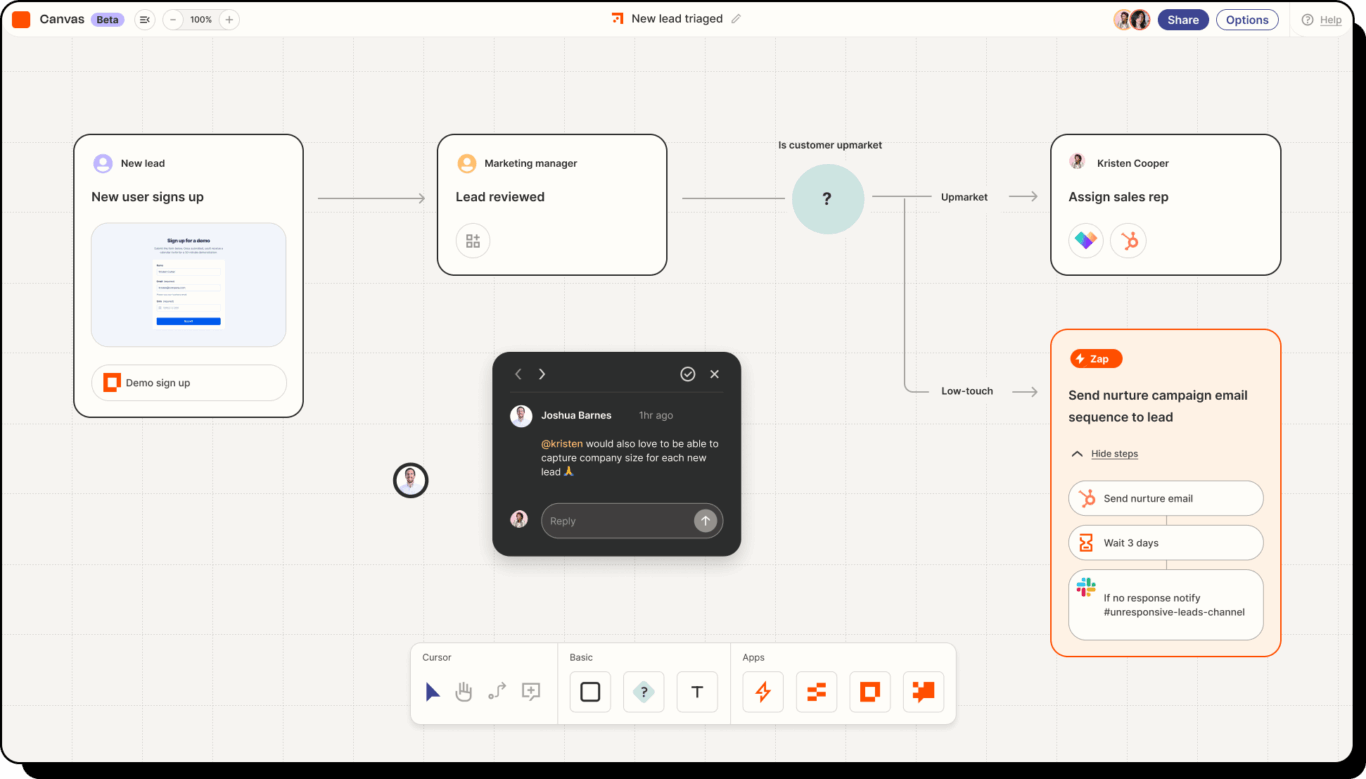
Zapier is one of the most popular SaaS integration tools out there, largely due to its support for thousands of connectors. With simple, trigger-based automations, Zapier allows just about anyone to start building their first integration, no matter their background.
Strengths
- 8,000+ connectors
- Visual automation builder
- Prebuilt templates for quick setup
- One price for Zaps, Tables, Forms, and MCP
Main limitation
Zapier’s task-based pricing can get expensive at scale.
Customer rating
Workato: Best for AI-powered workflow automation
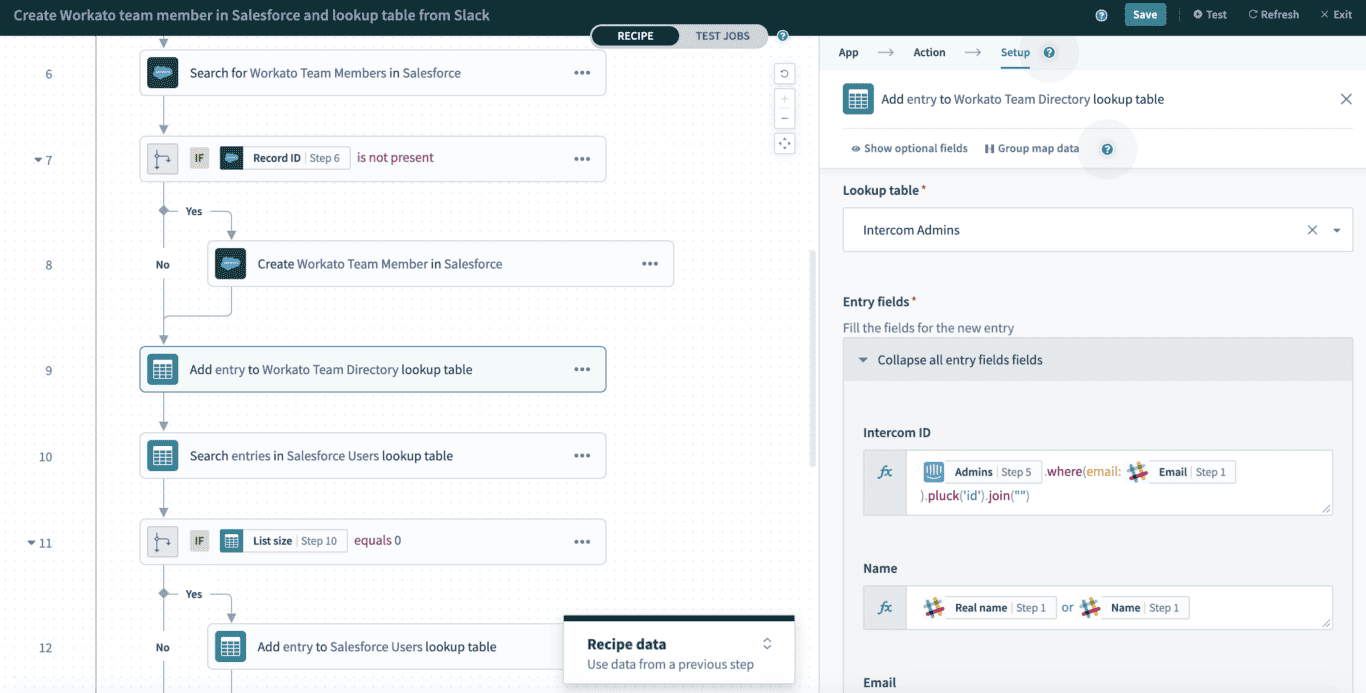
Workato is a leading platform for workflow automation, meaning it’s also a solid option for SaaS integration. With built-in AI machine learning and other proprietary features, the platform is supposed to help you create automations 10 times faster than other tools.
Strengths
- 1000+ enterprise connectors
- Advanced conditional logic and branching
- Embedded integration options
- Workbot for pushing updates to Slack and Teams
- Enterprise-grade data security
Main limitation
Workato integrations are some of the more complex to set up.
Customer rating
Make: Best for no-code automations
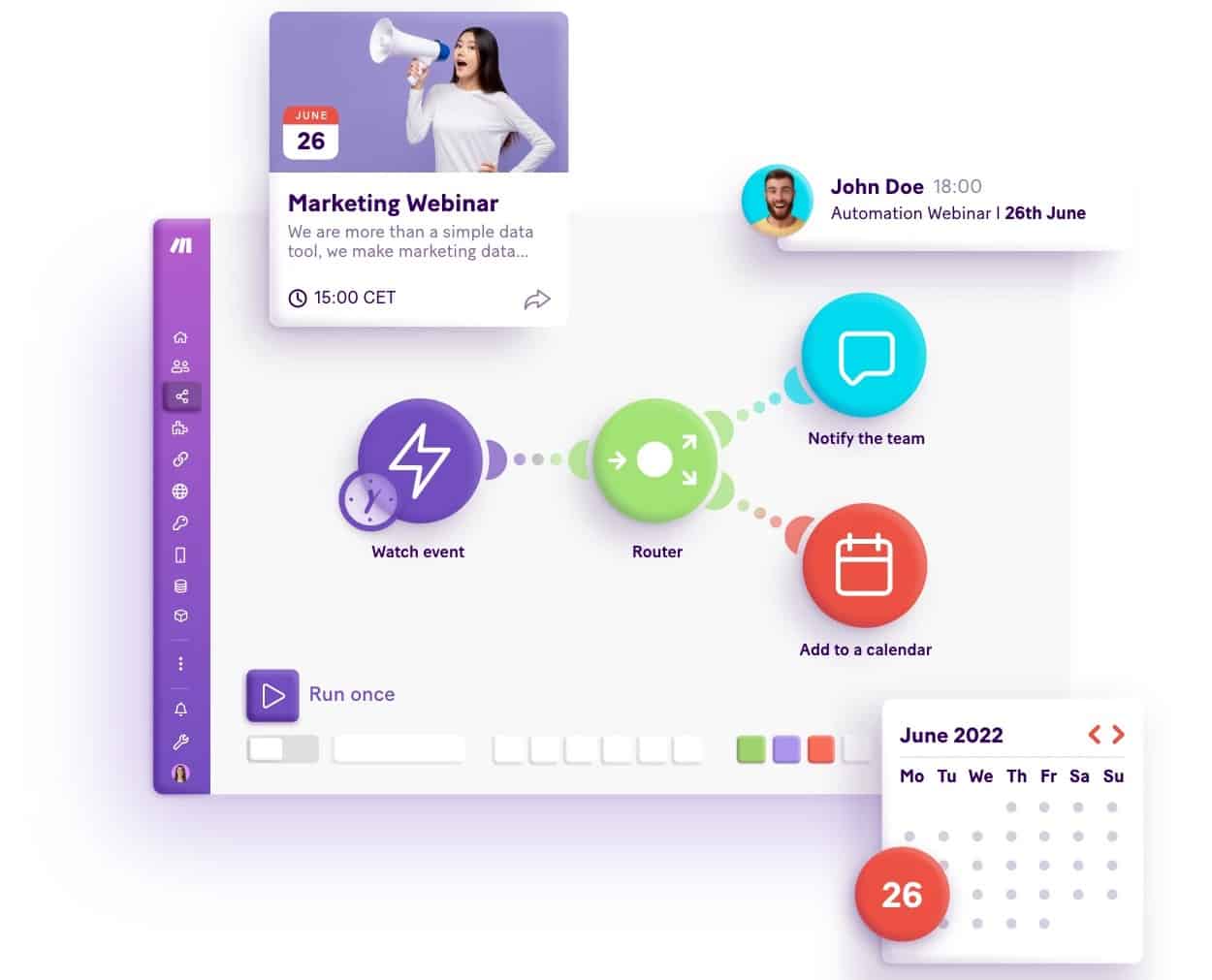
Make’s drag-and-drop interface allows any user to automate entire workflows by integrating all the SaaS apps you rely on. Workflows can run on a schedule or in real-time, customized to your needs.
Strengths
- Visual workflow builder made stronger with coding knowledge
- 3,000+ connectors
- Custom API development tools
- Advanced data transformation
- AI agent builder
Main limitation
Make doesn’t support syncing historical data, subtasks, or attachments.
Customer rating
Tray.ai: Best low-code SaaS integration platform
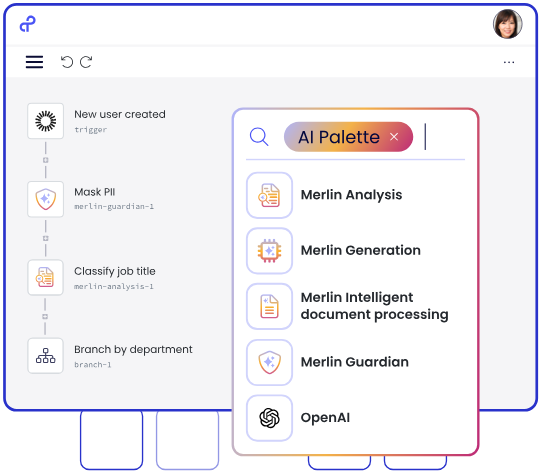
Tray.ai is a low-code SaaS integration platform that supports hundreds of apps. Its visual workflow builder lets you map out your integrations before you build them. API support means you can also build your own integrations as needed.
Strengths
- Visual workflow builder made stronger with coding knowledge
- 600+ connectors
- Custom API development tools
- Advanced data transformation
- AI agent builder
Main limitation
Since Tray.ai is a low-code tool, you’ll need some technical knowledge to get the most out of it.
Customer rating
Boomi: Best for hybrid SaaS integration
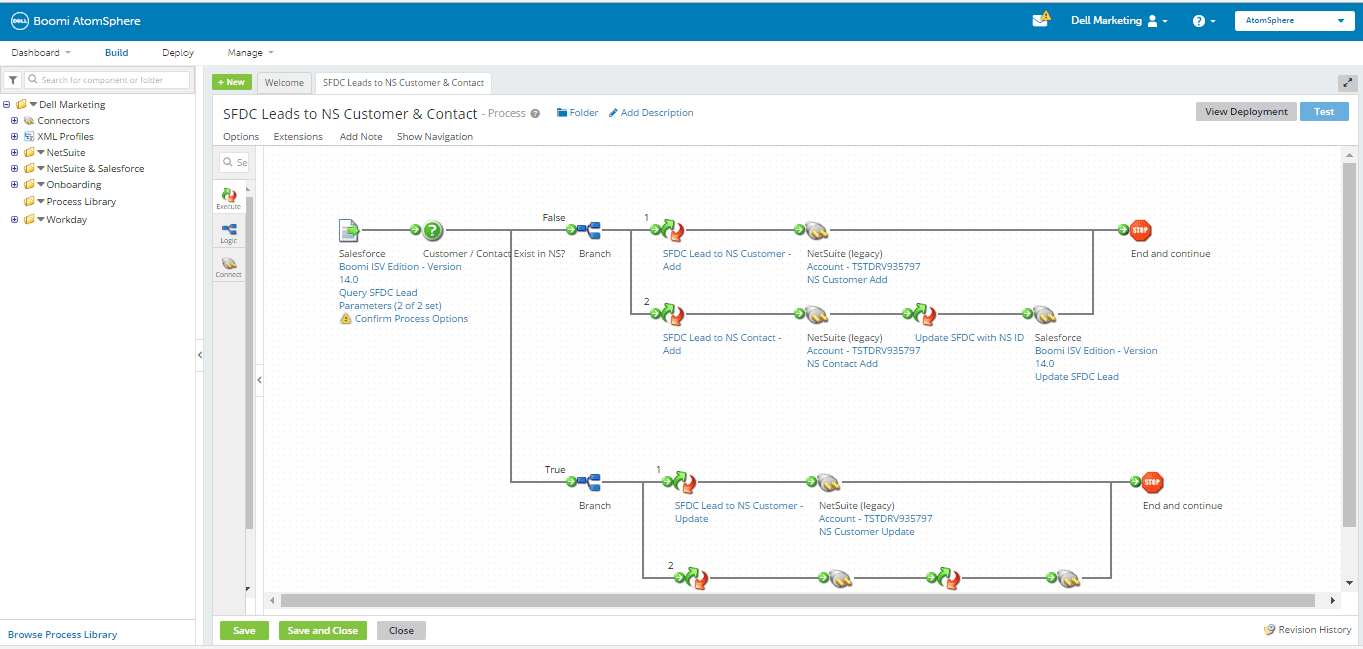
Boomi’s interface allows users of all skill levels to build integrations for SaaS apps, though it’s most effective if you have some coding knowledge. Built-in AI agents streamline some of this process, as do Boomi’s API management features.
Strengths
- Cloud and on-premise deployment
- 300,000+ possible integrations
- Visual integration builder
- Legacy-to-cloud migration
Main limitation
Boomi is best for enterprise organizations, due to its complex setup and steep learning curve.
Customer rating
Mulesoft: Best for Salesforce users
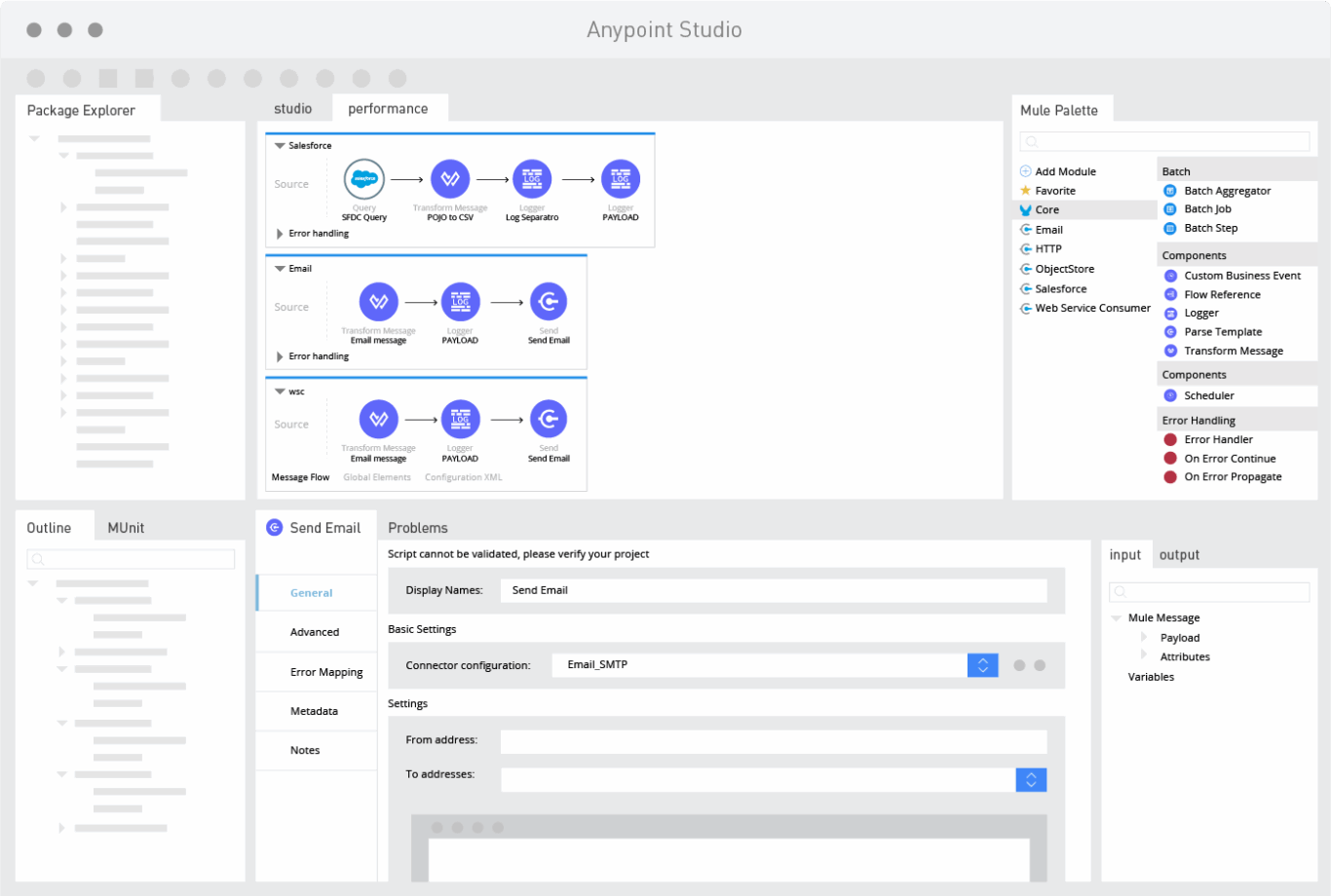
Mulesoft is an integration platform with a variety of services for all sorts of business needs. The Anypoint platform is built specifically with IT in mind, allowing them to build and deploy custom integrations, while pre-built Salesforce connectors allow Salesforce users to use a low-code platform for their integration needs.
Strengths
- No-code integration for Salesforce users
- API development and management
- Cloud, hybrid, and on-premise deployment
- Templates and pre-built connectors
Main limitation
More suitable for large organizations.
Customer rating
Celigo: Best for AI-powered integration
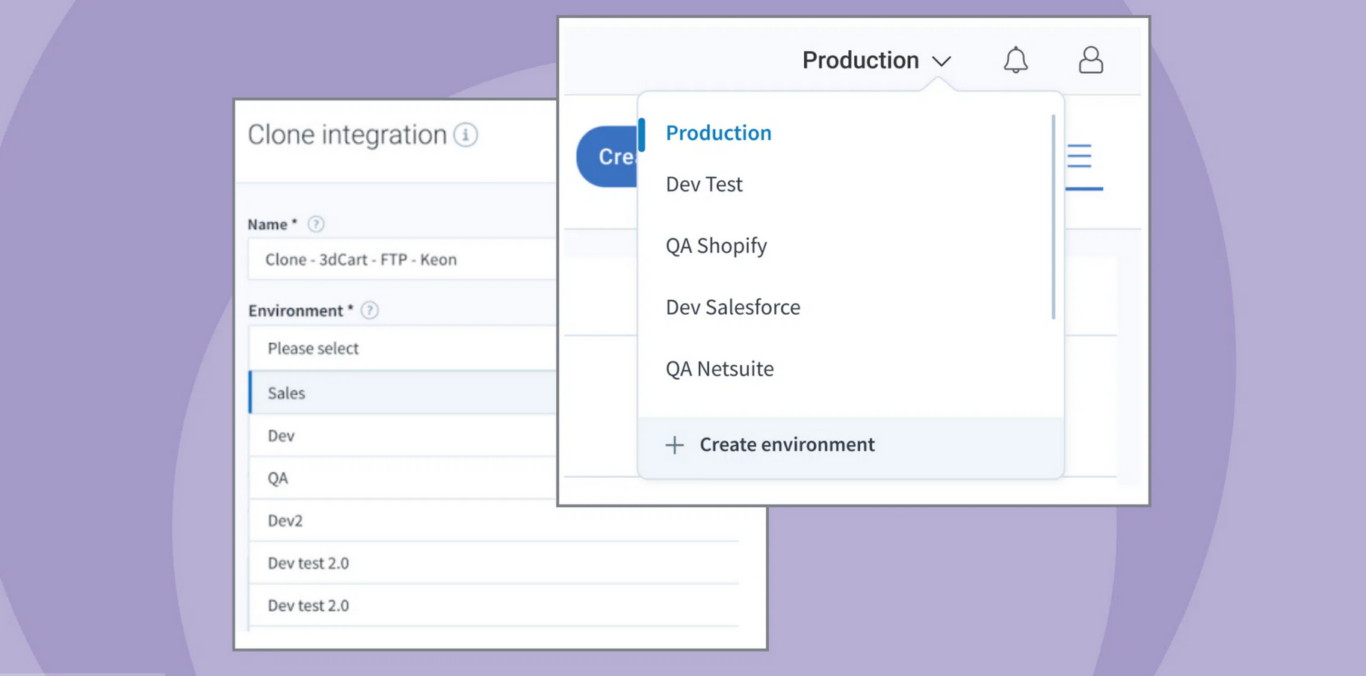
Celigo is an AI-powered integration platform that allows users to describe the integrations they need with natural language. It strikes the perfect balance between ease of use and full visibility for IT teams. The platform learns from your business as you use it, improving your integrations over time.
Strengths
- Built-in agentic AI
- 1,000+ prebuilt connectors
- Fully auditable AI workflows
- Built-in API management
Main limitation
Celigo can have a steep learning curve.
Customer rating
n8n: Best for self-hosted integrations
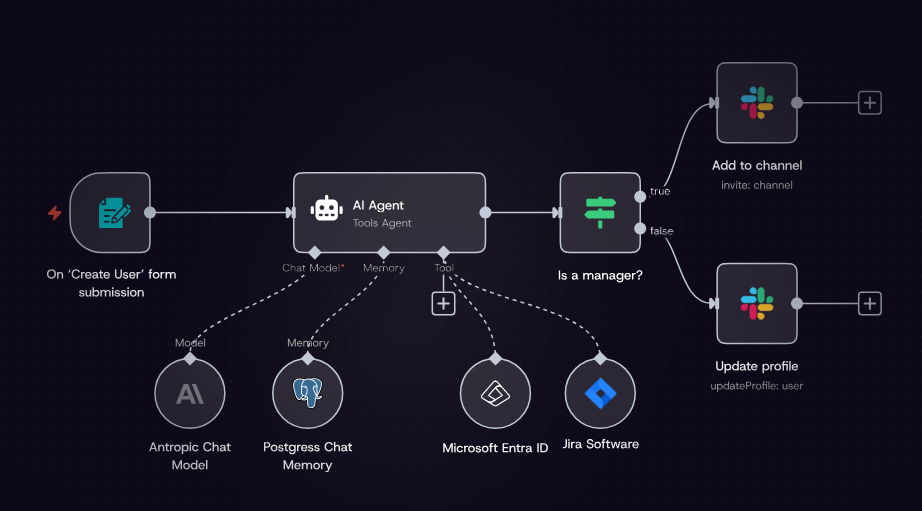
n8n is an open-source workflow automation that allows teams to have ultimate control over their integrations, if they have the technical resources to build and maintain them. As a SaaS integration platform, n8n gives you a strong foundation for building anything your team might need.
Strengths
- 500+ integrations
- Can be fully self-hosted
- Built-in agentic AI
- Allows both no-code building and coding
Main limitation
The learning curve can be pretty steep, especially when using the self-hosted version.
Customer rating
Microsoft Power Automate: Best for Microsoft environments
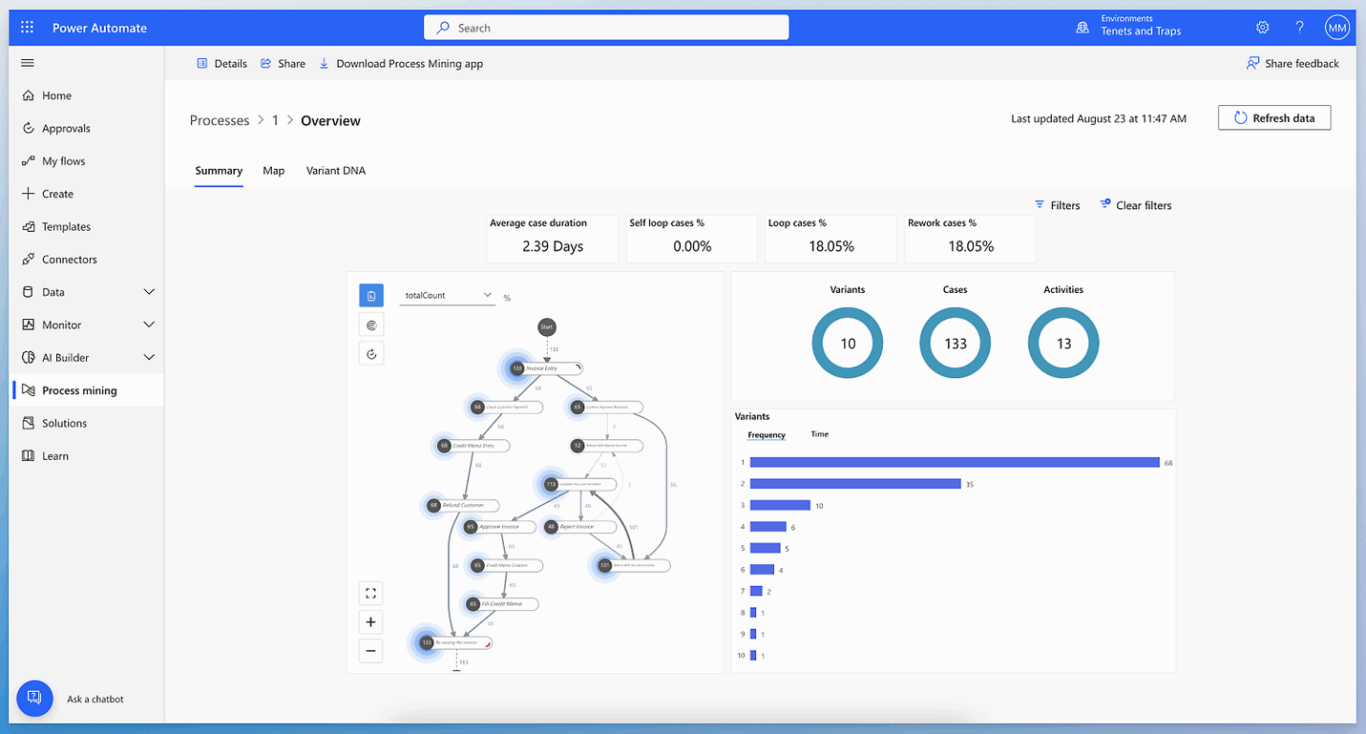
If you’re already using the Microsoft ecosystem, then Microsoft Power Automate is a natural choice for your integrations. It uses RPA (robotic process automation) to automate workflows across tools. This technology allows integrations to take any actions a human can take, including clicking through menus on your desktop.
Strengths
- Integrates natively with Microsoft ecosystem
- 1400+ prebuilt connectors
- Built-in AI copilot
- Pre-made templates
Main limitation
Microsoft Power Automate requires technical resources to set up and maintain.
Customer rating
Skyvia: Best for all-in-one integration
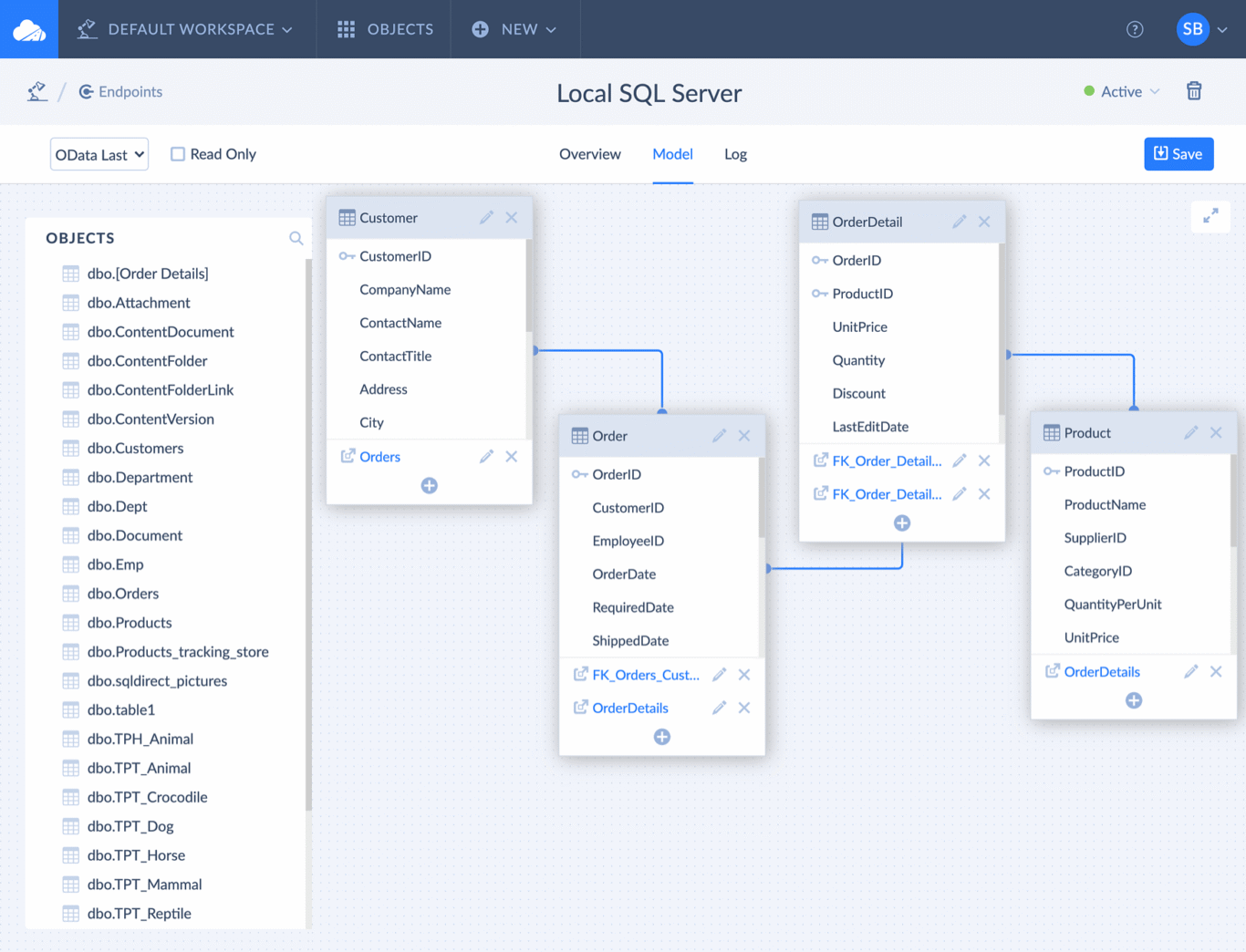
Skyvia is an ETL (extract, transform load) tool that can support a wide range of integrations. It’s an all-in-one platform for handling all of your data integration needs, robust enough for technical users but accessible enough for business users.
Strengths
- 200+ prebuilt connectors
- Custom connector support with REST and GraphQL
- Tools for ETL, simple exports, and workflow automation
- Scalability from small syncing to big datasets
Main limitation
The learning curve for Skyvia can be pretty steep, and gaps in documentation can make this more difficult.
Customer rating
Ready to try the best SaaS integration platform?
Unito is the only two-way sync SaaS integration platform with deep integrations for tools like ServiceNow, Jira, Asana, Smartsheet, and more.
Get deep two-way integrations
Meet with our team to see what Unito can do for your workflows.
FAQ: SaaS integration platforms
What’s the difference between SaaS integration platforms and other integrations?
A SaaS integration platform is an integration solution that is hosted and delivered over the internet. That means you can access everything you need to use it on a web browser.
This is different from integration platforms that are either built into other SaaS tools or installed on premise, meaning they’re hosted on your servers.
Can SaaS integration platforms handle real-time data sync?
Some SaaS integration platforms, like Unito, can sync data in real-time, back-and-forth, between platforms. Others may only handle data on a schedule, anywhere from five minutes to once a day.
Do you need technical resources to use SaaS integration platforms?
It depends on the platform you’re using. Some can be set up with minimal technical knowledge, since they’re no-code and use a drag-and-drop interface. Others require coding experience, or may even need to be deployed by dedicated IT teams.
What’s the difference between a SaaS integration platform and an iPaaS?
An iPaaS (integration platform as a service) is a subcategory of SaaS (software as a service) integration platform. Not all SaaS integration platforms are iPaaS, but all iPaaS are SaaS integration platforms.
Can SaaS integration platforms work with on-premise software?
Yes, SaaS integration platforms can work with on-premise software. But not all platforms can handle all on-premise software. If you use on-premise software, you need to research that support when considering an integration platform.
What’s the difference between one-way automation and two-way sync?
A one-way automation uses trigger-action logic to automate a wide range of simple actions. These actions typically involve creating a single task or updating a single field. Once that action is completed, the automation ends. You can chain automations to handle more complex workflows, but that involves maintenance and troubleshooting.
A two-way sync builds two-way relationships between tools, automatically creating tasks and updating fields as you work. It doesn’t stop at a single action; it’s the closest you can get to having a human collaborator copying and pasting everything you do.
How much do SaaS integration platforms cost?
SaaS integration platforms come in at a range of prices. Some have completely free plans that are robust enough for small teams. Others can cost tens of thousands of dollars a year, but handle every single integration need you might have, no matter how much data you’re working with.
Are SaaS integration platforms secure?
SaaS integration platforms need to meet similar data security requirements as other software. But some platforms are more secure than others. Security certifications like SOC 2 Type 2 allow you to know which platforms prioritize stricter security requirements. Industry-specific compliance frameworks like HIPAA are important to verify as well.