

The 11 Best Make Alternatives in 2026
Make is a solid option for software integration. Between its visual workflow builder, its strong community, and its competitive pricing, it’s a popular choice for teams that need to work through their integration backlog. But it’s not the right platform for everyone. Its credit-based pricing can lead to unpredictable billing, the learning curve can be steep for less technical users, and its one-way automations can artificially limit your workflows.
Whether you need a two-way sync, a simpler interface, enterprise-grade compliance, or an open-source solution, here’s a list of the best Make alternatives.
Make alternatives: Summary table
| Alternative | Starting Price | Integration Type | Connectors | Best For | Key Differentiator |
| Unito | Custom pricing | Two-way, real-time | 60+ | Two-way sync and workflow management | Real-time two-way sync |
| Zapier | Free plan; paid plans start at $29.99 a month | Trigger-action | 9,000+ | One-way automation across a broad connector library | Largest integration library and AI-powered automation |
| n8n | Free | Workflow automation | 400+ | Technical teams who need a self-hosted solution | Open-source, self-hosted automation with execution-based pricing and native AI nodes |
| Workato | Custom pricing | Trigger-based recipes | 10,000+ | Enterprise-grade workflows | Enterprise-grade iPaaS with governance and compliance |
| Pabbly Connect | Free | If-this-then-that automation | 1,000+ | Budget-conscious teams who want the cheapest Zapier alternative | Flat-rate pricing with unlimited workflows and lifetime deal options |
| Microsoft Power Automate | $15 per user, per month | Copilot-assisted flow building, AI agents, robotic process automation | 1,400+ | Enterprise organizations already working in the Microsoft 365 ecosystem | Native Microsoft 365 integration solution with Copilot-assisted flow building |
| IFTTT | Free plan | No-code automation | 900+ | Simple automations | Simplest interface for consumer and smart device automation |
| Tray.ai | Custom pricing | Low-code iPaaS | 700+ | Ops teams that need more flexibility | Universal connector for any API |
| Activepieces | Free (self-hosted); paid plans start at $5 per active flow, per month | Workflow automation | 200+ | Open-source integrations | Fully open-source with cloud option |
| Relay.app | Free plan; paid plans start at $38 a month | AI-native automation | 100+ | AI-first workflows | Human-in-the-loop AI automation |
| Integrately | Free plan; paid plans start at $29.99 a month | One-click automation | 1,100+ | Speed of setup | One-click, pre-built automations |
What is Make?
Make (formerly Integromat) is a no-code platform for automating repetitive tasks, processes, and entire workflows. Its drag-and-drop allows users to build automations without extensive coding knowledge, and its 3,000+ built-in integrations cover a wide range of tool pairings. These trigger-based, one-way automations can support even complex workflows.
It’s a strong platform for teams that want granular control over their automations. But its credit-based pricing, learning curve, and one-way automations aren’t ideal for every use case.
Why look for a Make alternative?
While Make is a strong automation platform, it’s not necessarily the best integration solution for every team. Here’s why.
Credit-based pricing
This pricing model can cause fluctuations in your monthly subscription, making this a difficult budgetary expense to justify.
The learning curve
Make’s visual builder is powerful, but it’s more complex than it looks. Routers, iterators, aggregators, and error handles are all elements you need to learn before you can make the most out of Make.
One-way automation
While a one-way automation is simple to set up, it struggles with some workflows. If you need data to stay in sync across multiple tools, you’ll need to chain multiple one-way automations. That introduces the risk of infinite loops and other issues, as well as the need for additional maintenance.
Limited support
Customers on Make’s lower plans frequently cite the responsiveness of support as a challenge. Combined with the learning curve involved, this can be enough to make less technical teams look for an alternative.
The 11 best Make alternatives
Unito: Best for two-way sync
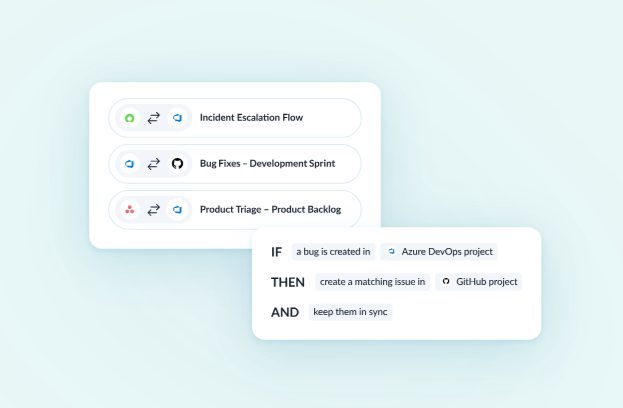
Unito is the single best Make alternative for two-way sync. Its integrations go deeper than one-way automations, require less maintenance, and are simple enough for anyone in your organization to set up — with no coding required. Unito integrations can handle anything from escalating tickets from support tools like ServiceNow to development tools like Azure DevOps, unifying project work across multiple project management tools, and feeding essential context to AI agents like Rovo so they get a more complete picture of how you work.
Strengths
- True two-way sync: Changes flow in both directions automatically by default. This creates seamless collaboration in a way one-way automations can’t.
- No-code setup: Most users set up their first flow in 12 minutes or less, with no coding skills or technical knowledge.
- Enterprise-grade security: Unito is SOC 2 Type 2 certified, meaning you get the security you need. But it doesn’t take weeks or months to deploy like other enterprise tools.
- 60+ connectors: Pre-built connectors support the most popular project management apps, CRMs, software development tools, spreadsheets, and more.
Main limitation
Unito’s integrations are deeper than most, but they’re also fewer. If you’re using a niche app that Unito’s 60+ integrations don’t cover, then Make or Zapier might be a better fit.
Customer rating
G2: 4.5/5
Capterra: 4.5/5
Zapier: Best for broadest integration coverage
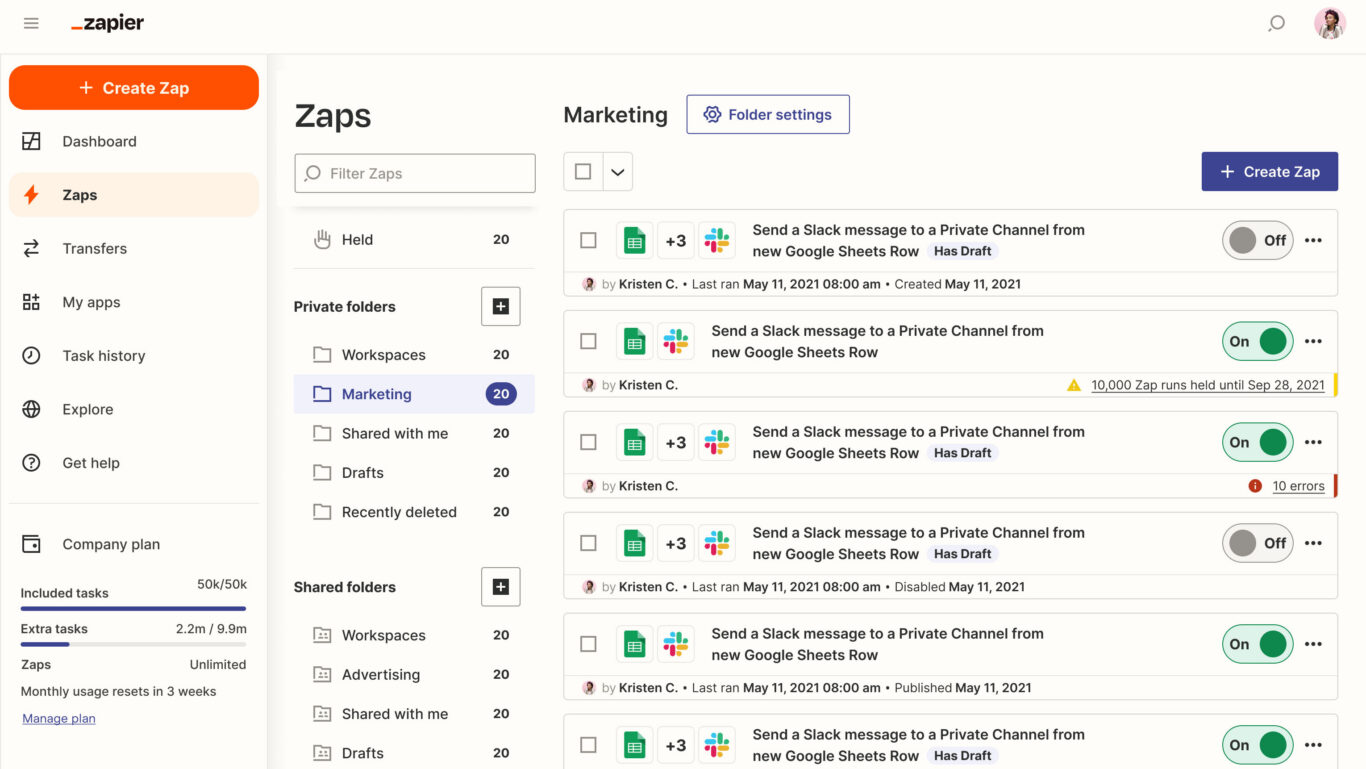
Zapier is a one-way automation tool with more integrations than most other Make alternatives. Using Zaps, users can map simple actions across tools, like creating new tasks in Asana to match work items in Jira or updating a due date in Smartsheet to match a date in an Excel report. These Zaps are easy to set up, with no code needed.
Strengths
Zapier has one of the broadest integration libraries, at over 9,000 integrations, compared to Make’s 3,000. That means a team can use Zapier to consider just about any tool in their stack.
Main limitation
Zapier’s one-way automations are simple, which makes them compatible with a wide range of tools. But it also makes them limited in what they can achieve. Once an automation achieves a single action, it’s done. There’s no two-way syncing or complex workflow automation unless you chain several automations together.
Pricing
Zapier offers a limited free plan and monthly paid plans that start at a specific number of tasks, with the price scaling up as that number increases.
- The Professional plan starts at $29.99 a month for 750 monthly tasks, scaling up to $5,099 for 2 million monthly tasks.
- The Team plan starts at $103.50 a month for 2,000 monthly tasks, scaling up to $5,999 for 2 million monthly tasks.
Zapier also has custom Enterprise plans, but you’ll need to reach out to Zapier’s sales team for a quote.
Customer rating
G2: 4.5/5
Capterra: 4.7/5
Want to see how Zapier stacks up against other options?
Check out these in-depth guides.
n8n: Best for self-hosted integrations
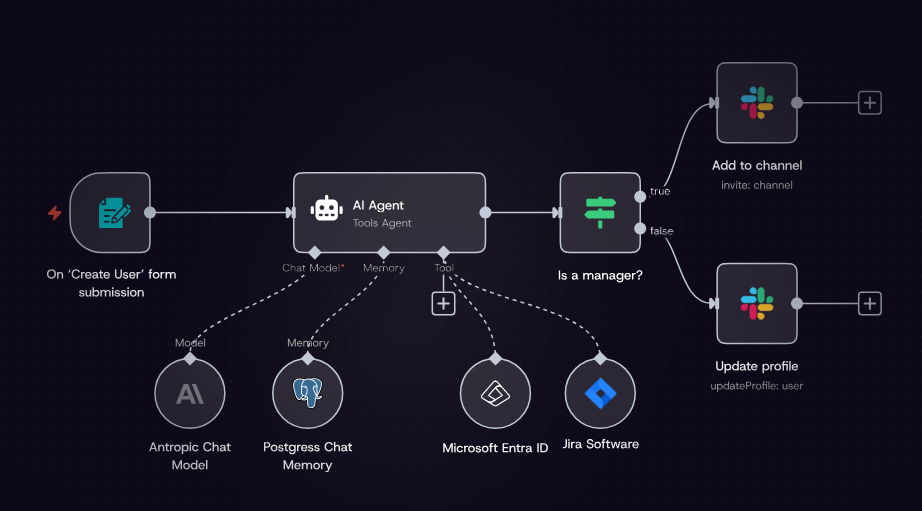
If you have the technical know-how, n8n might be the best Make alternative on this list. It’s an open-source workflow automation tool that gives you full control over every integration you use. You can use a self-hosted version for free or pay for cloud storage. With over 400 integrations, n8n is a great option for teams with technical resources to set them up and manage them.
Strengths
n8n is one of few Make alternatives that can be fully self-hosted, which can be a lifesaver for organizations with strict security requirements. It’s also a powerful way to centralize all your integration processes.
Main limitation
The learning curve can be pretty steep. Whether you’re using the self-hosted or cloud version, you’ll need technical skills to maintain your integrations.
Pricing
n8n offers the following plans:
- The Free self-hosted plan gives you unlimited executions, unlimited workflows, and over 400 integrations.
- The Starter plan is 20€ a month for 2,500 workflow executions.
- The Pro plan is 50€ a month for 10,000 executions or 120€ for 50,000 executions.
- The Business plan is 667€ a month for 40,000 executions or up to 4371€ a month for 500,000 executions.
Customer rating
G2: 4.7/5
Capterra: 4.6/5
Workato: Best for enterprise automation
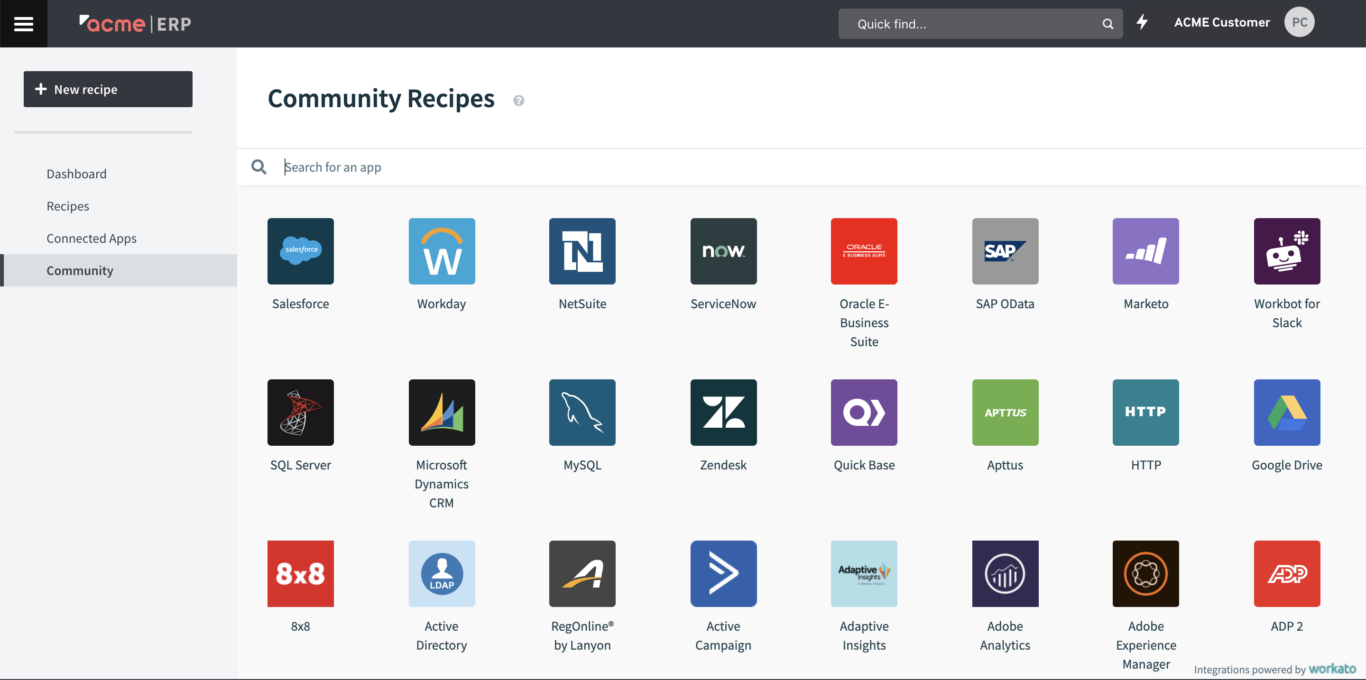
Workato is an enterprise-grade Make alternative. This iPaaS centralizes integration governance, compliance controls, and deep, custom integrations. Pre-built templates and recipe-based automation allow enterprise teams to build integrations with systems like Salesforce, NetSuite, and ServiceNow. This is a purpose-built tool for organizations where security, audit trails, and scalability are must-haves.
Strengths
Workato’s built-in recipes allow users to chain long sequences of one-way automations to handle even the most complex workflows.
Main limitation
Workato’s price will put it out of reach for smaller teams and mid-size organizations. It’s an enterprise-grade tool with an enterprise-grade price tag.
Pricing
Being an enterprise iPaaS, Workato doesn’t list its pricing on its website; you’ll need to contact them for a quote.
Customer rating
G2: 4.7/5
Capterra: 4.6/5
Want to see how Workato stacks up against other options?
Check out this in-depth guide.
Pabbly Connect: Best for budget-conscious teams
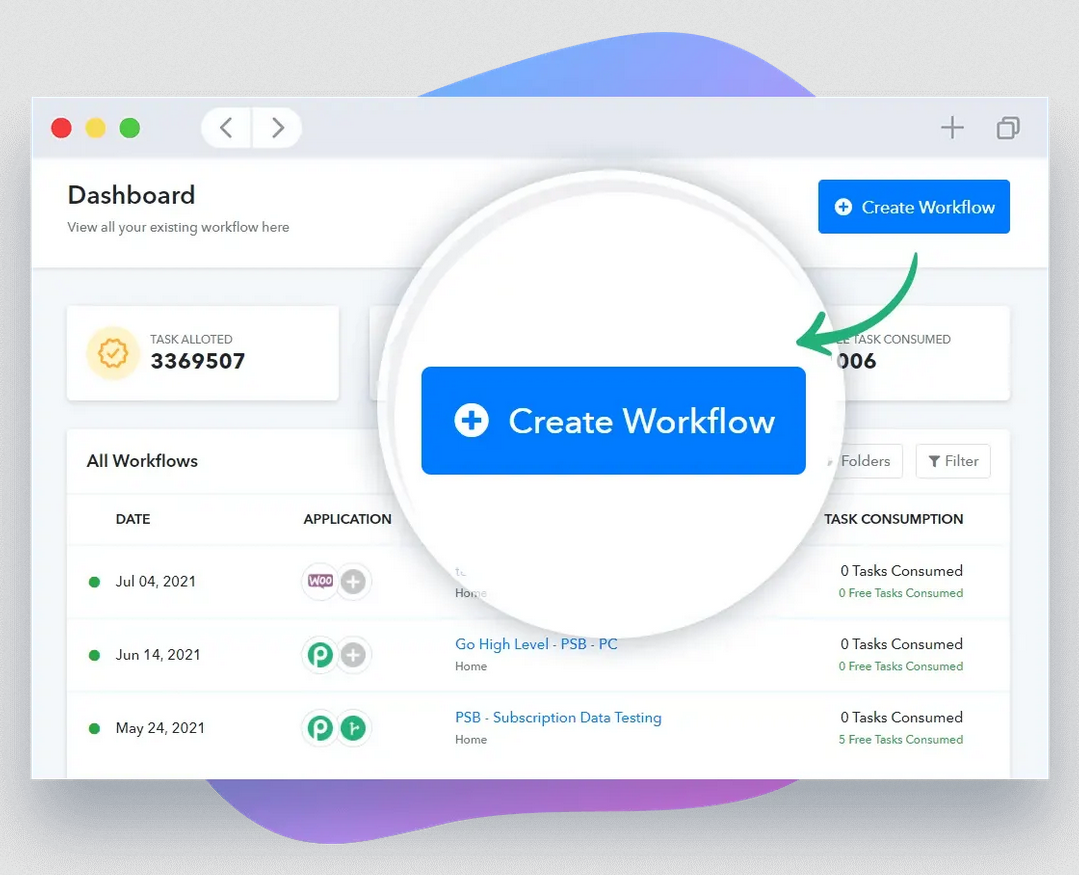
Pabbly Connect is a no-code automation platform that has one advantage over Make and many alternatives on this list: pricing. Most workflow automation platforms charge per automation, integration, or execution. Pabbly Connect instead charges a flat monthly subscription that’s lower than what you’d pay with other alternatives.
Strengths
For budget-conscious teams, Pabbly Connect’s pricing will be its greatest strength. It gives you the same kind of trigger-and-action automations you’ll find in Make alternatives like Zapier at a fraction of the cost.
Main limitation
In short, you get what you pay for. Pabbly Connect’s workflows are less sophisticated than Make’s, missing branching, iterators, and advanced error handling.
Pricing
Pabbly Connect offers annual plans that start at $192 a year for 10,000 tasks a month, ramping up to $828 a year for unlimited tasks. They also often offer lifetime deals that start at $349. You can also use the free plan, which supports up to 100 tasks a month.
Customer rating
G2: 4.3/5
Capterra: 4.5/5
Microsoft Power Automate: Best for Microsoft 365 teams
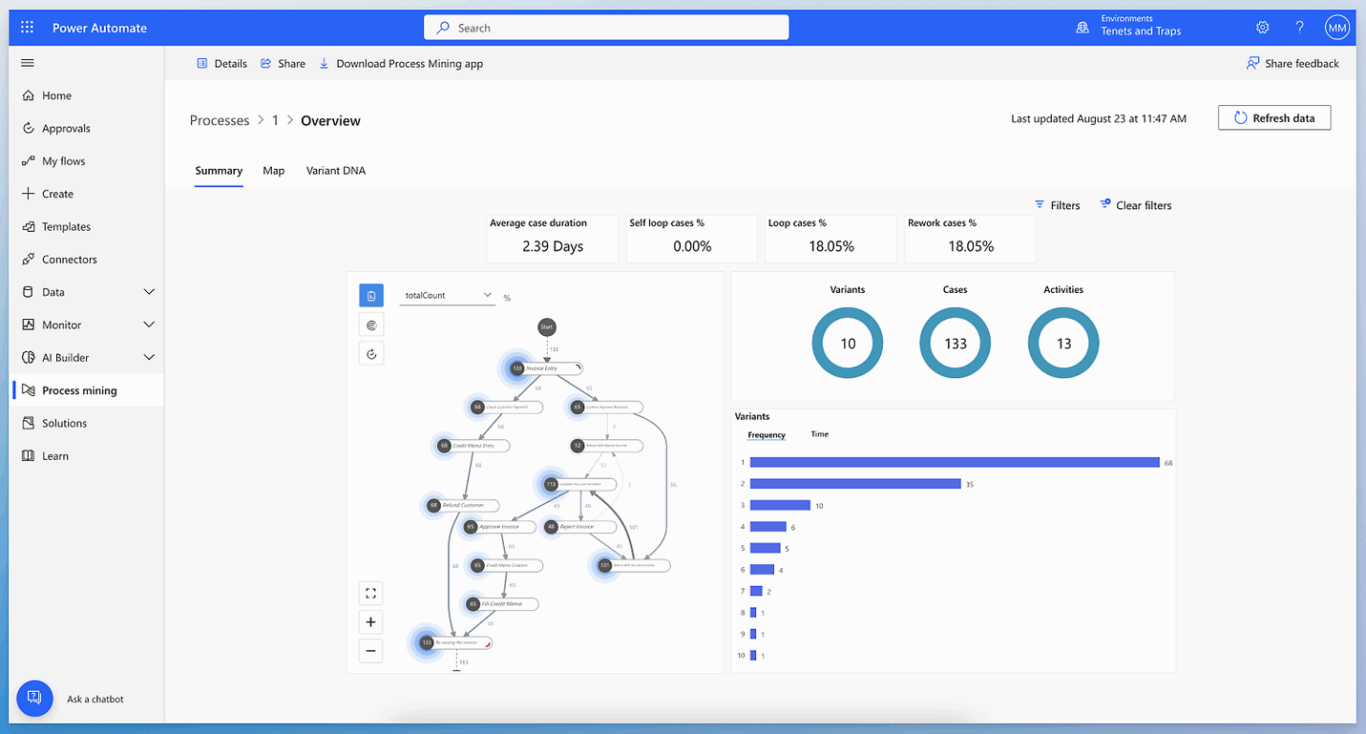
If you’re an enterprise organization using the Microsoft ecosystem, then Power Automate is the natural choice for a Make alternative. It integrates natively with Teams, Sharepoint, Outlook, Dynamics 365 and more.
Strengths
Native integrations with the broader Microsoft ecosystem is one of Power Automate’s main strengths. It also offers desktop-based automations that other Make alternatives don’t.
Main limitation
Power Automate is a complex platform that requires some technical resources to set up and maintain. That could involve a significant learning curve for some teams.
Pricing
Microsoft Power Automate has a free, 30-day trial with the following paid plans:
- Power Automate Premium, which offers cloud flows, desktop flows, 50MB of data for process and task mining, and Microsoft Dataverse entitlements of 250MB database and 2GB file for $15 per user, per month.
- Power Automate Process, which offers cloud flows, desktop flows, and Dataverse entitlements of 50MB database and 200MB file for $150.00 per bot, per month.
- Power Automate Hosted Process, which offers everything in the Power Automate Process plan, except it also allows you to host your automations on a virtual machine through Azure infrastructure.
Customer rating
G2: 4.4/5
Capterra: 4.4/5
IFTTT: Best for the simplest automations
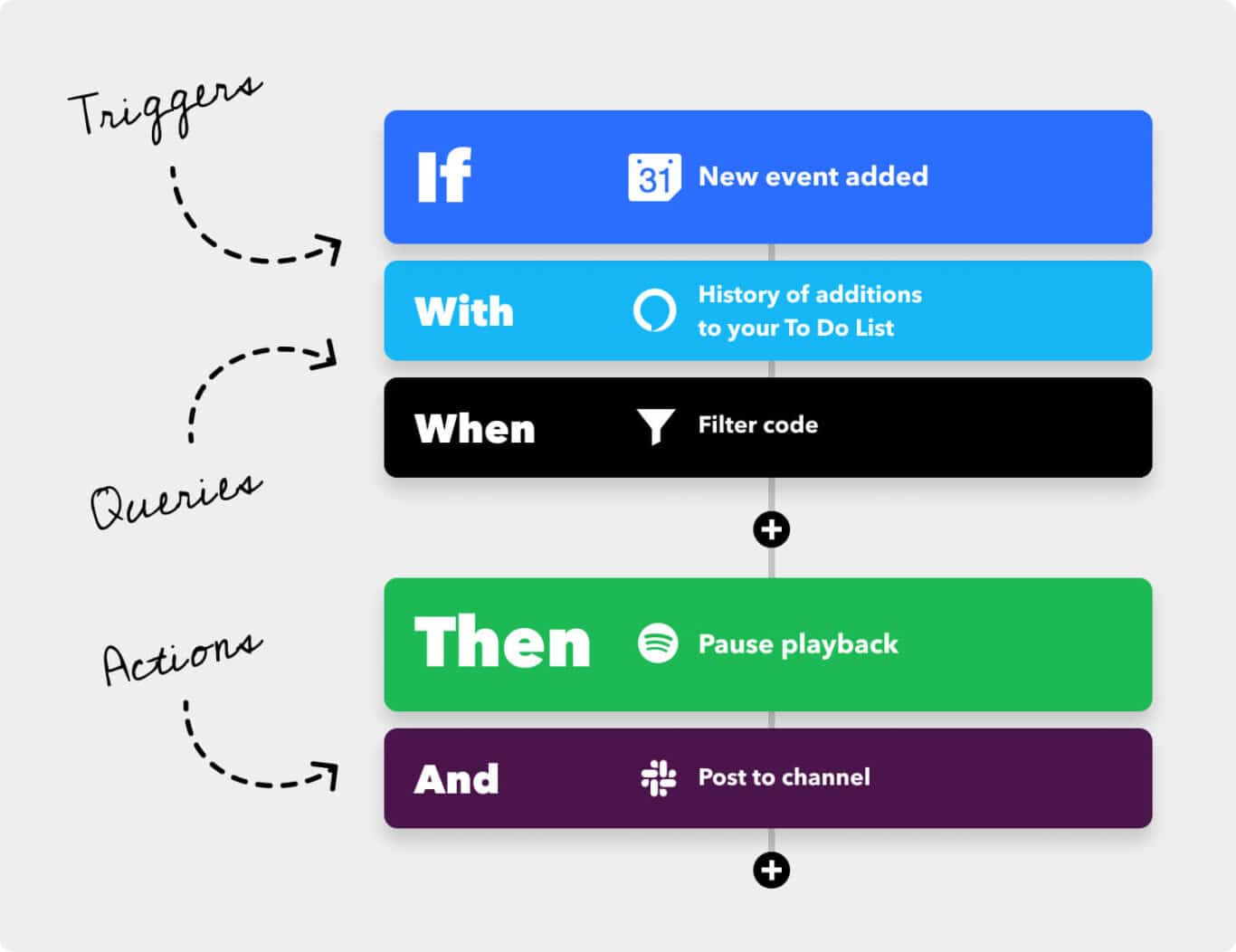
IFTTT is one of the original automation platforms, with a simple interface for building if-this-then-that automations. It supports a wide variety of integrations, including with many smart home products.
Strengths
IFTTT is one of the simplest automation platforms out there, making it uniquely suited to workflows where Make or some of its other alternatives might be overkill.
Main limitation
That simplicity can be a limitation, too. Enterprise-grade business workflows require some level of complexity, and IFTTT might not cut it for them.
Pricing
- The Free plan includes two Applets, standard Applet speeds, and unlimited Applet runs.
- The Pro plan is $4.99 a month and supports up to 20 Applets, with the fastest Applet speeds, multi-action Applets, and webhook support.
- The Pro+ plan is $14.99 a month and adds unlimited Applets, exclusive triggers and actions, and AI services.
Customer rating
G2: 4.6/5
Capterra: 4.6/5
Want to see how IFTTT stacks up against other options?
Check out these in-depth guides.
Tray.ai: Best for technical ops teams
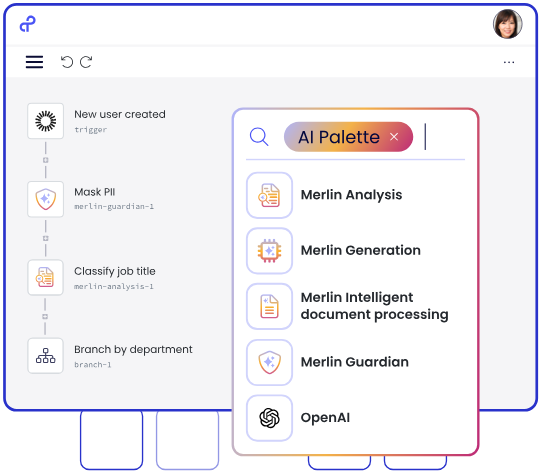
Tray.ai is a low-code platform aimed at ops teams for marketing, sales, and revenue. It strikes a balance between tools like Zapier and platforms like Workato. Its drag-and-drop interface allows integration with hundreds of prebuilt connectors, as well as features for building custom integrations with any tool that has an API.
Strengths
Tray.ai trigger-based recipes have strong conditional logic and data processing. This makes Workato a strong option for teams with some technical knowledge who need a bit more power from their integrations.
Main limitation
Tray.ai is one of the most expensive Make alternatives on this list, and it can be a tad overengineered for smaller teams.
Pricing
Tray.ai only offers custom plans based on task volume, meaning you’ll need to reach out to their sales team for a quote.
Customer rating
G2: 4.5/5
Capterra: 4.9/5
Want to see how Tray.ai stacks up against other options?
Check out this in-depth guide.
Activepieces: Best open-source alternative
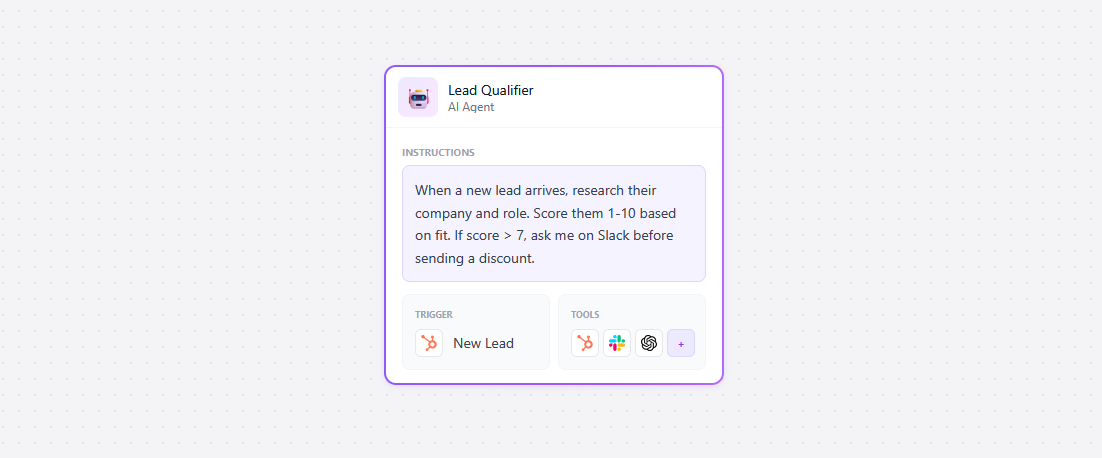
Activepieces is the only true open-source Make alternative on this list, since it’s available with an MIT license. The self-hosted version is completely free, with access to all integrations. There’s also a cloud version available, meaning you have the flexibility to choose whether you want to manage your own integration infrastructure.
Strengths
This is one of the most customizable Make alternatives out there. Teams that have the technical knowledge and infrastructure to take advantage of this will find it uniquely suited to their needs.
Main limitation
Activepieces has one of the smaller integration libraries on this list, with about 200 available integrations.
Pricing
Activepieces offers three plans:
- The Standard plan starts with 10 free active flows, after which you’ll pay $5 per active flow per month.
- The Custom plan is an unlimited annual contract with access controls, single-sign-on, and more, with custom pricing.
- Finally, the Community Edition is a free, self-hosted version of the platform with only core features enabled.
Customer rating
G2: 4.8/5
Capterra: N/A
Relay.app: Best for AI-powered automation
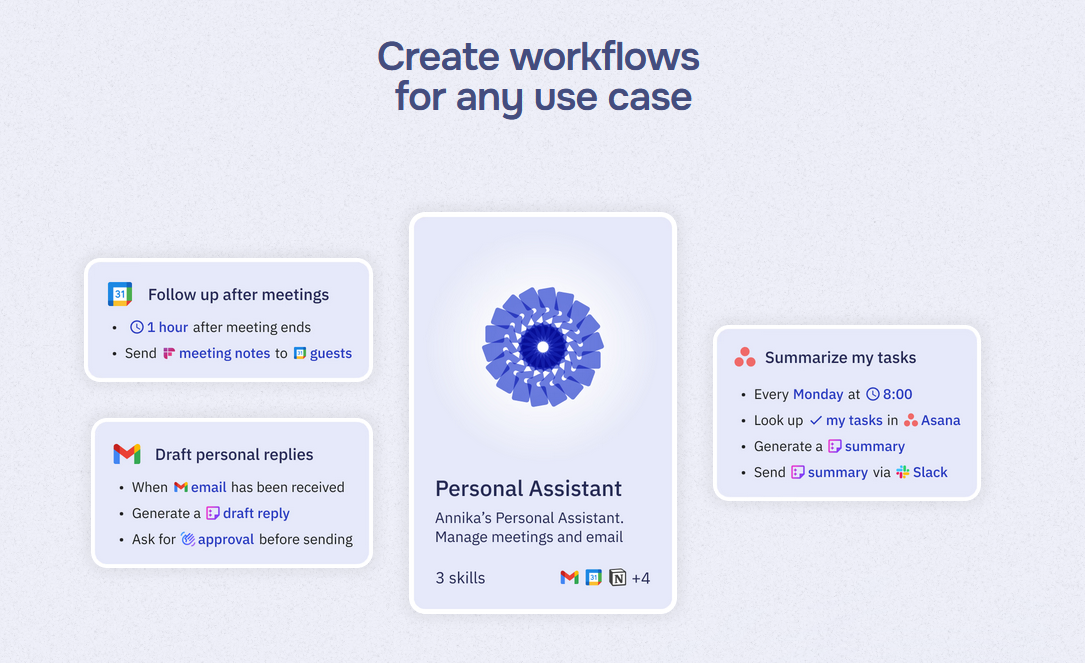
Relay.app allows you to go from a single prompt to a fully functioning integration in minutes. No technical knowledge or coding required. Its human-in-the-loop features means you can review any AI outputs before they go live, but manage your integrations in a nearly fully hands-off way.
Strengths
Relay.app supports the most popular AI models on the market, including GPT, Claude, and Gemini, meaning you can build integrations meaning you’re not locked into a single AI provider.
Main limitation
A smaller integration library than Make or Zapier means it might not always be the right tool for the job.
Pricing
- The Free plan includes one user, up to 500 AI credits a month, and multi-step workflows.
- The Professional plan starts at $38 a month for one user plus 2,000 monthly AI credits and 750 monthly workflow steps. This plan scales up in price with the number of workflow steps you add, up to 1 million steps at $1778 a month.
- The Team plan starts at $118 a month for 10 users, 2,000 monthly AI credits, and 1,500 monthly workflow steps. It adds shared workflows and shared connections. This plan scales up to 1 million steps for $1838 a month.
Customer rating
G2: 4.9/5
Capterra: 5/5
Integrately: Best for quick setups
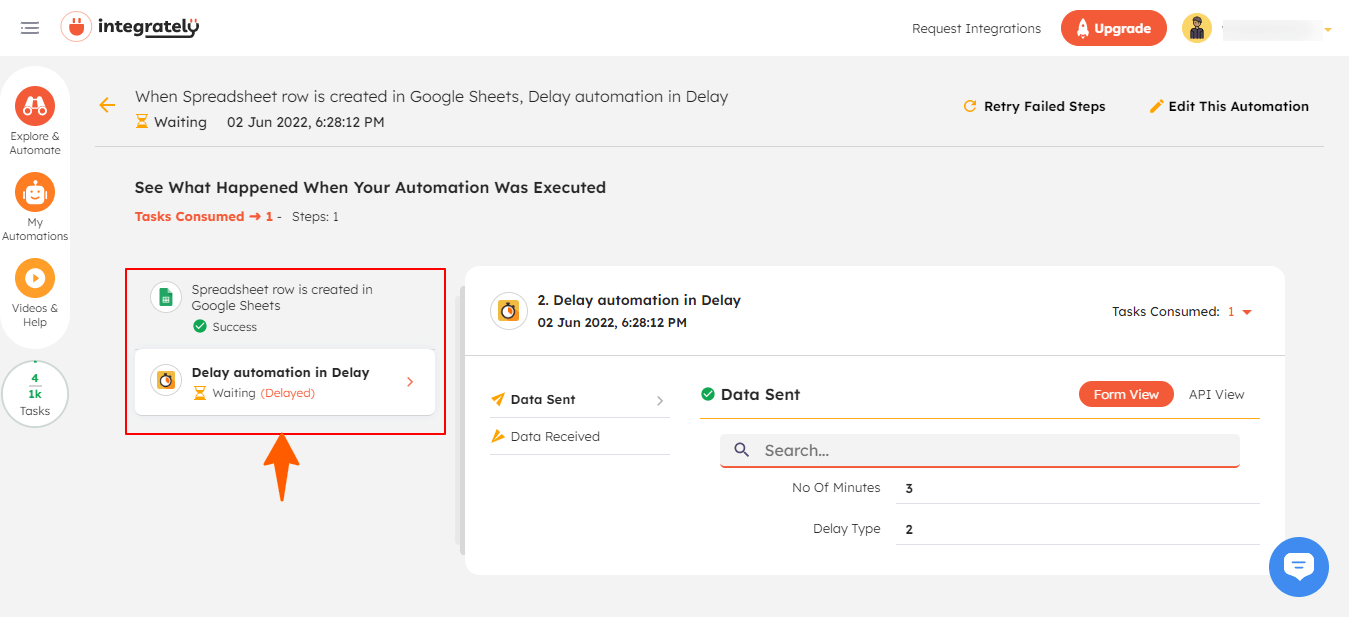
What if you could build integrations in a single click? That’s the pitch with Integrately, which has over 1,100 pre-built integrations that you can deploy quickly with no code or technical resources. Where Make requires you to work through multiple steps and complex logic to get a functioning integration, Integrately gets you there in less work and less time.
Strengths
The user-friendly interface makes integrations accessible to non-technical users, meaning there’s no need for developers or third-party consultants to get things up and running.
Main limitation
One-click convenience comes at a cost. Some integrations are more limited in functionality and struggle to support complex, multi-step workflows.
Pricing
- The Free plan supports up to 100 tasks a month, with five single-step automations and 15-minute update times.
- The Starter plan is $29.99 a month and supports up to 2,000 tasks a month, five-minute update times, with up to three premium apps, 20 multi-step automations, and multi-step automations.
- The Professional plan is $49 a month and supports up to 10,000 tasks a month, as well as two-minute updates, unlimited premium apps, and unlimited automations.
- The Growth plan is $124 a month and supports up to 30,000 tasks a month, adding a dedicated account manager and unlimited users.
- The Business plan is $299 a month and supports up to 150,000 tasks a month, but is otherwise nearly identical to the Growth plan.
Customer rating
G2: 4.7/5
Capterra: N/A
Try the best two-way sync Make alternative
Book a product demo and see how Unito transforms your worfklows.
FAQ: Make alternatives
Can Make handle two-way sync between tools?
Make is a trigger-based automation platform. You can approximate a two-way sync by setting up multiple automations in each direction, but this requires significant ongoing maintenance and doesn’t create a true bidirectional relationship between work items. A tool like Unito is purpose-built for two-way sync, which prevents infinite loops and similar issues caused by automation tools.
Is Make or Zapier better?
It depends on your needs. Make has deeper customization and is more cost-effective for high-volume automations. Zapier has a much larger integration library and less of a learning curve. Both are one-way automation tools.
Is there a free Make alternative?
There are multiple free Make alternatives, such as:
- n8n’s self-hosted Community Edition.
- Activepieces, which is fully open-source.
- IFTTT offers a free plan.
- Pabbly Connect also offers a free plan.
What’s the best Make alternative for a non-technical team?
Zapier and Integrately are some of the most accessible Make alternatives for non-technical users. Zapier’s interface is simpler than Make’s, while Integrately offers automations you can build in one click. If you need a two-way sync, Unito’s no-code interface is designed for non-technical users — most of them set up their first flow in 12 minutes.
Why did Integromat change its name to Make?
Integromat was rebranded to Make in 2022 to reflect the platform’s change from simple integrations to a visually intuitive platform for automating everything from simple workflows to complex processes.