
A Complete Guide to monday.com Integration
Project management can feel a lot like spinning a hundred plates at once. Blindfolded. That’s because the work involved in a project can bring together collaborators from multiple departments, each with a different context born of the data they have access to in their own individual tools. For a project management running projects out of monday.com, getting all that context in one place can be a challenge.
That’s where monday.com integration comes in.
What is monday.com?
A popular project management platform, monday.com is used for all sorts of projects. It also offers robust, built-in AI features for building autonomous workflows, deploying AI assistants or agents, and even building your own apps within monday.com’s ecosystem.
A team using monday.com can manage projects, automate work, and leverage AI for productivity gains all in one tool.
What is monday.com integration?
A monday.com integration connects monday.com projects with other tools, bridging the gap between them. This gives project managers and the teams they work with better context from other platforms, stronger reporting, and the ability to collaborate seamlessly with technical teams using other tools. All without constant status update meetings or copying and pasting data.
Popular integrations for monday.com include:
- Software development tools like GitHub, GitLab, and Azure DevOps.
- Databases and spreadsheets like Google Sheets, Excel, and Airtable.
- Customer support and sales tools like Salesforce, ServiceNow, and HubSpot.
- Other project management tools like Asana, Smartsheet, and Jira.
Why does monday.com integration matter?
Integrating monday.com with the other tools you use creates significant benefits, such as:
- Increased productivity: Needing to manually transfer data between monday.com and other tools creates productivity drag for just about every task involved in project management. That drag makes projects more expensive and take longer. Integrations lead to a direct improvement in productivity.
- Better reporting: Just because you run your projects in monday.com doesn’t mean all project-essential work happens there. Integrations can centralize contributions from software development tools and other platforms, meaning built-in reporting in monday.com can easily encompass all your work.
- Alignment across teams: Cross-functional projects often involve bridging the gap between multiple tools, and keeping teams aligned in these projects often involves regular meetings. Integrations eliminates the need for many of these meetings by putting project-essential information in every tool you use automatically.
- Full context: Organizational strategy depends on multiple projects running simultaneously, and reporting on these projects for quarterly strategy meetings can create a massive amount of manual work. Integrations centralize updates from these projects in spreadsheets and other platforms used for this kind of reporting.
3 types of monday.com integration
Not all monday.com integration solutions serve the same purpose. Some are built on different technology (e.g., one-way automation vs. two-way sync) while others might only cover specific use cases (e.g., connecting software development tools with monday.com). When evaluating an integration solution for your needs, you can use these three characteristics:
- Ease-of-use: How easy is it to build an integration? Do integrations require extensive maintenance? Is the process relatively the same for each integration or do you have to start from scratch each time?
- Breadth: How many integrations does a platform offer? Do they cover a broad range of use cases or are they focused on specific workflows?
- Depth: How many fields does the integration support? What range of actions can it automate?
Here are some of the most popular types of integrations for monday.com.
The monday.com marketplace
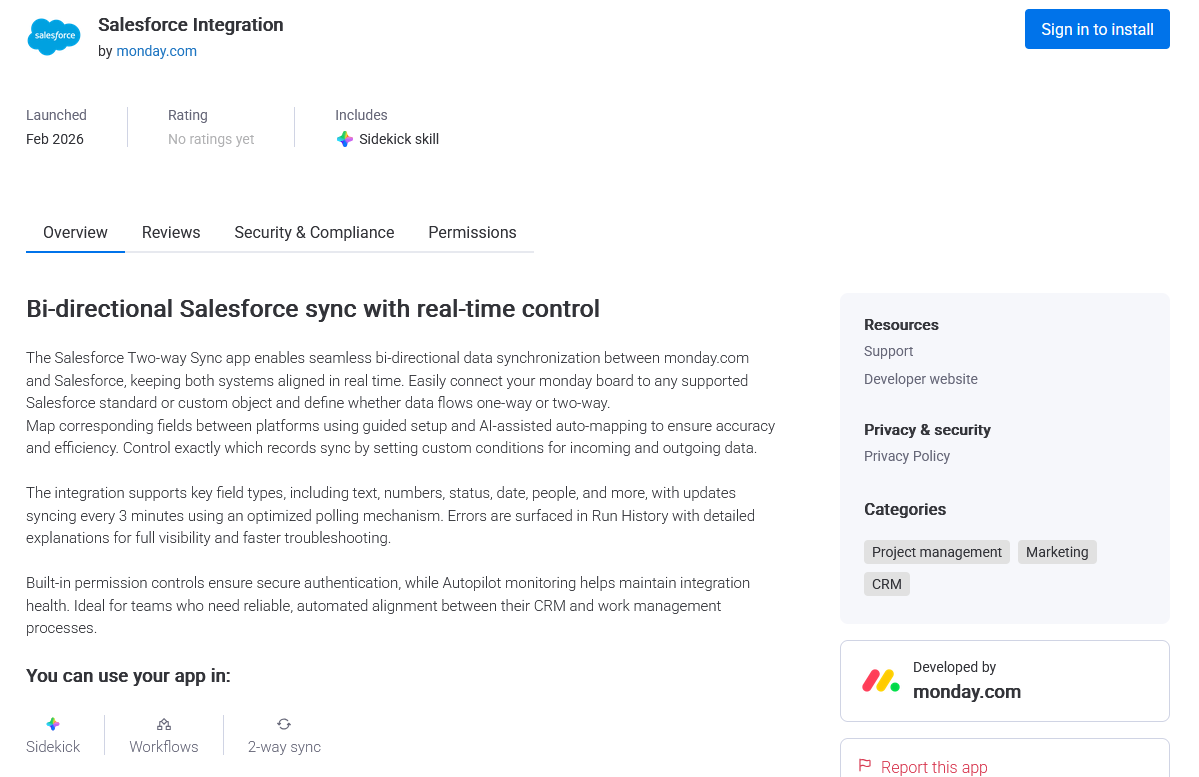
The monday.com marketplace has hundreds of apps that expand on what monday.com can already do, with many of them integrating monday.com with other tools. Some are offered by third-party providers, but many, like this Salesforce integration and this Asana integration are built and provided by monday.com.
These integrations are generally easy to use, since they’re installed right in your monday.com projects. That said, they typically don’t cover as many tools as dedicated third-party platforms, and might support fewer fields or actions.
Automation tools
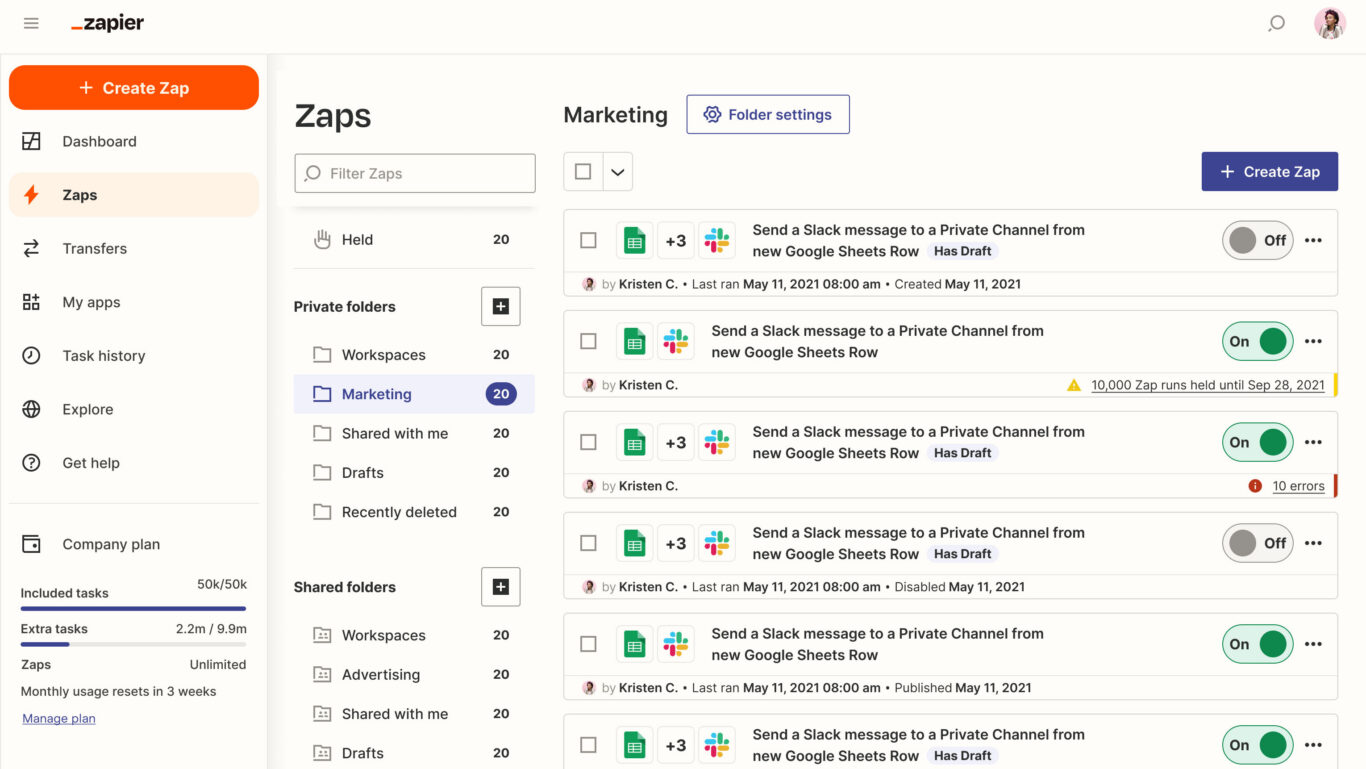
One-way automation tools like Zapier and Workato allow users to push data from monday.com to other apps or vice-versa. These platforms typically support a wide range of integrations, since the technology behind them is relatively simple. They use “if-this-then-that” logic to automate different actions.
That said, these simple automations can have their drawbacks as well. An automation typically handles a single action, whether that’s creating a new work item (e.g., a monday.com task) or updating a field in that work item (e.g., a due date). Supporting even a simple cross-tool workflow typically requires multiple automations, which can mean serious troubleshooting when something breaks.
iPaaS
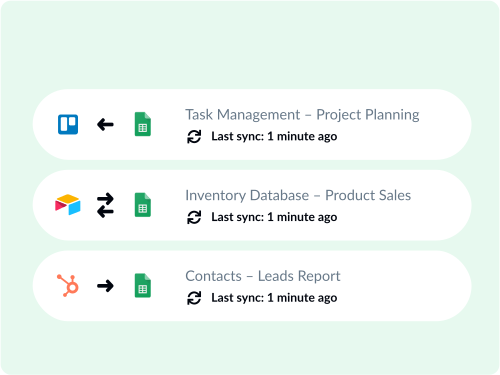
An iPaaS (integration platform as a service) is a tool that allows business users to build and deploy integrations for a number of apps from a single platform. Some of these platforms require at least some coding to use and maintain, while others are fully no-code. Most support two-way syncing, meaning they build relationships between work items in monday.com and other tools, shipping data back and forth.
These solutions don’t always support as many integrations as other platforms, though they often allow you to build your integrations from scratch using APIs.
How to integrate monday.com with Unito
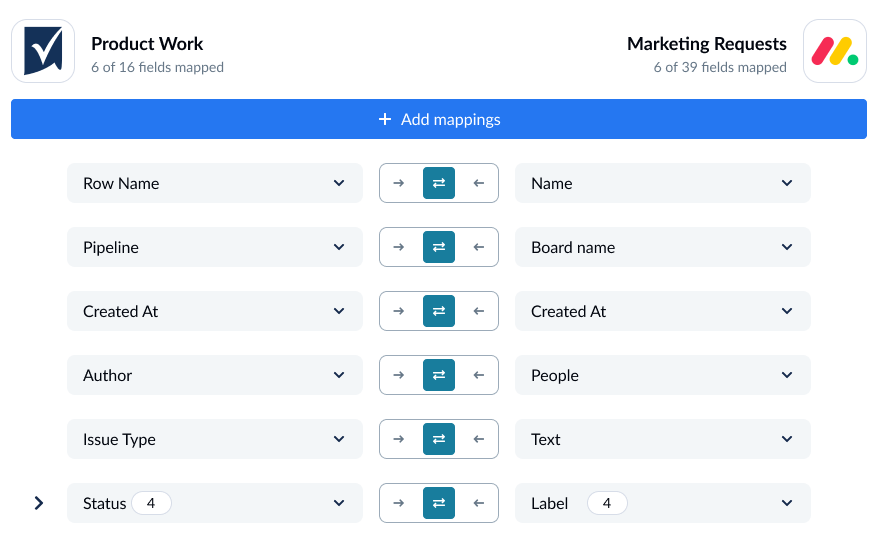
Here’s a look at how an integration between monday.com and other tools works with Unito.
Step-by-step integration guide
- Connect tool accounts to Unito: After signing up for Unito, click +Create Flow and connect monday.com and the tool you’re integrating it with to Unito.
- Choose flow direction: Flow direction tells your Unito flow where you need new work items created. Most Unito flows are two-way, meaning they automatically create work items in both connected tools.
- Set rules: Unito rules use trigger-action logic to filter out work items you don’t want or automate certain actions. To build a rule, choose a trigger Unito should look for and the action it needs to take.
- Map fields: In most flows, Unito can automatically map fields in monday.com with fields in other tools. From there, you can customize field mappings to match statuses across tools, send data from some fields to fields specific to your workflow, and more.
- Launch your flow: Once you map your fields, your flow is ready to launch. After an initial sync, Unito will check for changes in real-time.
Want to know more? Check out these tutorials for syncing monday.com with other popular tools:
- Syncing monday.com with Asana
- Connecting monday.com to Jira
- Integrating monday.com with Salesforce
- Syncing monday.com with GitHub
- Connecting monday.com to ServiceNow
- Integrating monday.com with Smartsheet
Challenges to watch out for when integrating monday.com
No matter which integration solution you use with monday.com, here are some challenges to keep in mind.
- Data mapping and transformation: Integrations bridge the gap between tools by reading, transforming, and loading data in each one. But this process can be more complex with some tools, either due to API limitations or other technical issues. When evaluating integration solutions, you should investigate whether they can actually map the fields you need.
- Real-time integration: Real-time integration is essential for some workflows, as it keeps work items up-to-date automatically as you work, instead of relying on batch updates. Not all integration platforms can support this, and even those that do might not support it for all tools.
- Authentication and security: Integration solutions move data between tools, which can create potential data security issues. Not only do you need to prioritize platforms with robust security features, but access control (i.e., who can build what integrations) is also essential.
- Performance and scalability: A simple, inexpensive integration solution might be good enough for simple workflows or small amounts of data, but quickly fail as your needs grow. Enterprise organizations with complex workflows need to choose an integration solution that can scale with them.
How to keep monday.com integrations secure
Integration solutions move data between tools, meaning they can either be the weak link in your security chain or a strong bulwark keeping information secure. Here’s how you determine on which end a specific solution will end up.
Compliance
All software tools you use need to comply with data privacy and security regulations, and integration platforms are no different. But not every integration solution has the same level of compliance with security frameworks. General frameworks, like SOC 2 Type 2 and ISO 27001, cover data security across industries, and should be the first certifications you check. From there, industry or jurisdiction specific frameworks like HIPAA or GDPR should be checked as well.
Access control
Access control serves two purposes:
- Restricting who has access to a specific platform or service.
- Determining what someone can do in that platform once they have access.
Deep access control features are essential for security, especially in larger organizations. Role-based permissions allow admins to regulate access broadly, without doing it for each individual account.
Data handling and scope
Defining what type of data and how much of it you need to transfer before you deploy an integration solution can go a long way towards keeping that data safe. Some data, like payment methods, should rarely be transferred with an integration. Organizing data by tiers according to security needs gives you a clear map for what can be integrated and what can’t, improving data security.
Best practices when integrating monday.com
When rolling out your first monday.com integration, follow these best practices:
- Start with a small pilot project between a few monday.com tasks and work items in another tool. This allows you to test integrations and adjust them before you deploy them across your entire workspace.
- Evaluate the results of your pilot project before implementing integrations at scale. Look for situations where integrations save essential time, where they stumble, and where your teams have to adapt the way they work.
- Consider whether your chosen integration should be accessible to all business users or exclusively to IT admins.
- Review your integrations once a year, comparing existing vendors to other potential vendors. You’re looking for solutions that might be more affordable or more suited to your evolving needs
- Use built-in monday.com integrations when possible to enhance any third-party integrations you deploy.
Ready to integrate monday.com?
Meet with Unito product experts and see what a two-way integration can do.