Microsoft Outlook Wrike Integration
Keep Microsoft Outlook and Wrike in sync with Unito
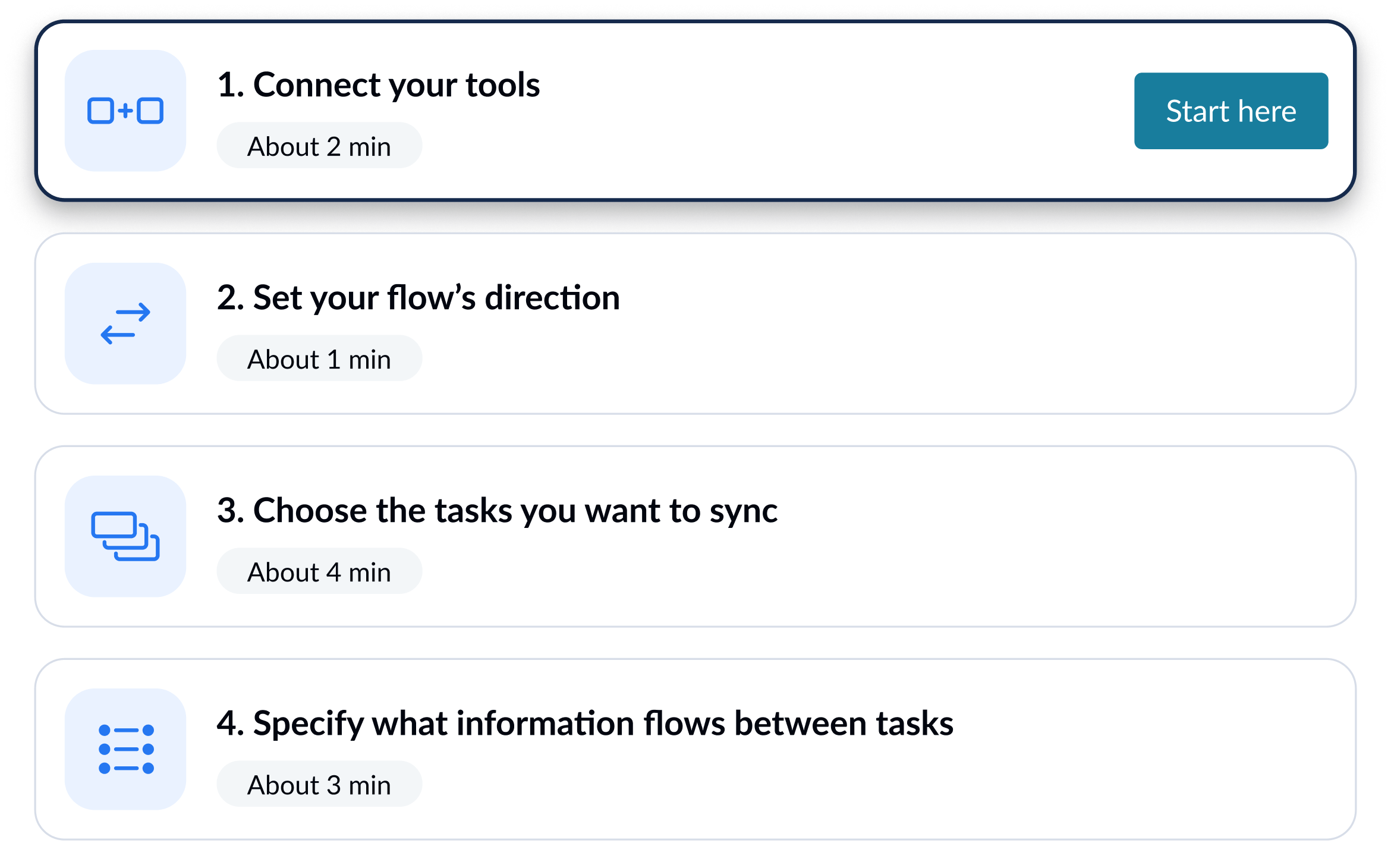
Unito integrations are quick to set up, easy to configure, and require zero code.

Sync Microsoft Outlook and Wrike in minutes
When an event is found in Microsoft Outlook, create a task in Wrike and keep both in sync.
When a contact is found in Microsoft Outlook, create a task in Wrike and keep both in sync.
When a task is found in Wrike, create an event in Microsoft Outlook and keep both in sync.
When a task is found in Wrike, create a contact in Microsoft Outlook and keep both in sync.
How to Easly Export Wrike Tasks to Outlook Calendar and Back with A 2-Way Sync
Here's a quick overview of an automated workflow between Wrike and Microsoft Outlook that syncs tasks and calendar events in real-time with automated 2-way updates. Wrike users can create their own no-code 2-way integration directly in Wrike with Project Syncs (found under âapps & integrationsâ in Wrike).
Integrate Microsoft Outlook + Wrike with powerful features

Live sync
Receive new data and updates from your tools in real-time.

Rules
Use flexible rules to determine what gets synced between tools.

Historical data
Choose to sync data going back weeks, months and even years with one click.

2-way
Share data back and forth between tools-without risk of duplicates or an infinite loop.

Field mapping
Link related fields between tools, including comments, assignees, and attachments.

Enterprise security
Unito is SOC 2 Type 2 certified with strict security measures to protect customer data.
















Microsoft Outlook and Wrike integration details
Unito connects Microsoft Outlook and Wrike in real-time, so data flows automatically between both tools and every team stays aligned, with zero code required to set up.

About Microsoft Outlook
Microsoft Outlook is a personal information manager that allows users to manage various aspects of their lives in an organized way. It’s used to store contacts, calendar events, tasks and notes in one place, as well as easily view and share emails between multiple platforms.
Learn more about Unito's Microsoft Outlook integrationsPopular Tool Pairings

Asana - Microsoft Outlook Integration
Sync updates in real-time between Microsoft Outlook and Asana.

Jira - Microsoft Outlook Integration
Sync updates in real-time between Microsoft Outlook and Jira.

ClickUp - Microsoft Outlook Integration
Sync updates in real-time between Microsoft Outlook and ClickUp.
About Wrike
Wrike is a collaborative work management platform built for cross-functional teams. It combines project planning, real-time collaboration, and resource management to help teams deliver work across departments.
Learn more about Unito's Wrike integrations