
Sync anything between Azure DevOps and Wrike
Connect every native and custom work item, field, status, and hierarchy in real time.
Azure DevOps
Supported work item types
Supported field types
Wrike
Supported work item types
Supported field types
Trusted by Fortune 500 companies and global brands











Real-time data sync with full control, no coding required
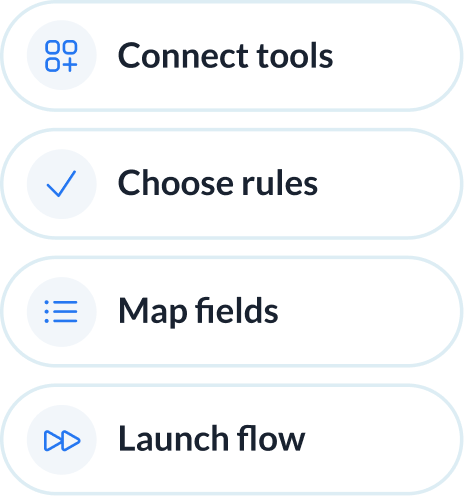
Set up your Azure DevOps–Wrike sync in simple steps
Connect your tools, choose what to sync, and launch your flow. No engineering required.
Connect your tools
Define how data flows
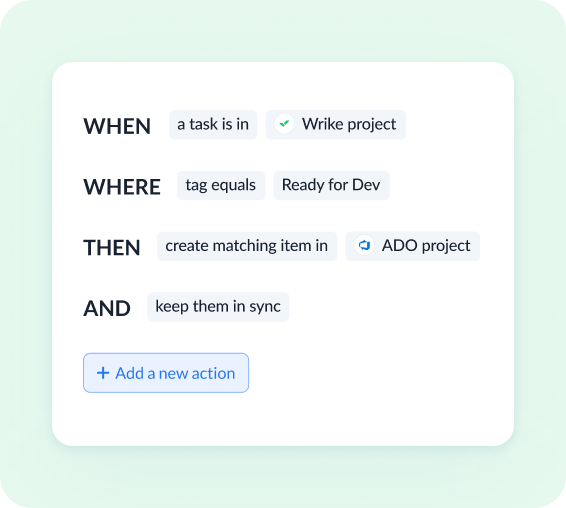
Set flow conditions
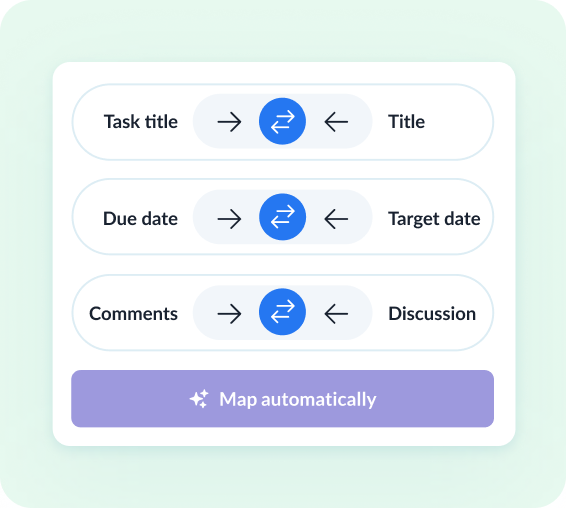
Review how fields map across tools
Watch Azure DevOps and Wrike sync both ways
Demo video:
Azure DevOps and Wrike 2-Way Sync


See how teams succeed with Unito
-

"Unito’s flexibility and support were critical. They didn’t just provide a tool; they became a partner in solving our workflow challenges."

$595k
saved annually
21k
tasks synced monthly
7.9k
hours saved annually
-

"Absolutely love the two-way sync. It allows our pipeline to run seamlessly from Sales to Engineering, while ensuring everyone is on the same page in Salesforce and Jira."

$312k
saved annually
2600
hours saved
-

"Unito grants more visibility to executives and projects managers. Syncing Jira and Wrike provided more clarity in our reporting and enables collaboration between teams."

$291k
saved annually
3328
hours saved
-

"We saved more than 40 hours a week after syncing Asana and Jira through Unito. Our engagement with the C-suite was far, far better than expected. "

$218k
saved annually
2236
hours saved
-

"Unito isn’t just a nice-to-have—it’s a necessity once you realize how much time and effort it saves."
8.5
weeks IT time saved/year
30-40
ServiceNow licenses saved
9.79x
ROI
-

"Unito allows us to use the right project management and development tools so our teams can do their work without changing how they work."

$98k
saved annually
1040
hours saved
Enterprise-grade sync without the enterprise-grade complexity
Enterprise integration tools handle product-engineering workflows at scale, but they demand certification, scripting, and multi-week rollouts. Unito handles the same workflows between Azure DevOps and Wrike with rules anyone on the team can configure.
Abstracted complexity
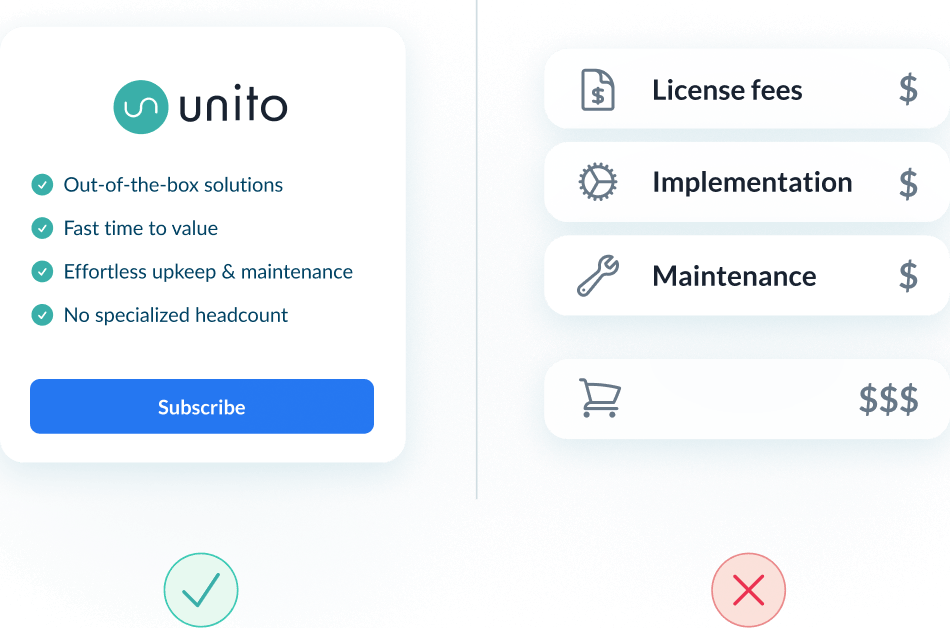
Lower total cost of ownership
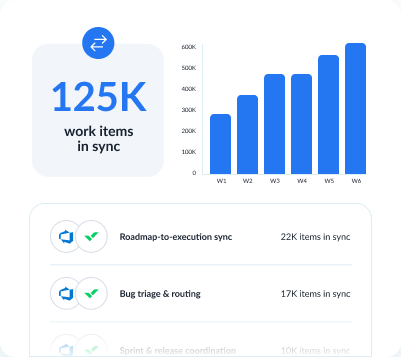
Scalability and resilience
Enterprise-grade control and reliability
Unito is designed to meet the highest standards of security and performance.

SOC 2 Type 2 certified

GDPR and CCPA compliant
- SSO
- Secure from end to end
- Access controls and flow permissions
- Centralized monitoring tools
- No data stored by Unito
Hand engineering work from Wrike to Azure DevOps
Wrike captures program intake, scoping, and resourcing across cross-functional projects. When part of that work needs engineering — a bug, integration, internal tool, or new feature — Unito creates a matching Azure DevOps ticket automatically and keeps both sides in sync.
Turn Wrike tasks into Azure DevOps tickets automatically
A Wrike task scoped for engineering creates a matching user story or bug in ADO. Status, assignee, and effort sync both ways.
Map Wrike projects to Azure DevOps epics and stories
A Wrike project becomes an ADO epic; tasks become user stories or sub-tasks. Sprint assignments and blocking relationships stay intact.
Keep engineers in Azure DevOps without learning Wrike
Engineers work tickets in ADO without logging into Wrike. Wrike reflects sprint reality automatically so the PM doesn't ask.
See how you can sync Azure DevOps and Wrike with Unito
Walk through your Azure DevOps-Wrike setup with someone who's helped teams like yours.
What to expect
- A 15-30 min call to assess your workflow and integration needs
- A solutions overview of Unito’s sync platform
- Hands-on help to get started and support your evaluation
About Azure DevOps
Azure DevOps is Microsoft's end-to-end developer platform, offering tools for planning, developing, delivering, and operating software. It supports Agile, Scrum, and CMMI processes with built-in boards, pipelines, repos, and test plans.
Learn more about Unito's Azure DevOps integrations ↗About Wrike
Wrike is a collaborative work management platform built for cross-functional teams. It combines project planning, real-time collaboration, and resource management to help teams deliver work across departments.
Learn more about Unito's Wrike integrations ↗Popular Tool Pairings
Frequently asked questions about Azure DevOps and Wrike
You connect both tools in Unito, choose which Azure DevOps work items and Wrike tasks to sync, then map their fields. For the full walkthrough, follow our Azure DevOps + Wrike integration guide.
Yes. Map Wrike custom fields to Azure DevOps custom fields with direction control per field. Each side keeps its own values where you need them to stay independent.
Yes. Each flow connects one Wrike folder or project to one Azure DevOps area. Several flows from different Spaces can land in a single Azure DevOps project.
Yes. Subtasks are part of Unito’s deep sync for both Wrike and Azure DevOps, and Wrike’s subtask field syncs two-way, so subtasks travel with the Wrike task or Azure DevOps work item they belong to.
Bidirectional sync. Title, description, state/status and assignee sync two-way between Azure DevOps work items and Wrike tasks. Which tool creates new items and which way each field updates are set separately. For most connectors, new comments sync but edits to synced comments don’t.
Yes. Rules limit a flow so only items matching specific tags, assignees or statuses sync, and every condition on a rule must be met. Rules can also trigger actions, such as auto-assigning a synced item to a specific person.