HUBSPOT AND SMARTSHEET INTEGRATION

Two-way sync between HubSpot and Smartsheet

Sync every field, status, and hierarchy bidirectionally between HubSpot and Smartsheet. Deploy without engineering. Enterprise-grade security and scale.

Try it free

Trusted by Fortune 500 companies and global brands

Sync anything between HubSpot and Smartsheet

Connect every field, status, and hierarchy in real time.

HubSpot

Supported object types

Tasks Deals Tickets

Supported field types

String fields Number fields Date fields User fields Single selects Multi selects Comments Attachments Tags Full custom field support

Smartsheet

Supported object types

Sheets Rows Indented rows

Supported field types

Text fields Number fields Date fields User fields Symbols Contacts Dropdowns Checkboxes Comments Attachments Auto number Created by / Modified by Creation date / Modified date Multi-select dropdowns Full custom field support

Real-time data sync with full control, no coding required

Custom sync rules

Use intuitive rules (conditions or filters) to determine exactly what data to sync, such as HubSpot deal stage, pipeline, sheet rows, parent rows, and more.

Deep field configurability

Configure your data flow field by field. Map any native or custom fields — including HubSpot deal properties and Smartsheet columns — and define flow direction for each, with item matching to prevent duplicates.

Full relationship support

Sync hierarchies and lookup fields across tools, keeping HubSpot pipelines, deals, and line items aligned with Smartsheet workspaces, sheets, and parent rows.

Historical data sync

Sync historical records from any point in time, across even the largest datasets. Unito is purpose-built for enterprise-scale alignment across all your tools.

Comment & attachment support

Sync comments and attachments across HubSpot and Smartsheet so revenue and delivery teams keep full context whether they work in the CRM or the portfolio sheet.

Live data transformation

Transform data in real time with transformers to combine fields, convert HTML to text, extract values, or apply custom string logic through JSON settings.

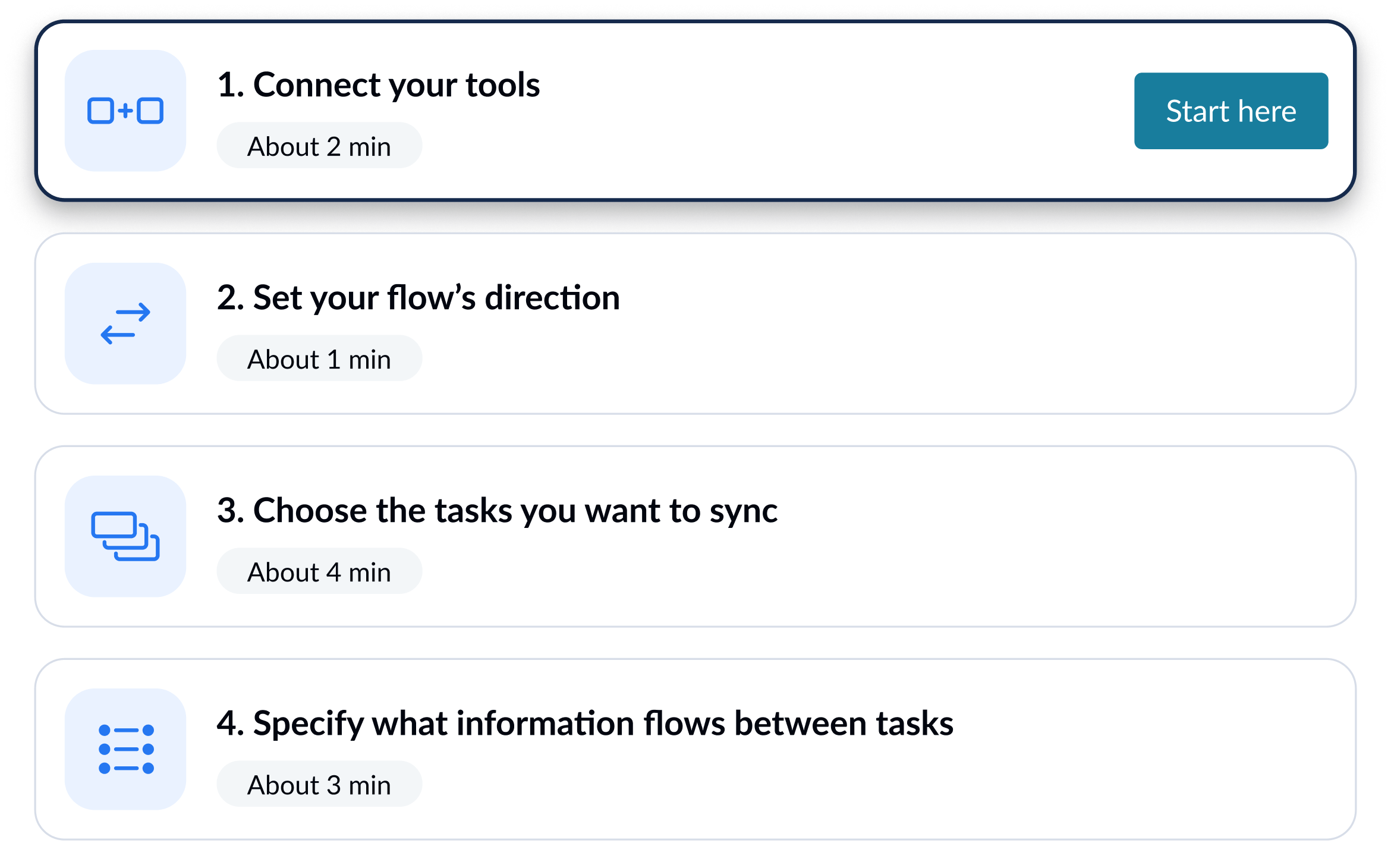
Set up your HubSpot–Smartsheet sync in simple steps

Connect your tools, choose what to sync, and launch your flow. No engineering required.

1

Connect your tools

2

Define how data flows

Set flow conditions
3

Set flow conditions

Review how fields map across tools
4

Review how fields map across tools

Enterprise-grade sync without the enterprise-grade complexity

Enterprise integration tools handle cross-team alignment workflows at scale, but they demand certification, scripting, and multi-week rollouts. Unito handles the same workflows between HubSpot and Smartsheet with rules anyone on the team can configure.

Abstracted complexity

Connect HubSpot and Smartsheet with an intuitive, out-of-the-box solution that allows for full configurability of your integration. No custom logic, scripting, or engineering-led setup required.
Abstracted complexity

Lower total cost of ownership

Most iPaaS tools drive up cost with long rollouts and heavy upkeep. Unito lowers TCO with fast time to value, and no specialized headcount to maintain or scale integrations.
Lower total cost of ownership

Scalability and resilience

Maintain real-time data consistency across datasets of any size. Unito's auto-scaling, intelligent API throttling and automatic recovery ensure uptime even during peak loads and tool downtimes.
Scalability and resilience
Abstracted complexity
Lower total cost of ownership
Scalability and resilience

Enterprise-grade control and reliability

Unito is designed to meet the highest standards of security and performance.

SOC 2 Type 2 certified

GDPR and CCPA compliant

  • SSO
  • End-to-end encryption
  • Access controls and flow permissions
  • Centralized monitoring tools
  • No data stored by Unito

Bring revenue and delivery into one executive view

Friday at 4pm a VP wants a single view of pipeline against delivery capacity. Sales is in HubSpot, ops is in Smartsheet, and someone is exporting both into a slide deck. Unito keeps HubSpot deals tied to Smartsheet rows so the rollup updates itself.

Sync HubSpot deals to Smartsheet portfolio rows

A HubSpot deal moving to closed-won updates the linked Smartsheet row with stage, amount, and close date. Smartsheet status flows back so sales sees delivery health.

Map HubSpot pipelines to Smartsheet workspaces

HubSpot pipelines, deals, and line items map to Smartsheet workspaces, sheets, and parent rows. Custom deal properties land in the columns the rollup formulas expect.

Stop rebuilding the same exec rollup every Friday

Deal stage, amount, owner, and close date sync to Smartsheet so revenue formulas and conditional formats update on their own. No CSV exports, no broken pivot tables.

See how you can sync HubSpot and Smartsheet with Unito

Book time with an integration expert who can help solve your specific workflow integration challenges.

What to expect

  • A 15-30 min call to assess your workflow and integration needs
  • A solutions overview of Unito’s sync platform
  • Hands-on help to get started and support your evaluation

About HubSpot

HubSpot is a customer platform that combines CRM, marketing automation, sales tools, and customer service in one connected system. Teams use it to manage the full customer lifecycle from first touch through retention.

Learn more about Unito's HubSpot integrations

About Smartsheet

Smartsheet is a work execution platform that combines the familiarity of a spreadsheet with the power of project management. Teams use it to manage projects, automate workflows, and build solutions for everything from simple task tracking to complex portfolio reporting.

Learn more about Unito's Smartsheet integrations

Frequently asked questions about HubSpot and Smartsheet

Is there a native HubSpot to Smartsheet integration?

Neither tool ships a native two-way connector. HubSpot offers CSV exports and Smartsheet has a one-way HubSpot data shuttle. Third-party tools handle ongoing bidirectional sync.

Can custom HubSpot deal properties sync to Smartsheet columns?

Yes. Custom HubSpot deal properties, including dropdown and number fields, map to Smartsheet columns with direction control per field so each side keeps the values it owns.

Can multiple HubSpot pipelines feed one Smartsheet workspace?

Yes. Each flow connects one HubSpot pipeline to one Smartsheet sheet. A workspace can hold multiple flows so different pipelines (new biz, renewals) route to different sheets.

Do I need HubSpot portal admin access to set up the sync?

No. HubSpot user-level access to the pipeline and edit permission on the Smartsheet sheet are enough. Portal admin and account owner roles are not required.

ʕ•ᴥ•ʔ