
 4.5 on G2
 SOC 2 Type 2
How teams connect Notion and ServiceNow
Pick the setup closest to yours. Any ServiceNow table, native or custom, can feed a Notion database.
-
 Pages
 Items sync both ways between Notion and ServiceNow
 Incidents
Publish incident status to the team wiki
When an incident is found in ServiceNow, create a matching page in Notion and keep them in sync.
 Status and assignee sync both ways, so the wider team sees in Notion who owns each ServiceNow incident and where it stands, without a service desk seat.
-
Pages
Items sync both ways between Notion and ServiceNow
Problems
Keep a known-issues list in the team wiki
When a problem is found in ServiceNow, create a matching page in Notion and keep them in sync.
Titles and status sync both ways, so the wider team checks each known ServiceNow problem and its fix status in Notion instead of asking the IT service desk.
-
Pages
Items sync both ways between Notion and ServiceNow
Change requests
Publish planned IT changes to the team wiki
When a change request is found in ServiceNow, create a matching page in Notion and keep them in sync.
Titles, status and assignee sync both ways, so the wider team sees each upcoming IT change and who runs it in the Notion pages it reads for company updates.

Trusted by Fortune 500 companies and global brands









Your Notion-ServiceNow setup in simple steps
Our team works with you to configure your integration needs from start to finish, tailored to your business workflows. Once it's live, Unito keeps everything in sync automatically and your integration stays reliable, simple to adjust and effortless to maintain.
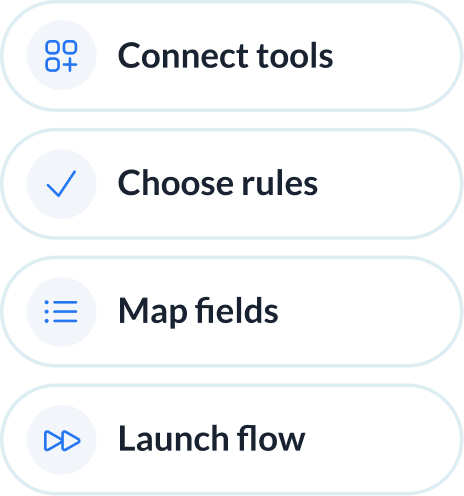
Connect your tools
Define how data flows
Set flow conditions
Review how fields map across tools
Watch Notion and ServiceNow sync both ways
Demo video:
Notion and ServiceNow 2-Way Sync
Everything Unito syncs between Notion and ServiceNow
Choose which tool creates new items and which way each field syncs, so ServiceNow incidents can create Notion pages while status and assignee update both ways. Set rules on field values to decide which incidents and pages sync.
Notion
Supported object types
- Pages
Supported fields
 Two-way
- Title
- Status
- Checkbox
- Dropdown
- Phone number
- URL
 One-way (read only)
- Author
- Created date
- Editor
- Last edited time
- Link to page
- Row ID

ServiceNow
Supported object types
- Incidents
- Problems
- Change requests
- Requested items
- + Any table (native & custom)
Also syncs
 Comments
 Attachments
 Hierarchies
 Rich text
Supported fields
Two-way
- Display name
- Description
- State
- Assigned to
- Priority
- Category and subcategory
- Active
- Caller
- Escalation
- Impact
- Opened by
- Resolved by
- Time worked
- Urgency
- Work notes
One-way (read only)
- Created by
- Number
- Updated by
- Created
- Link to record
- Updated
Real-time data sync with full control, no coding required
Enterprise-grade sync without the complexity
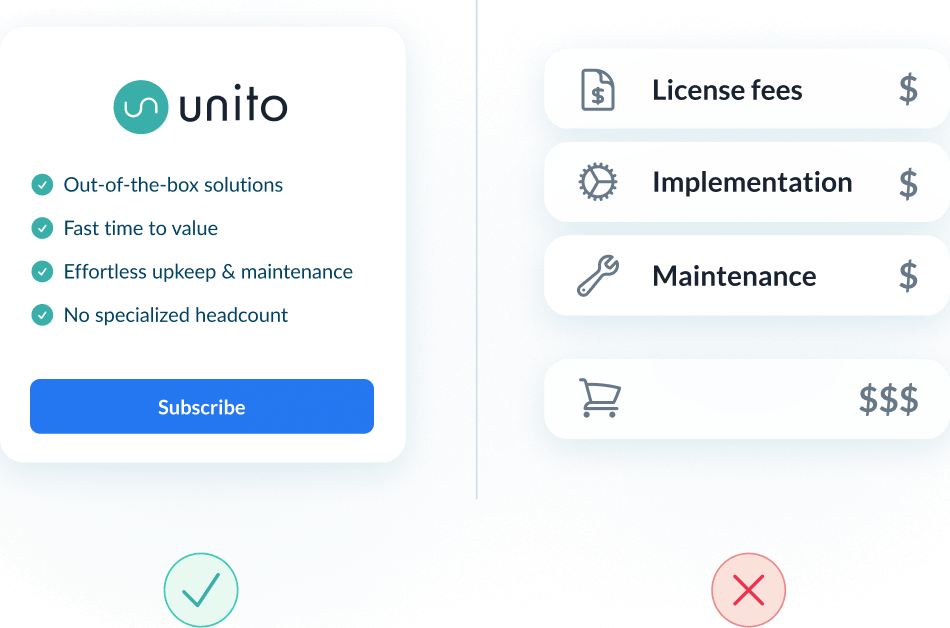
Unlike iPaaS tools, Unito moves data between ServiceNow and Notion at any scale — with easy-to-use rules, intuitive field mapping, and deep configurability tailored for cross-team collaboration between Support and Product teams.
Abstracted complexity
Lower total cost of ownership
Scalability and resilience
in sync
in sync
Enterprise-grade control and reliability
Unito is designed to meet the highest standards of security and performance.

SOC 2 Type 2 certified

GDPR and CCPA compliant
- SSO
- Secure from end to end
- Access controls and flow permissions
- Centralized monitoring tools
- No data stored by Unito
See how teams succeed with Unito
-

"Unito’s flexibility and support were critical. They didn’t just provide a tool; they became a partner in solving our workflow challenges."

$595k
saved annually
21k
tasks synced monthly
7.9k
hours saved annually
-

"Absolutely love the two-way sync. It allows our pipeline to run seamlessly from Sales to Engineering, while ensuring everyone is on the same page in Salesforce and Jira."

$312k
saved annually
2600
hours saved
-

"Unito grants more visibility to executives and projects managers. Syncing Jira and Wrike provided more clarity in our reporting and enables collaboration between teams."

$291k
saved annually
3328
hours saved
-

"We saved more than 40 hours a week after syncing Asana and Jira through Unito. Our engagement with the C-suite was far, far better than expected. "

$218k
saved annually
2236
hours saved
-

"Unito isn’t just a nice-to-have—it’s a necessity once you realize how much time and effort it saves."

8.5
weeks IT time saved/year
30-40
ServiceNow licenses saved
9.79x
ROI
-

"Unito allows us to use the right project management and development tools so our teams can do their work without changing how they work."

$98k
saved annually
1040
hours saved
See how you can sync Notion and ServiceNow with Unito
Book a demo and watch ServiceNow incidents escalate into Notion in real time, with two-way updates that keep Support and Product on the same page.
What to expect
- A 15-30 min call to assess your workflow and integration needs
- A solutions overview of Unito’s sync platform
- Hands-on help to get started and support your evaluation
Frequently asked questions about Notion and ServiceNow
Yes. When an incident matches your rules in ServiceNow, Unito creates a corresponding page or database entry in Notion in real time, and keeps both in sync two-way as the work changes.
Yes. Unito syncs comments between the two tools and gives you control over private and public visibility, so the right notes reach the right audience on each side.
Yes. Unito supports native and custom fields available through each tool’s API. You map them field by field and set the flow direction for every mapping.
No coding is required. Unito is fully no-code, so the team that owns the workflow builds and maintains the sync with intuitive rules and field mapping, no developers or scripting needed.
About Notion
Is it a database? Document repository? Project management system? Calendar? Notion is all of the above and much more, with a suite of tools for collaboration and organization within an intuitive workspace.
Learn more about Unito's Notion integrations ↗Popular Tool Pairings
About ServiceNow
ServiceNow functions as a digital help desk for organizations that want cloud-based solutions for IT, HR, customer service, and other departmental needs.
Learn more about Unito's ServiceNow integrations ↗