
How teams connect Azure DevOps and Jira
Pick the setup closest to yours. Each one works with custom work item types in Azure DevOps and Jira.
-
 Bugs
Bugs
 Items sync both ways between Azure DevOps and Jira
 Bugs
Bugs
Send bugs between engineering teams
When a bug is found in Azure DevOps, create a matching bug in Jira and keep them in sync.
 Status, priority and comments sync both ways, so the team that filed the bug in Azure DevOps sees it move to Done as the Jira team ships the fix.
-
Epics
Items sync both ways between Azure DevOps and Jira
Epics
Mirror epics and stories across both backlogs
When an epic is found in Jira, create a matching epic in Azure DevOps and keep them in sync.
Status, sprint and the stories and sub-tasks under each epic stay in sync, so teams in Azure DevOps and Jira plan from the same epic structure.
-
Tasks
Items sync both ways between Azure DevOps and Jira
Tasks
Keep a shared backlog across two dev tools
When a task is found in either tool, create a matching task in the other and keep them in sync.
Assignee, sprint and comments sync both ways, so the Azure DevOps and Jira teams plan each sprint from one backlog and see who owns every task.

Trusted by Fortune 500 companies and global brands











Set up your Azure DevOps–Jira sync in simple steps
Connect your tools, choose what to sync, and launch your flow. No engineering required.
Connect your tools
Define how data flows
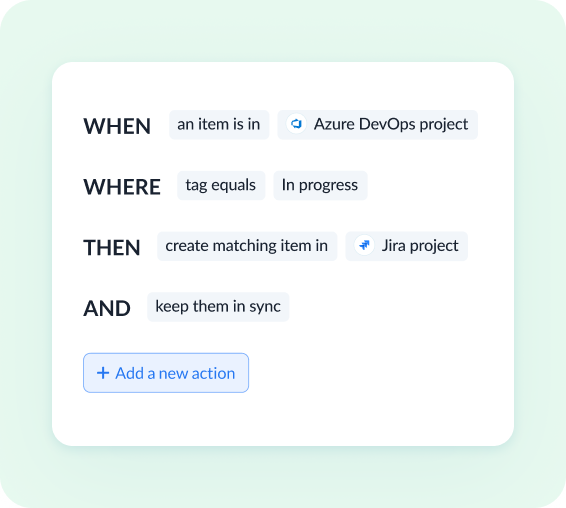
Set flow conditions
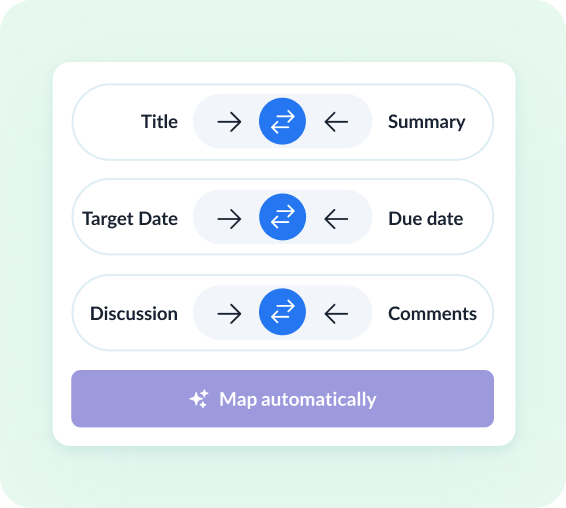
Review how fields map across tools
Watch Azure DevOps and Jira sync both ways
Demo video:
Azure DevOps and Jira 2-Way Sync
Everything Unito syncs between Azure DevOps and Jira
Choose which tool creates new items and which way each field syncs, so Azure DevOps bugs can create Jira bugs while status, priority and comments update both ways. Set rules on field values to decide which bugs sync.
Azure DevOps
Supported object types
- Tasks
- Issues
- Epics
- Bugs
- Features
- User stories
- Product backlog items
- Impediments
- Test cases
- Test plans
- + Custom work item types
Also syncs
- Comments
- Attachments
- Subtasks
- Hierarchies
- Rich text
Supported fields
 Two-way
- Title
- Description
- State
- Assignee
- Priority
- Work item type
- Tag
- Activated date
- Area path
- Attachments
- Comment
- Due date
- Start date
- Target date
- Effort
- Iteration path
- Remaining work
- Story points
 One-way (read only)
- Acceptance criteria
- Swimlane
- Test case steps
- Unique identifier
- Created at
- Link to issue
- Updated at

Jira
Supported object types
- Tasks
- Sub-tasks
- Epics
- Stories
- Bugs
- + All native & custom work item types
Also syncs
- Comments
- Attachments
- Subtasks
- Dependencies
- Hierarchies
- Rich text
Supported fields
Two-way
- Summary
- Description
- Issue status
- Assignee
- Priority
- Due date
- Start date
- Issue type
- Label
- Affected version
- Blocking
- Comment
- Component
- Environment
- Epic
- Fix version
- Resolution
- Security level
- Sprint
- Story point estimate
- Subtask
- Attachment
- Is blocked by
One-way (read only)
- Reporter
- Time spent
- Project
- Sprint start date
- Issue key
- Original estimate
- Remaining estimate
- Sprint end date
- Created at
- Issue ID
- Link to issue
- Updated at
Supported Jira versions
 Jira Data Center
  Jira Service Management
 Real-time data sync with full control, no coding required
Enterprise-grade sync without the enterprise-grade complexity
iPaaS platforms take months and dedicated engineers to deploy and maintain. Atlassian-marketplace plugins only work inside Atlassian. Unito gives you no-code setup and field-level control between Azure DevOps and Jira, with room to extend beyond the Atlassian ecosystem.
Abstracted complexity
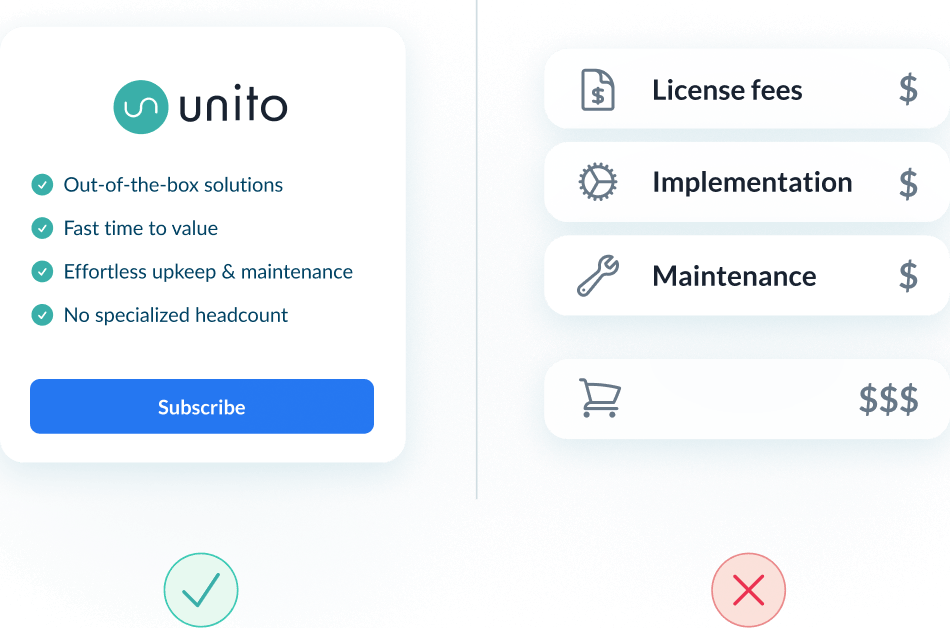
Lower total cost of ownership
Scalability and resilience
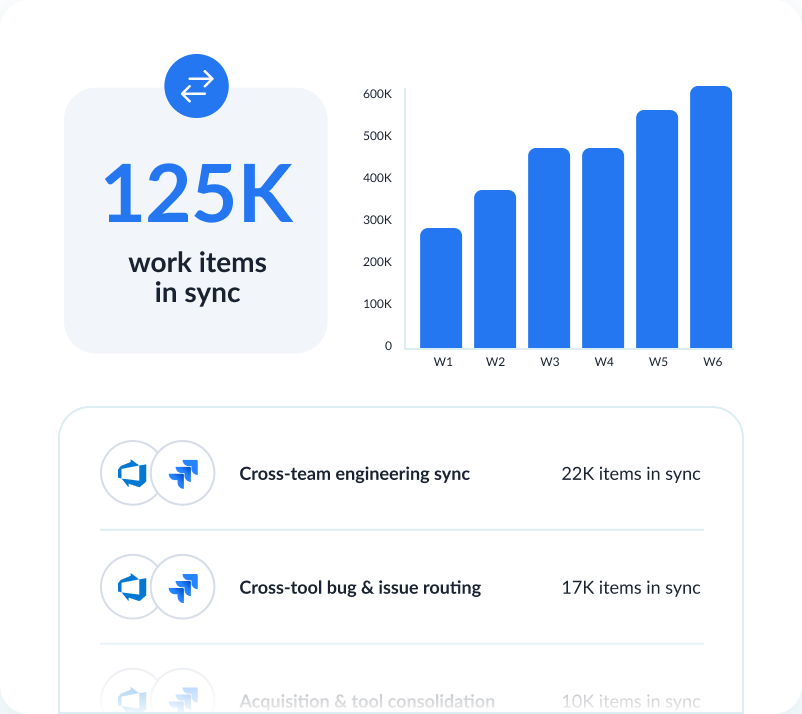
Enterprise-grade control and reliability
Unito is designed to meet the highest standards of security and performance.

SOC 2 Type 2 certified

GDPR and CCPA compliant
- SSO
- Secure from end to end
- Access controls and flow permissions
- Centralized monitoring tools
- No data stored by Unito
See how teams succeed with Unito
-

"Unito’s flexibility and support were critical. They didn’t just provide a tool; they became a partner in solving our workflow challenges."

$595k
saved annually
21k
tasks synced monthly
7.9k
hours saved annually
-

"Absolutely love the two-way sync. It allows our pipeline to run seamlessly from Sales to Engineering, while ensuring everyone is on the same page in Salesforce and Jira."

$312k
saved annually
2600
hours saved
-

"Unito grants more visibility to executives and projects managers. Syncing Jira and Wrike provided more clarity in our reporting and enables collaboration between teams."

$291k
saved annually
3328
hours saved
-

"We saved more than 40 hours a week after syncing Asana and Jira through Unito. Our engagement with the C-suite was far, far better than expected. "

$218k
saved annually
2236
hours saved
-

"Unito isn’t just a nice-to-have—it’s a necessity once you realize how much time and effort it saves."

8.5
weeks IT time saved/year
30-40
ServiceNow licenses saved
9.79x
ROI
-

"Unito allows us to use the right project management and development tools so our teams can do their work without changing how they work."

$98k
saved annually
1040
hours saved
See how you can sync Azure DevOps and Jira with Unito
Book time with an integration expert who can help solve your specific workflow integration challenges.
What to expect
- A 15-30 min call to assess your workflow and integration needs
- A solutions overview of Unito’s sync platform
- Hands-on help to get started and support your evaluation
Frequently asked questions about Azure DevOps and Jira
With Unito it’s a no-code setup: connect both tools, choose a Jira project and an Azure DevOps project, then map fields and pick the sync direction. For a full walkthrough, see our Azure DevOps + Jira integration guide.
Yes. Two-way sync keeps both tools current so teams continue working in their preferred platform. No migration required.
Yes. Unito works with Jira Cloud and with self-hosted Jira Data Center or Server, reachable over HTTPS. Jira Data Center is a premium integration on Enterprise plans; Basic and Pro customers contact Unito to use it.
Truly bidirectional. Title, description, state and assignee in Azure DevOps, and summary, status, assignee and priority in Jira, sync two-way. Which tool creates items and which way each field updates are set separately. For most connectors, new comments sync but edits don’t.
Yes. Custom fields map by type, such as text to text, number to number and date to date, and most types can fall back to a text field. Each mapping is set one-way or two-way on its own; a field with no equivalent on the other side stays one-way.
Yes to filtering: rules limit the sync to items matching specific tags, assignees or statuses, and every condition on a rule must be met. A flow syncs one Jira project by default; syncing several Jira projects in one flow needs Unito sales to enable it.
No developer needed: setup is point-and-click. Connecting Jira requires admin permissions on the Jira account; after that, project-level admin rights are enough to build flows.
About Azure DevOps
Azure DevOps is Microsoft's end-to-end developer platform, offering tools for planning, developing, delivering, and operating software. It supports Agile, Scrum, and CMMI processes with built-in boards, pipelines, repos, and test plans.
Learn more about Unito's Azure DevOps integrations ↗About Jira
Jira is a configurable project and issue tracking platform that allows agile teams to plan, oversee, and manage workflows efficiently. Streamline task management with sophisticated customization capabilities via the Atlassian platform.
Learn more about Unito's Jira integrations ↗