
 4.5 on G2
 SOC 2 Type 2
How teams connect GitLab and Linear
Pick the setup closest to yours. Each one maps title, description, status and labels on both sides.
-
 Issues
 Items sync both ways between GitLab and Linear
 Issues
Send bugs between engineering teams
When an issue is found in GitLab, create a matching issue in Linear and keep them in sync.
 Status and description update both ways, so the team that logged a bug in GitLab sees Linear's triage notes and progress on its own issue.
-
Issues
Items sync both ways between GitLab and Linear
Issues
Keep outside contributors and internal teams in sync
When an issue is found in Linear, create a matching issue in GitLab and keep them in sync.
Status and title update both ways, so outside contributors pick up internal Linear work as GitLab issues they update from their code host.
-
Issues
Items sync both ways between GitLab and Linear
Issues
Keep a shared backlog across two dev tools
When an issue is found in either tool, create a matching issue in the other and keep them in sync.
Title, description and labels update both ways, so GitLab and Linear teams plan from backlogs that agree.

Trusted by Fortune 500 companies and global brands








Set up your GitLab–Linear sync in simple steps
Connect your tools, choose what to sync and launch your flow. No engineering required.
Connect your tools
Define how data flows
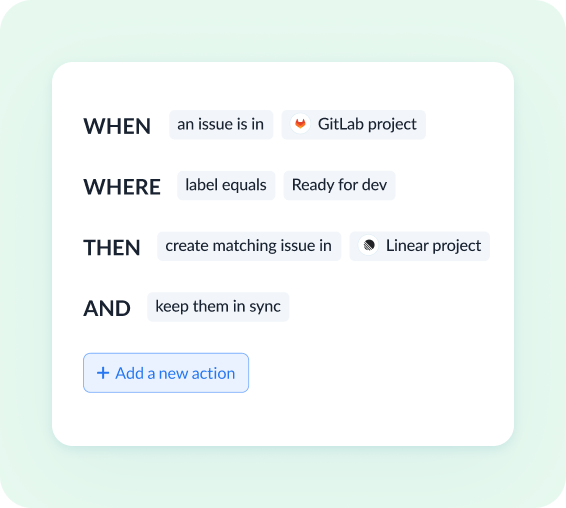
Set flow conditions
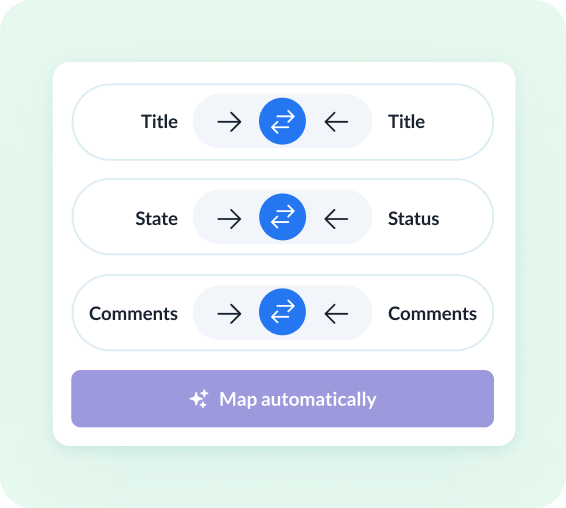
Review how fields map across tools
Everything Unito syncs between GitLab and Linear
Choose which tool creates new items and which way each field syncs, so GitLab issues can create Linear issues while titles, descriptions and status update both ways. Set rules on field values to decide which issues sync.
GitLab
Supported object types
- Issues
Also syncs
 Comments
 Attachments
 Rich text
Supported fields
 Two-way
- Title
- Description
- State
- Assignee
- Due date
- Label
- Comment
- Milestone
- Weight
- Related issues
 One-way (read only)
- Created by
- Issue number
- Issue ID
- Link to issue
Supported GitLab versions

Linear
Supported object types
- Projects
- Project milestones
- Issues
Also syncs
- Comments
- Attachments
 Subtasks
 Dependencies
 Hierarchies
- Rich text
Supported fields
Two-way
- Title
- Description
- Status
- Assignee
- Priority
- Due date
- Labels
- Estimate
- Team
- Project
- Project milestone
- Cycle
- Delegate
- Subscribers
- Parent issue
- Blocking
- Blocked by
One-way (read only)
- Identifier
- Link to issue
- Creator
- Template
- Created at
- Updated at
- Completed at
- Canceled at
Real-time data sync with full control, no coding required
Unito provides a simpler approach to integration
Teams triage and plan in Linear while code and outside contributions live in GitLab, so the same bug often gets tracked twice by hand. Unito keeps both sets of issues in sync with no scripts or custom middleware to maintain.
Abstracted complexity
Lower total cost of ownership
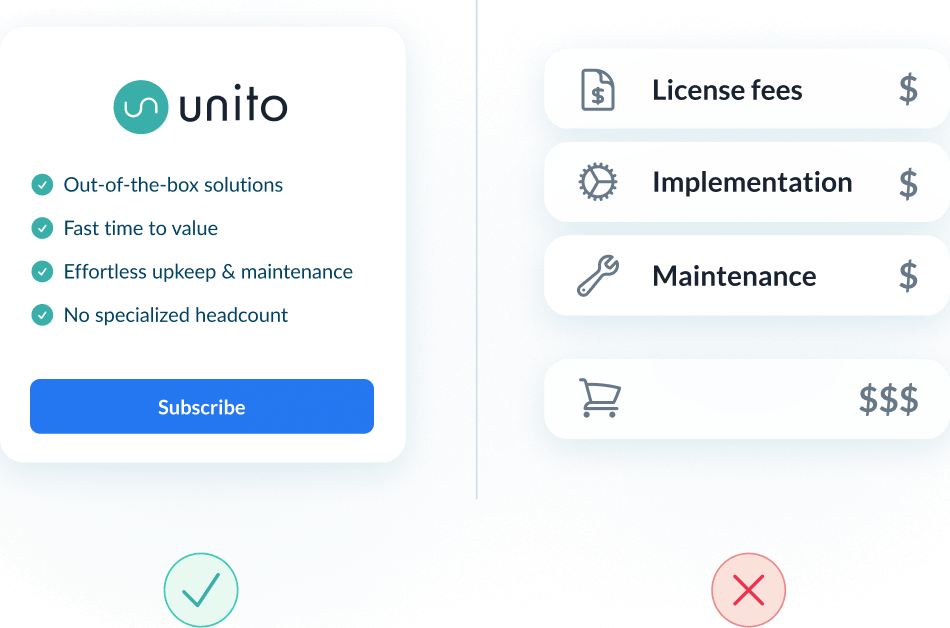
Scalability and resilience
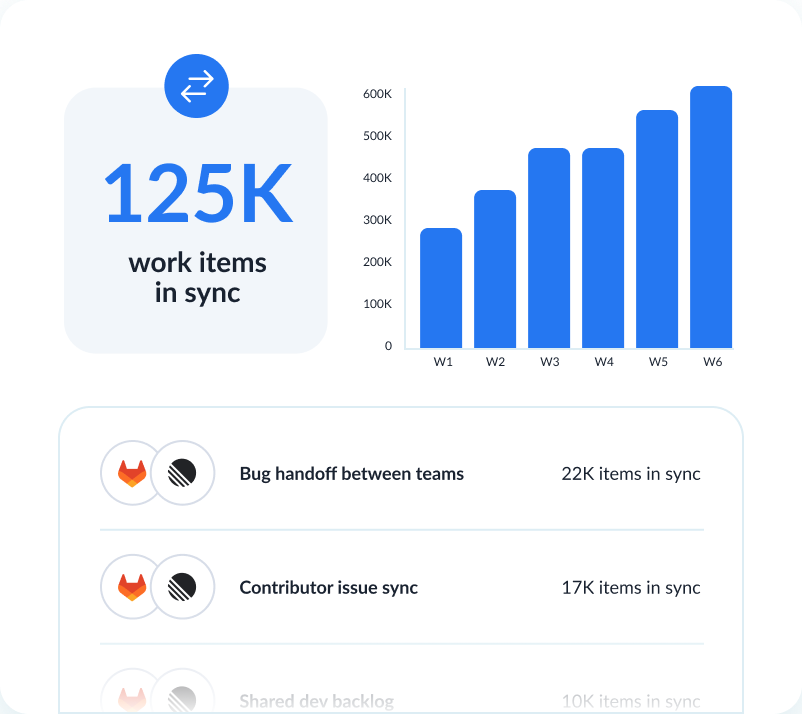
Enterprise-grade control and reliability
Unito is designed to meet the highest standards of security and performance.

SOC 2 Type 2 certified

GDPR and CCPA compliant
- SSO
- Secure from end to end
- Access controls and flow permissions
- Centralized monitoring tools
- No data stored by Unito
See how teams succeed with Unito
-

"Unito’s flexibility and support were critical. They didn’t just provide a tool; they became a partner in solving our workflow challenges."

$595k
saved annually
21k
tasks synced monthly
7.9k
hours saved annually
-

"Absolutely love the two-way sync. It allows our pipeline to run seamlessly from Sales to Engineering, while ensuring everyone is on the same page in Salesforce and Jira."

$312k
saved annually
2600
hours saved
-

"Unito grants more visibility to executives and projects managers. Syncing Jira and Wrike provided more clarity in our reporting and enables collaboration between teams."

$291k
saved annually
3328
hours saved
-

"We saved more than 40 hours a week after syncing Asana and Jira through Unito. Our engagement with the C-suite was far, far better than expected. "

$218k
saved annually
2236
hours saved
-

"Unito isn’t just a nice-to-have—it’s a necessity once you realize how much time and effort it saves."
8.5
weeks IT time saved/year
30-40
ServiceNow licenses saved
9.79x
ROI
-

"Unito allows us to use the right project management and development tools so our teams can do their work without changing how they work."

$98k
saved annually
1040
hours saved
Ready to sync GitLab and Linear?
Talk to an integration expert to see how Unito can work for your team.
What to expect
- A 15-30 min call to assess your workflow and integration needs
- A solutions overview of Unito’s sync platform
- Hands-on help to get started and support your evaluation
Frequently asked questions about GitLab and Linear
Yes. Linear’s GitLab integration links Linear issues to merge requests and moves an issue’s status as its merge request progresses, but it doesn’t sync the issues themselves. It needs GitLab 15.6 or later, and group webhooks need GitLab Premium or Ultimate. Unito creates and syncs the issues in both tools.
Yes. Set rules on fields such as labels or status, and Unito creates a matching Linear issue for each GitLab issue that fits them, or the other way around.
Yes. Comments and file attachments sync both ways, and an edit to a comment in one tool reaches the other.
Partly. Unito syncs GitLab custom fields, but Linear has no custom fields, so map each one to an issue field Linear already has.
About GitLab
GitLab is a complete DevOps platform that combines source code management, CI/CD pipelines, security scanning, and issue tracking into a single application. Engineering teams use it to manage the full software development lifecycle.
Learn more about Unito's GitLab integrations ↗Popular Tool Pairings
About Linear
Linear is a modern issue-tracking and project management tool designed for software development teams. It offers fast performance, intuitive workflows, and features like issue tracking, project planning, sprints, and roadmaps. With its minimalistic design and powerful automation, Linear helps teams stay focused, organized, and deliver projects efficiently.
Learn more about Unito's Linear integrations ↗