







Linear connector
Two-way sync between Linear and everything else.
Unito connects Linear with 60+ tools through secure, enterprise-grade, no-code integrations. Sync issues, sub-issues, projects, comments and more, both ways.
Experience two-way sync for Linear
Unito allows us to use the right project management and development tools so our teams can do their work without changing how they work.
Real-time tool sync, set up in minutes
Fully configurable, no coding required
Scale and extend based on your needs
Sync Linear with business-critical tools
Popular Integrations
More Tools


















































Linear Connector Details
Supported work item types
Supported field types
Features that bring your Linear workflows to the next level
Sub-issues stay nested
Linear sub-issues sync with their parent issue, and a new parent set in either tool carries across, so your issue structure holds everywhere.
Cycles and milestones included
Cycles and project milestones sync as their own items with their dates, so sprint and release timelines stay aligned.
Dependencies that carry across
Blocking and blocked-by relationships between Linear issues sync both ways, so every team can see what is holding work up.
Comments and files, both ways
Comments sync both ways, and files uploaded to Linear travel as real files, not links, so context stays aligned across tools.
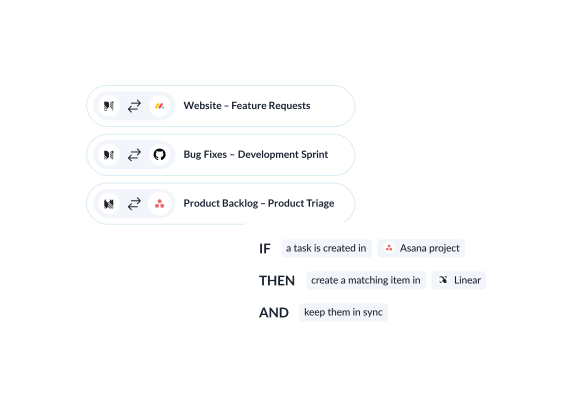
Key features
See how teams succeed with Unito
-

"Without a unified solution, we were spending as much time managing tools as we were working on the projects themselves"
-

"Unito allows our pipeline to run seamlessly from Sales to Engineering, while ensuring everyone is on the same page in Salesforce and Jira."
-

"Unito grants more visibility to executives and project managers. Syncing Jira and Wrike provided more clarity in our reporting and enables collaboration between teams."
-

"We saved more than 40 hours a week after syncing Asana and Jira through Unito. Our engagement with the C-suite was far, far better than expected."
-
"We're not just saving on licensing costs - we're reallocating time and resources. Tasks that used to take hours are now automated."
-

"Unito allows to have the right project management tool and the right development tool so our teams can do what they need to do without changing the way they work."
Real-world ways Unito simplifies integrations
Engineering and product collaboration
A product team tracks Linear issues as tasks in their own project tool, and status changes made by either team show up on both sides automatically, so the roadmap never falls out of date.
Connect Linear with
Ticket escalation and triage
Support and sales teams log customer-impacting issues in their own system, and Unito carries the relevant record into Linear so engineering can act on it without a manual handoff.
Connect Linear with
Roadmap visibility and planning
Teams that plan and report outside Linear keep a live view of engineering issues and milestones without asking engineers to update a second tool.
Connect Linear with
Cross-tool collaboration
Larger engineering orgs running Linear alongside another work-tracking tool keep teams, projects, and issues aligned across both without asking one group to switch tools.
Connect Linear with
Enterprise-grade control and reliability
Unito is designed to meet the highest standards of security and performance.

SOC 2 Type 2 certified

GDPR and CCPA compliant
- SSO
- Secure from end to end
- Access controls and flow permissions
- Centralized monitoring tools
- No data stored by Unito
Frequently asked questions about Linear
Unito syncs Linear issues and sub-issues, projects and project milestones, cycles, teams, workflow states, labels, comments and attachments. The connector covers 12 Linear resources across 112 fields, including title, description as rich text, assignee, workflow state, labels, cycle, project and project milestone.
Pick the Linear team or project on one side, and the board, list or sheet it should link to on the other. Field mappings decide what travels, and direction is set per field, so one field can sync both ways while another moves one way. Rules decide which items are in scope, and they apply to work that already exists.
Through OAuth 2.0. You authorize Unito from Linear, so there is no personal API key to generate or share, and no code to write. The rest of the setup happens in the Unito flow builder.
For issues, comments, projects, cycles and labels, Linear pushes a webhook and the change starts syncing within seconds. Other resources, like workflow states and attachments, are picked up on Unito’s next scheduled scan.
A one-way handoff does the first half of the job. The request reaches Linear and engineering can start on it. What it leaves behind is the trip back, so status and replies get re-typed by hand. A two-way flow carries the return trip too, with sub-issues attached to their parent and comments landing on the item they belong to.
No. Linear does not expose custom fields or custom objects to this integration, so Unito syncs Linear’s native objects and fields instead: issues and sub-issues, projects and project milestones, cycles, workflow states, labels, comments and attachments.