

How to Choose and Deploy Workflow Integration Software (+3 of the Best)
Workflow integration software is no longer an option. It’s a necessity. The average organization used 106 SaaS apps in 2025. That means your workflows go through multiple platforms by default, with essential data scattered across them.
But dig a bit beyond that number and you’ll find another story. That average actually went down — from 113 — since 2024.
What does that mean? More and more organizations are realizing that just adding tools to their stack doesn’t solve all their collaboration problems. They’re trying to cut down on redundant platforms and streamline the way they work. But removing tools isn’t the only way you can do this. Workflow integration software can help you get more out of your tool stack and unlock new collaboration opportunities.
Here’s how leaders at your organization can choose the best workflow integration software and how to deploy it efficiently.
The difference between workflow integration and automation
At its core, workflow integration is about bridging the gap between tools so data can flow between them without any manual intervention. It turns a sequence of disconnected tools, all essential for your work, into a single environment. No bit of context goes missing in the gaps between tools because there are no gaps. Think of workflow integration like your nervous system, connecting your brain to every single organ, muscle, and bone in your body. That system carries signals to and from your brain near-instantaneously, allowing your body to move, act, and react.
Workflow automation performs a similar function, but with some key differences. For one, workflow automation tools (e.g., Zapier, Workato) typically only move data in one direction. Whether they’re updating existing data in one platform or creating a new version to match context in another, these tools don’t look back. You can, through extensive customization, turn a sequence of one way actions into a kind of two-way relationship, but this requires some technical skill.
Another difference between workflow automation and workflow integration? Automations can typically only perform the simplest actions, like updating a single field (e.g., a description, a date, or a dropdown) or creating a single work item (e.g., a task, a spreadsheet row, a ticket). Workflow integration platforms naturally chain these simple actions to unify data more deeply, without additional maintenance from the end user.
If workflow integration tools are the nervous tissue connecting the platforms you use, workflow automation tools are more like an assembly line in a factory, automatically pushing a task through until it’s done. Still powerful, but more limited.
How to choose the right workflow integration software
Knowing that workflow integration software is essential for your organization is one thing. Choosing the right one is another. With hundreds of vendors on the market, having a clear idea of your needs is essential to making the right choice—potentially saving you months of work and thousands of dollars in software budget.
The following seven characteristics will help you find the right tool.
Platform compatibility
The first thing you need to know about a potential vendor is whether they support the software platforms your workflow needs. If your ticket escalation workflow requires that your software development team use Jira and your customer success team use ServiceNow, vendors that only support Jira can be eliminated.
This goes beyond just ensuring an integration is available. You need to dig a little deeper to ensure the workflow integration software actually supports what you need. Some software, for example, doesn’t support custom fields, while others only integrate with cloud-based platforms.
Ease of use
Some workflow integration software requires coding knowledge to operate. Other platforms can be used by anyone, regardless of their technical abilities. One might seem inherently better than the other, but that’s not always the case.
If you only want your IT teams to control which platforms get integrated, how this is done, and when changes can be made, then you might want workflow integration software with more of a learning curve. Conversely, if you want to democratize access to your integration platform so everyone from junior team members to leadership can build integrations, you’ll want an option that’s easier to use.
Technical resources required
Workflow integration software often requires technical resources to deploy, use, and customize. That can range from just having your IT teams meet with the vendor to share a list of requirements to regular maintenance for each integration, meaning you need to dedicate IT resources just to keeping everything running smoothly.
Increased ownership (and complexity) comes with an added need for resources. Consider the resources you’re willing to commit to managing an integration solution and review the commitments each vendor requires.
Enterprise suitability
Not every workflow integration software is suited to enterprise organizations. These companies have specific needs ranging from enhanced data security (e.g., SOC 2 Type 2) to massive volumes of data. Workflow integration software not specifically designed for enterprise organizations may be more attractive due to a lower subscription cost or ease of use but may be lacking in other critical areas.
Typically, you can discover an integration platform’s enterprise suitability early in your conversations with a vendor. Just make sure you have a list of your requirements on hand.
Deployment time
Can you wait weeks or months to have your workflow integration needs met? Or do you need a turnaround of just a few days? Some solutions, despite fitting your requirements in other areas, may not come online quickly enough to make an impact. Research your options, consulting customer review sites like G2 and Capterra to get a sense of a platform’s average deployment time.
Customizability
Not every example of workflow integration software can do exactly what you need as-is, especially if you’re an enterprise organization. For example, you might find a platform that meets the majority of your requirements but doesn’t support a critical integration. Can you meet with that vendor and get custom development done to create that integration? If not, you may want to look elsewhere. When evaluating customizability, ask about room for growing needs you may not be aware of.
Price
Cost is an important aspect of every purchase, and workflow integration software is no different. If a platform’s price of admission far outweighs the savings you’ll get from productivity gains, then you can safely eliminate it as an option.
That said, you should also be wary of platforms with a price that seems too good to be true. Typically, that’s reflective of a tool that might not be quite mature enough to fit your needs.
Finally, consider costs beyond an initial subscription or contract. With some platforms, you may need additional (paid) services or third-party experts to get them working just right.
How to deploy workflow integration software
Once you’ve chosen the right workflow integration platform, you need to actually deploy it (i.e., connect it to your tools and start syncing data). Here’s how that’s done, as well as some challenges you should be aware of.
Step-by-step deployment checklist
Ready to start? Here’s a checklist for deploying workflow integration software and handling any issues that might emerge as you do.
- Identify workflows to integrate: Don’t aim to integrate every single workflow, especially not right away. Identify high-priority workflows for integration, workflows that can do without an integration for now, and workflows that don’t need one at all.
- Gather stakeholders: Every workflow has its stakeholders, and each stakeholder needs to be involved in integrating it. That involvement can vary from providing a list of needs to being involved in every conversation.
- List the tools to integrate: When you’ve chosen your high-priority workflows, list all the tools involved, ranking them by how important they are. When you first deploy your integration solution, you may not be able to integrate everything, which makes this prioritization exercise important.
- Find the right vendor: You can source software integration vendors through online searches and conversations with leaders at other companies. From there, use the characteristics above to identify vendors suited to your needs and choose the right workflow integration software.
- Run a pilot project: Before you deploy an integration platform across all your workflows, you need to see how it performs. Pick a single workflow that, ideally, won’t affect critical projects or high-priority tasks. Deploy your integration throughout this workflow and use it as a test. Run this test for a few weeks or months.
- Review results: After you’ve run your test, get feedback from the people involved, review productivity metrics, and log any incidents that happened because of your integration. By looking back on the impacts of your test, you can validate that the integration you chose is the right one and make changes as needed.
- Deploy workflow integration software in waves: Even after reviewing the results of your test, you shouldn’t deploy integrations in every workflow at once. You’ll want to slowly add integrations to your workflow over time, giving you the ability to see how they perform in different circumstances.
- Evaluate impact: When you’ve had a new integration running for some time, evaluate the results, and carry those learnings to future deployments.
- Reevaluate integration needs: Just because an integration has run relatively smoothly for some time doesn’t mean it’ll always be the one you need. Every year, spend a bit of time reevaluating the integrations you’re using and how they match your evolving needs. Consider other vendors and compare their offerings to your existing integrations.
Deployment challenges to avoid
When deploying workflow integration software, especially for the first time, be mindful of the following challenges:
- Misalignment on needs: Stakeholders involved in purchasing decisions for integration software may not have the same priorities as team leads and individual team members. You can avoid this by clearly defining these priorities before deployment, having the right people sign off on them, and referring to them throughout your deployment.
- Too much too soon: When you’ve just acquired a new integration platform, it’s tempting to connect everything to it right away and see results ASAP. But this could derail important projects if done incorrectly. Start with a small test to evaluate a platform’s capabilities before a more widespread deployment.
- Permission and security issues: You regulate access to essential tools strictly to prevent data breaches and other security risks. But integration platforms need at least some access to them. Misalignment or miscommunications can slow down deployment if the right access isn’t available at the right time.
- Technical issues: Integration platforms are inherently technical, even if they’re easy to use. It’s all too possible to run into technical issues that affect your deployment, making access to an IT team or a vendor’s customer support essential.
3 examples of the best workflow integration software
Unito: Best workflow integration software for two-way sync
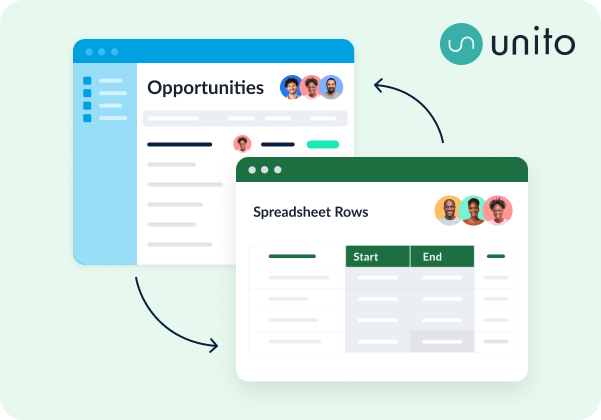
Unito is a no-code workflow integration platform with some of the deepest two-way integrations for the most popular tools on the market, including ServiceNow, Salesforce, Jira, Wrike, Asana, and more. A single Unito flow can connect a block of work (e.g., Asana projects, ServiceNow tables) in one tool with a block of work in another, syncing data back and forth between them seamlessly. That means you’re always up to date, no matter what tool you’re working in.
Key features:
- Two-way sync across 60+ applications
- 12-minute average setup time
- Field-level mapping with custom rules
- SOC 2 Type II certified
- Historical data migration
Dell Boomi
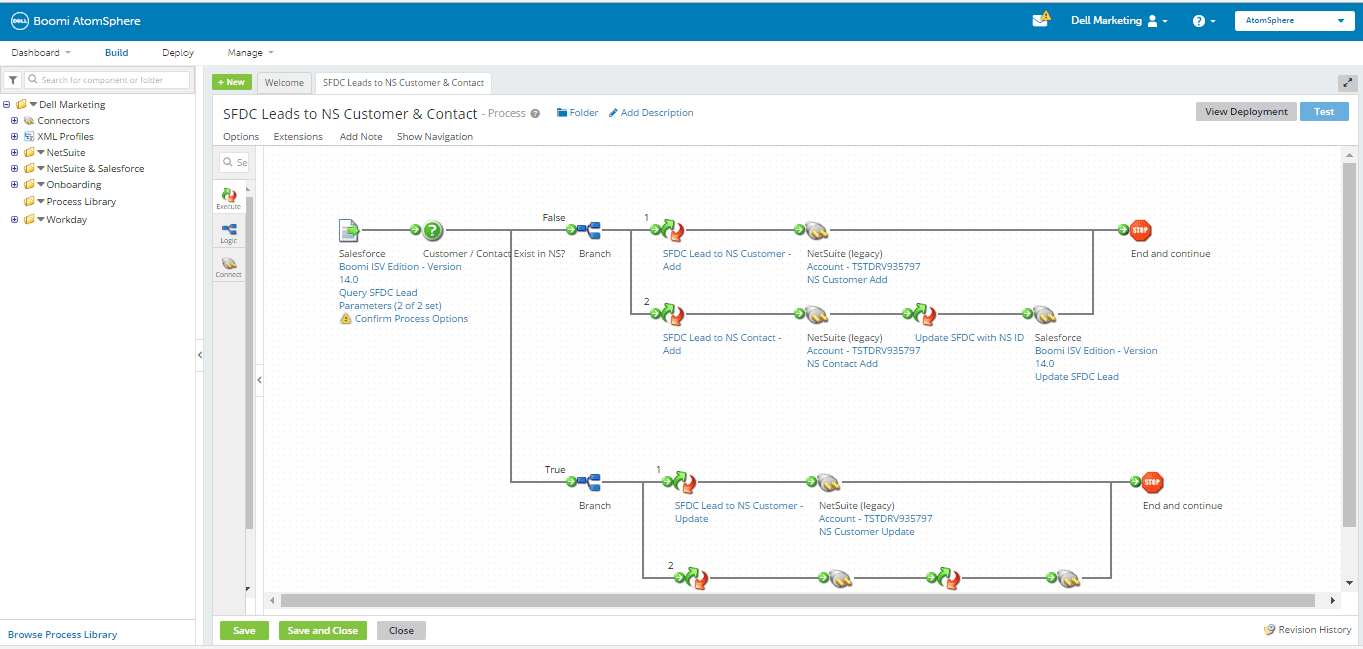
Dell Boomi is a cloud-based data integration tool with a visual interface that allows everyone at your organization to build integrations quickly, no code required. Companies like Expedia, AT&T, LinkedIn, and American Express use Dell Boomi to integrate workflows spanning over 300,000 tools.
Key features:
- Visual integration designer
- 300,000+ app connections
- Pre-built process templates
- API management tools
Make (formerly Integromat)
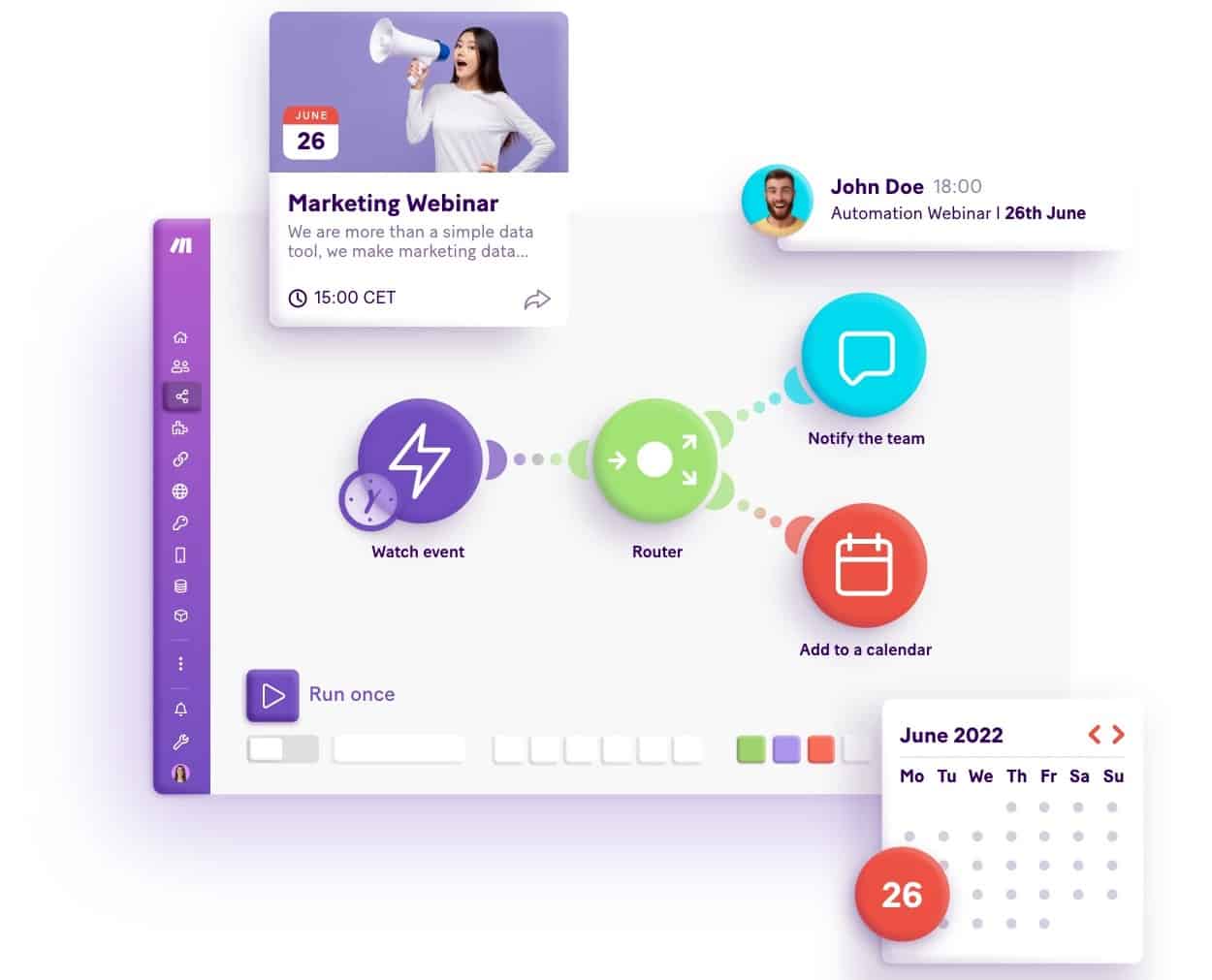
Make is another example of a no-code workflow integration platform that uses a drag-and-drop interface to empower users of all skill levels to build their first integration. That said, it’s more advanced than other integration platforms and can require additional maintenance to keep integrations working properly in the long run.
Key features:
- Drag-and-drop interface
- No-code integration and automation
- AI agent development tools
- 3,000+ pre-built apps
Why enterprise organizations are choosing two-way sync
Workflow integration platforms aren’t all created equal, and there’s one feature in particular that separates enterprise-ready integrations from the rest. Two-way sync.
A two-way sync creates true data fidelity between tools without relying on long chains of simple automations that can often create more problems than they solve. A true two-way sync tool prevents problems like infinite loops, duplicate work items, and the significant management that comes with these issues.
That’s why more and more enterprise organizations are choosing integration platforms that offer a two-way sync. Platforms like Unito.
FAQ: Workflow integration software
Can workflow integration software work with legacy systems?
While this varies depending on the workflow integration software you use, most can support legacy systems up to a certain point. You may need to speak with a vendor to discuss custom development options to get this working right, however.
What happens to my integrations if one of my connected apps changes its API?
Most workflow integration software vendors anticipate API changes to ensure their platform still supports your integration. If you’ve built your own integrations, however, even a simple API change could break them, requiring some emergency software development work.
How do workflow integration platforms handle data transformation between different systems?
Most software tools have APIs (Application Programming Interfaces) that turn their data into something fitting some kind of universal language. Workflow integration platforms bridge the gap between the APIs in two tools, transforming data as needed so it becomes compatible with each tool.
Can I integrate on-premise software with cloud applications?
Not all workflow integration software supports on-premise installations, but many do. These platforms will allow you to integrate on-premise software with cloud applications, though this typically requires some additional configuration.
What’s the difference between a real-time sync and a scheduled sync in workflow integrations?
A real-time sync identifies and sends updates from tool to tool as they happen. This allows end users to work with context from multiple tools without leaving their own platform. No miscommunication and no misunderstandings. Scheduled syncs only check tools for updates intermittently, with delays ranging from 15 minutes to a month. While platforms offering only scheduled syncs can typically support more integrations, they don’t have the level of data fidelity a real-time sync offers.
How do I prevent duplicate records when integrating systems?
Many integration platforms have built-in duplicate detection features, preventing the accidental creation of duplicate records.
Can workflow integration software handle a multi-step approval process?
Absolutely. As long as the workflow integration software you use is compatible with all tools your approval process moves through, it can automatically sync multiple approvals as you work on tasks and deliverables.
How does workflow integration software handle sensitive data like financial or health information?
If you work with sensitive data like financial or health information, make sure you choose workflow integration software that has security certifications matching your field. In finance, for example, you should look for PCI DSS (Payment Card Industry Data Security Standard) or SOC 2/SOC 1 certifications. In healthcare, you’ll want to look for HIPAA (Health Insurance Portability and Accountability Act) compliance.