








HubSpot two-way connector
Two-way sync between HubSpot and everything else.
Unito connects HubSpot with 60+ tools through secure, enterprise-grade, no-code integrations. Sync deals, tickets, companies, contacts, line items and more, both ways.
Experience two-way sync for HubSpot
Unito allows us to use the right project management and development tools so our teams can do their work without changing how they work.
True two-way live sync, out of the box
Fully configurable, no coding required
Scale and extend based on your needs
Sync HubSpot with business-critical tools
Popular Integrations
More Tools

















































Everything Unito syncs in HubSpot
Map any two-way field to a field in another tool. One-way fields are read from HubSpot but not written back.
HubSpot
Supported object types
- Contacts
- Companies
- Deals
- Leads
- Tasks
- Tickets
- Products
- Line items
- Quotes
- Orders
- Invoices
- Fees
- Taxes
- Discounts
- Carts
- Services
- Listings
- Courses
- Subscriptions
- Activities (notes, calls, meetings, emails)
- Projects
- Notes
- Threads & Comments
- Attachments
- All native and custom objects
Also syncs
 Threads & Comments
 Attachments
 Hierarchies
 Rich text
Supported fields, 9 fields across 1 object type
 Two-way
- Text
- Number
- Rich text
- Drop downs (single and multi-select)
- Date
- Date and time
- URL
- User
- Linked records (Associations)


Features that bring your HubSpot workflows to the next level
Deals, tickets and custom objects
Sync HubSpot deals, tickets, companies, contacts and line items, plus custom objects, so the teams working outside HubSpot start from the records sales and support already captured.
Ticket comments that stay internal
Comments sync with conversation threads and arrive in HubSpot as internal comments, so engineering context never reaches the customer by accident.
Fast, real-time updates
Real-time sync carries a change from HubSpot to the other tool and back, so a deal or ticket update shows up on both sides.
Flexible filters and rules
Filters decide which HubSpot records sync, and field mappings decide what each record carries, so only the context that matters moves.
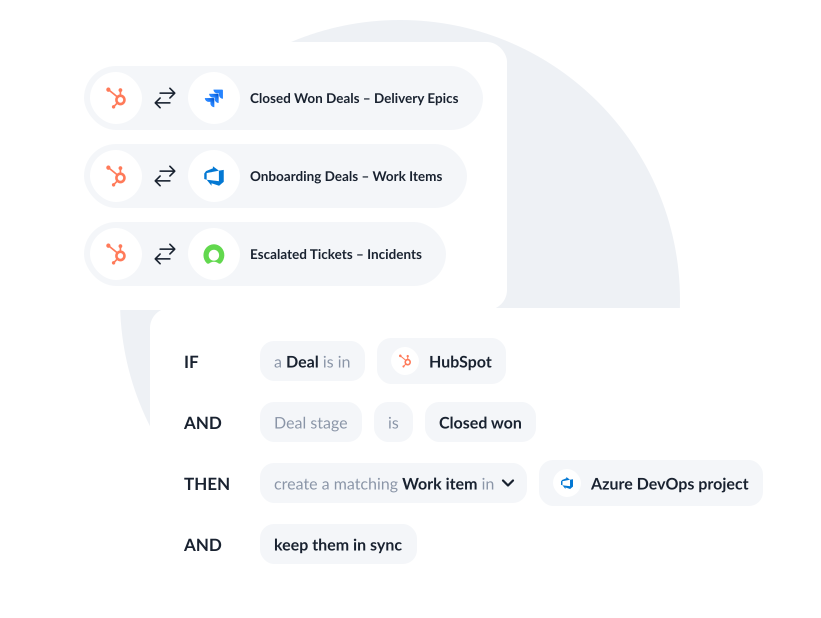
Key features
See how teams succeed with Unito
-

"Without a unified solution, we were spending as much time managing tools as we were working on the projects themselves"
-

"Unito allows our pipeline to run seamlessly from Sales to Engineering, while ensuring everyone is on the same page in Salesforce and Jira."
-

"Unito grants more visibility to executives and project managers. Syncing Jira and Wrike provided more clarity in our reporting and enables collaboration between teams."
-

"We saved more than 40 hours a week after syncing Asana and Jira through Unito. Our engagement with the C-suite was far, far better than expected."
-

"We're not just saving on licensing costs - we're reallocating time and resources. Tasks that used to take hours are now automated."
-

"Unito allows to have the right project management tool and the right development tool so our teams can do what they need to do without changing the way they work."
Real-world ways Unito simplifies integrations
Align projects across tools
Sync work with PM tools like Asana or Smartsheet to streamline collaboration and align project across teams.
Connect HubSpot with
Sales-to-delivery handoff
Connect with Jira or Azure DevOps to break down silos between planning and execution and keep delivery on track.
Connect HubSpot with
Streamline support collaboration
Integrate with support tools to share ticket updates with project and business teams - improving responsiveness and cross-functional workflows.
Connect HubSpot with
Power AI agents with complete context
Feed AI agents with real-time data and full business context by connecting tools across ITSM, DevOps, and business operations.
Connect HubSpot with
Enterprise-grade control and reliability
Unito is designed to meet the highest standards of security and performance.

SOC 2 Type 2 certified

GDPR and CCPA compliant
- SSO
- Secure from end to end
- Access controls and flow permissions
- Centralized monitoring tools
- No data stored by Unito
Frequently asked questions about HubSpot
Unito syncs HubSpot contacts, companies, deals, tickets, products and line items, plus notes, calls, emails, meetings and tasks. Linked records (Associations), comments, attachments and custom properties sync with them.
Unito supports contacts, companies, deals, leads, tickets, products, line items, quotes, orders, projects, notes, calls, emails, meetings, tasks, communications, postal mail and custom objects. Invoices and subscriptions are read-only. Conversation threads are read-only too: Unito can’t create or delete them. Which objects you see depends on your HubSpot account and permissions.
Yes. Unito syncs your existing custom properties and custom objects, and the field list comes from your own HubSpot account. Calculated and read-only properties can be read but not written to from another tool, and Unito can’t create new properties in HubSpot.
Yes. A comment written through Unito arrives as an internal comment on the HubSpot conversation thread, never as a public reply to the customer. Files on conversation thread messages are read-only, so to add one, post it with a new comment.
Yes. A flow can include HubSpot records that already exist, not only new ones, and the filters you set decide which records come along. Changes after that sync both ways in real time.